Your healthtech startup just nailed the product demo. The prospect loved your solution. They asked great questions. Everyone smiled and nodded. And then… silence.
Your prospect isn’t saying no, but they’re not saying yes either. They’ve gone dark. And while you wait, your pipeline stalls, your forecast becomes fiction, and your investors start asking uncomfortable questions.
If that’s typical for your startup, then you’re stuck in what sales leaders call the “dead zone.” It’s that frustrating gap between an enthusiastic demo and an actual decision.
This isn’t a follow-up problem; it’s a deal architecture problem. Let’s see why it happens, and how to fix it.
The dead zone doesn’t happen by accident. It’s built into how healthcare organizations buy technology. Understanding these forces helps you design a process that works with them, not against them.
Your champion can’t move forward alone, even if they love your product. Here’s who typically needs to sign off:
Clinical staff validate workflow impact and patient safety concerns
IT teams assess technical integration and infrastructure requirements
Compliance officers review HIPAA and regulatory implications
Finance departments demand ROI justification and budget alignment
C-suite executives evaluate strategic fit and organizational priorities
Decision-making authority is unclear or distributed across multiple departments, which means your single point of contact has less power than you think.
Procurement cycles that stretch for months
Source: CorporateVision
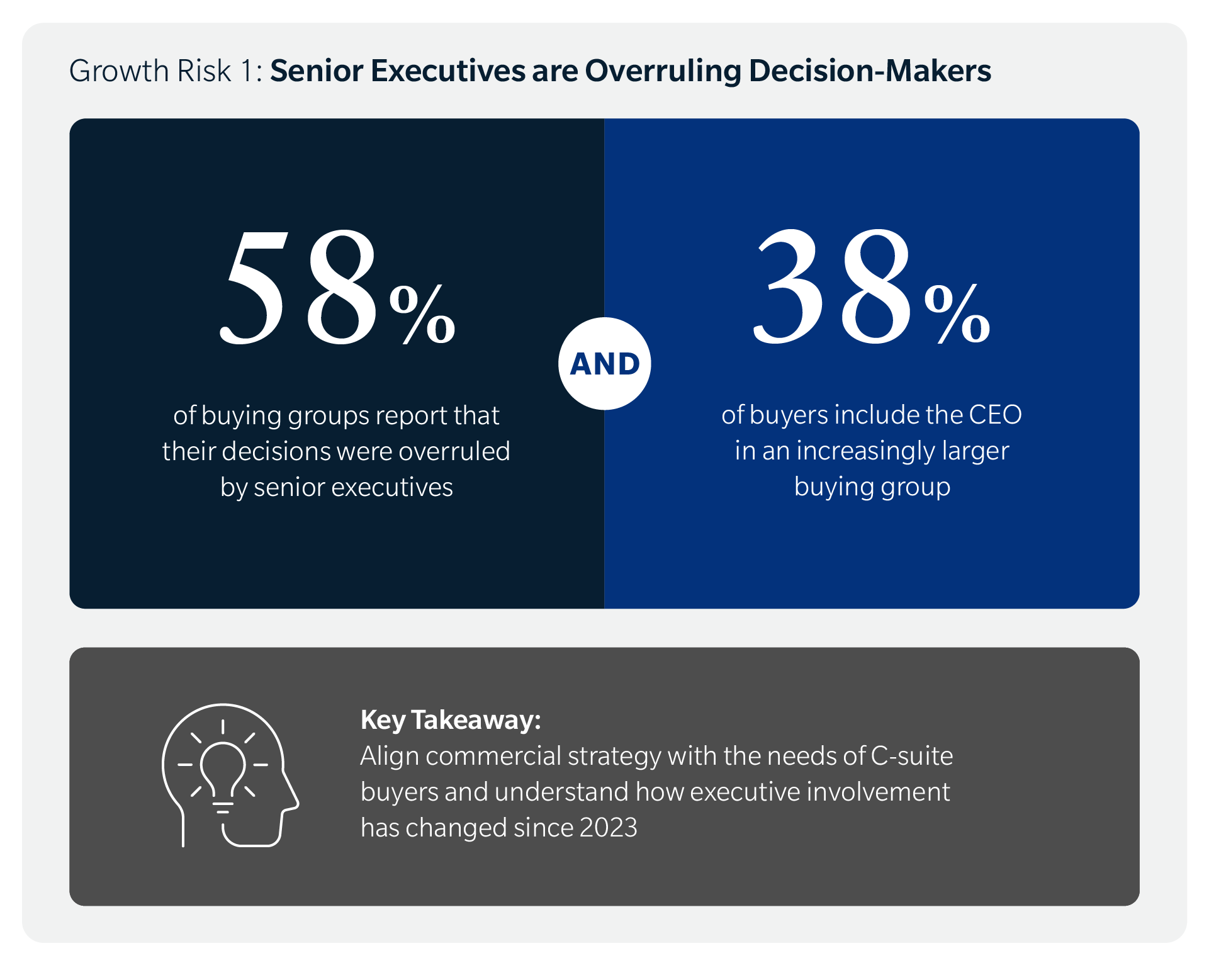
Healthcare organizations operate on budget cycles that don’t match your timeline. As it stands, large purchase approvals require alignment from at least 5 key stakeholders, and 86% of B2B purchases stall during the buying process. The typical B2B buying cycle spans 11.5 months.
The challenges you’ll face during this timeline:
The average healthtech sales cycle runs 9-18 months
Most delays occur post-demo rather than pre-demo
Budget freezes and reallocation priorities create unexpected stops
Capital requests often have to wait until the next quarterly meeting or annual board meeting
Even if you’re ready to close, your prospect won’t see their available budget until Q3.
Risk aversion in healthcare organizations
Healthcare buyers face career risk when new technology fails. HIPAA compliance, patient safety, and data security create legitimate concerns that go beyond typical B2B software fears.
Case studies from similar healthcare organizations
Reference calls with peers in comparable settings
Security audits and compliance documentation
Implementation plans that minimize disruption
The status quo feels safer than change, even when change would help.
Why Your Champion Goes Silent After the Demo
You didn’t lose the deal because of your product. You lost it because your champion hit an internal wall they couldn’t climb alone.
They lack internal buy-in from key stakeholders
Maybe your champion didn’t build a consensus before bringing you in. They saw your solution, got excited, and scheduled a demo without socializing the idea internally first. Other departments see the demo as “their project,” not a company priority.
This happens when:
Clinical staff, IT teams, or compliance officers weren’t in the room during your presentation
Your champion is now selling internally without your help or materials
They’re trying to recreate your demo in conference rooms and Slack channels
They’re failing because they don’t have your expertise or your sales enablement resources
It could be that your champion is fighting battles you don’t even know about.
They can’t build a business case
Rejected healthtech proposals fail due to “insufficient financial justification” rather than product concerns. So it’s also possible your ROI explanation doesn’t translate into their internal budget language.
Your champion needs specific numbers, like:
Cost savings expressed in their organization’s actual spend
Efficiency gains measured by hours saved or capacity increased
Revenue impact tied to reimbursement or patient volume
Risk reduction quantified in dollars, not just qualitative benefits
Your champion doesn’t know how to quantify the problem you solve in the terms their CFO cares about.
Most healthcare leaders consider ROI as the primary factor in their purchasing decisions. Finance teams shoot down proposals that lack concrete financial justification, and generic industry benchmarks won’t cut it.
They’re overwhelmed by next steps
If you didn’t create a mutual action plan after the demo, then your champion doesn’t know what to do next, or who needs to do it. Their path from demo to contract feels unclear and complicated.
The questions swirling in their head:
Do they need security documentation first?
Should they schedule an IT review?
Who builds the business case?
What approvals are required and in what order?
Then, other priorities compete for their attention, and your deal slides down the list.
Mistakes That Send Deals to the Dead Zone
Most healthtech sales teams create their own dead zone problems. See if any of these mistakes seem familiar.
Not mapping the decision process before the demo
Most salespeople demo before understanding the approval process. You don’t know who makes the final call or controls the budget. Critical stakeholders aren’t identified until after you’ve presented, which means you built your pitch for the wrong audience.
Treating demos as closing events instead of middle steps
This is when the demo becomes your peak moment instead of a milestone. You celebrate interest without securing commitment to next actions.
Your prospect leaves with information but no obligations. There’s no scheduled follow-up, no agreed-upon timeline, no documented next steps.
Four things you’re missing are:
Commitment to specific next actions with dates
Agreement on who needs to be involved going forward
Documentation of the decision process and timeline
Accountability for both your tasks and theirs
You haven’t earned the right to ask for specific commitments yet, so you don’t. Then you wonder why they ghosted you.
Failing to create urgency around the problem
When your demo focuses on features instead of the cost of inaction, prospects feel no sense of urgency.
Prospects don’t feel pressure to change their current situation because you haven’t quantified what staying with the status quo costs them in dollars, patient outcomes, staff burnout, or a competitive disadvantage.
There’s no compelling event driving a decision timeline. When everything is important, nothing is urgent.
How to Keep Deals Moving Through the Decision Phase
You can’t eliminate the dead zone entirely, but you can shrink it. Here’s your playbook.
Build a mutual action plan before you demo
Document every step from demo to signature with specific dates. Then get your prospect to commit to milestones in writing, even if it’s just a shared Google Doc.
Your mutual action plan should include:
Specific dates for each milestone, not vague timeframes
Names who will own every action item on both sides
Dependencies that could block progress
Decision criteria that need to be met at each stage
Map the buying committee during discovery, not after the demo. Ask questions like “Who else needs to be involved in this decision?” and “What does your typical approval process look like?”
To engage stakeholders effectively, you should:
Identify everyone who has input or veto power.
Understand their concerns and what success looks like for each person.
Schedule separate sessions for different stakeholder groups.
Tailor your messaging to what each group cares about.
Create sales enablement materials your champion can share internally.
Make the business case impossible to ignore
Translate your value into their specific metrics and KPIs. Build ROI models with their actual data, not generic industry averages. If they’re losing $200K annually to manual workflows, show them that number with their own figures.
Your business case should include:
Current state costs using their actual numbers
Future state benefits tied to their strategic goals
The cost of delay expressed in quarterly or monthly terms
The payback period and total ROI over 3-5 years
Risk mitigation value they can’t get from their current approach
Show the cost of delay in concrete terms they can present to leadership: “Every quarter you wait costs $50K in lost efficiency.” That’ll get their attention!
Schedule the next meeting before you leave the current one
Never end a conversation without making the next appointment.
Don’t say “I’ll follow up next week.” Say “Let’s get 30 minutes on the calendar for Thursday at 2 pm to review the security documentation with your IT director.”
To make every next step count:
Be specific about the date, time, and attendees
State the purpose and agenda for the meeting
Include the right stakeholders from the start
Confirm attendance from all required participants
Send the invite before you end the call or leave the room
Use calendar invites to maintain theircommitment.
The Five Warning Signs Your Deal Is Entering the Dead Zone
If you catch these signals early, you can still save the deal.
Your champion stops responding within 48 hours
Response times stretch from hours to days to weeks. Messages shift from specific (“Can you send the HIPAA compliance documentation?”) to vague (“Let me check with my team”). Your champion cancels meetings or suggests “checking back later” without offering alternative dates.
You’re chasing instead of collaborating.
New stakeholders appear who weren’t in your process
Someone from IT, legal, or procurement suddenly has questions. These stakeholders don’t have context from earlier conversations, so they’re starting from zero.
Watch for these red flags:
They raise objections you thought you’d already addressed
Your champion can’t or won’t facilitate introductions to these people
You’re answering basic questions that should’ve been covered weeks ago
Each new stakeholder brings a completely different set of concerns
This means your champion isn’t in control of the internal process.
The timeline becomes unclear
What this looks like:
Dates you agreed to slip without explanation.
Your prospect stops committing to specific next steps, replacing “We’ll have a decision by March 15” with “We’re still working through some things.”
Budget approval timelines shift or become uncertain.
Urgency disappears from the conversation.
When timelines evaporate, so do deals. Time kills deals.
Requests for information become repetitive or circular
Answering the same questions multiple times for different people is a waste of time and energy. When different stakeholders ask for information you’ve already provided, or your champion isn’t distributing materials internally, it quickly gets chaotic:
Your prospect can’t consolidate feedback from their internal team.
Everyone’s operating on their own without any team coordination.
The goalposts keep moving with new requirements.
No one seems to remember what was already agreed upon.
This signals a breakdown in your champion’s internal process.
Your champion asks you to “be patient” or “give them time”
Generic stall language replaces specific action commitments.
Your champion can’t articulate what’s happening internally or who’s holding up the process. They avoid discussing the actual decision-making process when you ask direct questions. You sense they’re hoping you’ll go away.
This isn’t patience—it’s avoidance.
What to Do When a Deal Goes Dark
Don’t give up—try these interventions first.
Use a breakup email to force a response
Write a professional note acknowledging the silence: “I haven’t heard back after my last three emails. I’m guessing this isn’t a priority right now.”
Give your prospect permission to say no: “If you’ve decided to pause or go another direction, that’s completely fine. Just let me know.”
Your breakup email should:
Acknowledge the silence without being passive-aggressive.
Give permission to say no to make responding easy.
Create urgency by suggesting you’re moving on.
Include a simple yes/no question they can answer quickly.
Reach out to people who were in earlier meetings, and provide value:
Share a relevant case study, industry report, or article that addresses a concern they raised.
Ask if there’s anything blocking progress from their perspective: “I wanted to check in—is there anything on our end that would help move this forward?”
Position yourself as a resource, not a pest.
Offer a smaller commitment to restart momentum
Suggest a pilot program or limited trial that reduces risk. Propose a workshop or assessment instead of a full implementation: “What if we started with a 30-day pilot in one department?”
Ways to reduce the ask:
Pilot programs in a single department or location
Proof of concept projects with limited scope
Assessment or audit services to quantify the problem
Executive workshop to build internal alignment
Build a Sales Process That Prevents the Dead Zone
The best way to handle the dead zone is to not enter it in the first place.
Run a sales audit to find where deals stall
Review your last 20 lost opportunities to identify patterns. Track which stage most deals go dark (Hint: it’s probably post-demo). Calculate your conversion rate from demo to next step, from next step to proposal, and from proposal to close.
Your sales audit should examine:
Conversion rates between each stage of your pipeline
Average time spent in each stage before progression or loss
Common objections that appear in lost deal notes
Stakeholder gaps where key decision-makers weren’t engaged
Process breakdowns where your team didn’t follow best practices
Interview former prospects who ghosted you to understand why. Ask questions like “What happened internally after our demo?” and “What would have made it easier to move forward?”
Document the gaps between your process and their buying process.
Day 2: Average time in each stage to spot bottlenecks
Day 3: Review lost deal notes for patterns
Day 4: Interview your team about common objections and stalls
Day 5: Prioritized list of fixes based on impact and effort
Create a post-demo playbook for your team
Script the conversation that happens at the end of every demo. Your reps should never let a prospect leave without completing three tasks: scheduling the next meeting, documenting the mutual action plan, and identifying any stakeholders who need to be involved.
Your playbook should include:
Scripts for transitioning from demo to next steps
Templates for mutual action plans and business cases
Stakeholder-specific materials for champions to use internally
Objection handling guides for common post-demo concerns
Role-playing exercises to practice the post-demo conversation
Implement a deal review cadence for stuck opportunities
Meet weekly to discuss deals that haven’t progressed in 10+ days. Bring fresh perspectives to stalled conversations—sometimes another team member sees an angle you missed.
Your deal review process should:
Identify stuck deals based on time since last progression
Diagnose the blocker using the warning signs framework
Develop intervention strategies specific to each situation
Assign ownership for executing the intervention
Follow up within 48 hours to measure results
The Dead Zone Doesn’t Have to Win
The dead zone kills more healthtech deals than pricing, competition, or product gaps. You can’t control healthcare buying cycles, but you can control your process”
Start by running a sales audit to find where your deals actually stall.
Map the decision process before you demo, not after.
Build mutual action plans that turn prospects into partners.
Create urgency around the problem, not just excitement about your solution.
Your demo isn’t the finish line; it’s like getting to mile marker 5 in a marathon. The companies that win in healthtech sales know this, and design their process to bridge the gap between demo and decision.
They make it easy for champions to sell internally, and they never let a deal go dark without a fight.
Imagine that one of your potential or current customers is desperately seeking help, and they land on your website. They find your FAQ page, scroll through dozens of entries about your “mission” and “values,” but can’t find the simple answer they need.
They leave and go on to the next website, still searching for answers. You’ve lost them.
The problem isn’t that FAQs don’t work—it’s that most companies build them backwards. They write questions they want to answer instead of questions customers actually ask. This guide shows you how to flip that script. You’ll learn exactly how to find the real questions your users are asking, organize them so people can actually find answers, and create an FAQ section that builds trust instead of frustration.
Most companies treat their FAQ section as a place to dump corporate talking points. They use it to explain policies that benefit the company, not to solve customer problems.
If your FAQ page isn’t helping people, it’s a waste of time.
The disconnect between company priorities and user needs
When you write “What makes our company special?” instead of “How do I return a damaged item?”, you’re wasting everyone’s time. Customers don’t care about your award-winning customer service philosophy when they’re trying to figure out shipping costs.
But when your FAQ is full of vague answers and marketing speak, you force people to contact support anyway. That ineffective FAQ page increases your costs and frustrates your customers.
The cost of poor FAQs
Poor FAQs have real business consequences. They lead to:
Increased support tickets and calls for simple questions you could’ve answered online
Cart abandonment when shoppers can’t find basic information
Lost sales because customers give up and go to competitors
Damaged credibility when your “Help” section doesn’t actually help
Instead, of thinking about what you want to say, start thinking about what your customers need to know.
How to Find The Questions Your Customers Ask
You don’t need to guess what questions to answer. Your customers are already telling you—you just need to listen. Here’s where to find the real questions that matter.
Mine your customer support tickets and email inquiries
Your support inbox is a goldmine. Every ticket represents a question your FAQ should’ve answered but didn’t.
Start by reviewing your last 200 support tickets or inquiries. Look for patterns. You’ll notice the same questions appearing again and again.
Pay attention to the exact words customers use. If 10 people ask “Can I change my order after I place it?” that’s an FAQ question.
Check your live chat transcripts
Live chat shows you what confuses people in real-time. Unlike support tickets, chat transcripts capture the moment of confusion. You can see exactly where customers get stuck in their journey.
Review 50 to 100 recent chat sessions or comments. Which pages do people visit where questions come up? If everyone chatting from your pricing page asks the same question, you need to add that to your FAQ.
Analyze your website search data
Your internal search bar tells you what people can’t find on their own. Log into your website analytics and pull up your site search reports.
The top 20 search terms reveal your biggest content gaps. If “refund policy” appears 500 times a month in your search data, but you’ve buried that information three clicks deep, you’ve found an FAQ question.
People ask questions on social media because they couldn’t find answers on your website. Check your:
Facebook and Instagram comments on your posts
Twitter mentions and DMs
LinkedIn company page comments
YouTube video comments if you have a channel
You’ll find questions you never thought to address. Social media gives you unfiltered feedback about what confuses people or what they wish you’d explain better.
Read your product and service reviews
Reviews aren’t just about ratings—they’re full of questions and confusion. Browse your reviews on your site, Amazon, Google, TrustPilot, Yelp, or industry-specific platforms.
Look for reviews that mention confusion or difficulty. Comments like “I wish I’d known this before buying” or “It would be helpful if they explained…” show you missing FAQ topics.
Your front-line teams hear everything. They know which questions come up daily and which explanations customers struggle to understand.
Schedule monthly FAQ check-ins with these teams. Ask: “What questions did you answer this week that we should add to the FAQ?” They’ll give you specific, actionable insights you can’t get from data alone.
The Best Research Methods to Find User Intent in Searches
Finding questions is step one. You need to understand why people ask them and how they think about their problems.
Set up a tagging system
Create a simple system to categorize every support inquiry. You can use tags like:
Update it weekly. Questions that appear 10+ times are high priority for your FAQ. Questions that appear once might not need to be there at all.
Use keyword research tools
Tools like Google’s “People Also Ask” feature, Answer the Public, and your SEO platform show you what people search for online.
Enter your main topic and see what questions Google suggests. If Google thinks these questions are important enough to show in search results, they should probably be in your FAQ. Research shows “People Also Ask” (PAA) boxes appear in 85% of Google search results, making them a reliable indicator of common questions.
Run card sorting exercises with real users
Source: Interaction Design
Card sorting helps you understand how people naturally group information.
Test with 5 to 10 people from your target audience. Give your research participants 20 to 30 FAQ topics written on cards (physical or digital). Ask them to organize the cards into groups that make sense to them.
This is a great way to learn how they think about your content. Maybe they group all payment questions together, while you had them scattered across “Billing,” “Subscriptions,” and “Refunds.” Use their mental model to design the structure of your FAQs.
Conduct user testing on your current FAQ
Watch real people try to use your existing FAQ. Give them specific tasks like “Find out how to cancel your subscription” and observe where they struggle.
Finding the right questions matters, but your answers need to deliver. Here’s how to write FAQ answers that people can actually use.
Use your customer’s language
Write like your customers talk, not like your legal team talks. If customers say “cancel,” don’t write “terminate your subscription agreement.” If they say “broken,” don’t write “manufacturing defect.”
Don’t make people read three paragraphs to find what they need. Start with the answer, then add details if needed.
Poor: “Our company values customer satisfaction. We’ve designed our return policy with flexibility in mind. After careful consideration of industry standards…”
Way Better: “You can return items within 30 days for a full refund. Keep your receipt and original packaging.”
The second version respects your reader’s time.
Keep answers scannable
Source: Ahrefs
Most people scan—they don’t read word by word. Make scanning easy with:
Short paragraphs (2-3 sentences max)
Bullet points for lists or steps
Bold text for key information
Clear headers that describe what’s in each section
Abstract answers create more confusion. Concrete examples make everything clear.
Instead of: “Shipping times vary based on your location.”
Write: “Shipping takes 2-3 business days within the continental US, 5 to 7 days to Alaska and Hawaii, and 7 to 10 days internationally.”
Numbers, timeframes, and specifics eliminate ambiguity.
Add visuals when they help
Some answers work better with screenshots, diagrams, or short videos. If you’re explaining how to use a feature, a 30-second video beats 300 words of text.
But only add visuals when they actually clarify something. Don’t add images just for decoration. Every element should have a purpose.
Smart Ways To Organize Your FAQ Architecture
Source: ResearchGate
Even perfect answers won’t help if people can’t find them. Your FAQ structure determines whether users get help or give up.
Group by the customer journey stage
Source: Funnelytics
Organize questions around where customers are in their relationship with you.
Before buying:
Pricing and payment options
Product features and specifications
Shipping and delivery
During use:
Getting started guides
Common tasks and how-tos
Tips for better results
When there’s a problem:
Troubleshooting steps
Returns and refunds
Contacting support
This structure matches how people think. A potential customer doesn’t want to wade through troubleshooting questions. (Someone with a broken product doesn’t care about your payment plans.)
Create clear categories with descriptive names
Your category names should be obvious. Don’t get creative here—clear beats clever.
Your FAQ search needs to be smart. But building a fancy search function might not be realistic or necessary.
If you have fewer than 25 FAQ questions, you probably don’t need search at all. A simple, well-organized page with clear categories and a table of contents at the top works fine. Users can scan and find what they need quickly.
If you’re using a website builder like Squarespace, Wix, or WordPress, many come with basic built-in search. Turn it on if you have it, because even simple search is better than none. Most platforms include this feature in their standard plans.
For growing solopreneurs with 50+ FAQs, consider these free options:
Use your platform’s native search and make sure your FAQ titles include the exact words customers use
Add a “jump to section” table of contents at the top of your FAQ page with clickable links (just like this article)
Try Algolia’s free tier (up to 10,000 searches per month) if you need something more powerful
Use Google Custom Search Engine (free with ads, or $5/month without ads)
Don’t stress about having the “perfect” search experience. A well-organized FAQ with clear headings and a ctrl+F-friendly structure beats a poorly organized FAQ with expensive search any day.
Show your most popular questions first
Don’t make everyone scroll to find common questions. Put your top 5 to 10 questions right at the top of your FAQ page where everyone can see them.
Update this list quarterly based on your analytics. The questions people viewed most last month should be prominently displayed.
Technical SEO For Your FAQ Content
Good FAQs help customers. SEO-optimized FAQs help customers find you in the first place.
Source: RankMath
Use FAQ schema markup
Schema markup is code that tells Google “this is a question and answer.” It can make your FAQs appear in search results as rich snippets; those expanded results that show the question and answer right on the Google search page.
Pages with FAQ schema have been shown to get more clicks than regular listings. It’s worth the technical effort or asking your developer to add it.
Structure each question as a heading
Use H2 or H3 (subheading) tags for your questions (the heading above is an H3). This helps screen readers, improves accessibility, and tells search engines these are important questions.
Don’t just bold your questions, use proper heading tags. Search engines pay attention to headings when deciding what your page is about.
Target long-tail keywords
Long-tail keywords are specific phrases people actually search for. “How do I track my order?” is a long-tail keyword. “Tracking” is not.
Write your FAQ questions the way people search. Google Search Console shows you the exact phrases people use to find your site. Use those phrases as your FAQ questions when relevant.
Your FAQ isn’t a one-and-done project. It needs regular care to stay useful.
Review quarterly
Set a reminder to review your FAQ every three months. Check that:
All information is still accurate
Links still work
Product features haven’t changed
Policies are up to date
Nothing destroys trust like outdated information. If your FAQ says “we ship within 24 hours” but you changed that policy six months ago, you’re creating problems instead of solving them.
Source: Powerslides
Add new questions as they emerge
When you get the same question multiple times, add it to your FAQ page ASAP. Keep your FAQ fresh and responsive to current customer needs.
Archive outdated questions
If a question no longer applies, remove it. Don’t leave it there with a note saying “this feature no longer exists.”
Don’t neglect to update your FAQs because old, irrelevant questions make your FAQ harder to navigate. They waste your users’ time sorting through them, and make your business look sloppy.
Track your FAQ metrics
Use analytics to monitor:
Which FAQ questions get the most views
How long people spend on FAQ pages
Whether people contact support after viewing an FAQ
Search terms that lead people to your FAQ
If a question gets 1,000 views a month but your bounce rate is 90%, that answer isn’t working. Test a clearer version and see if engagement improves.
Common FAQ Mistakes To Avoid
Even with good intentions, it’s easy to mess up your FAQ. Watch out for these common problems.
Source: RCR Financial
Writing in corporate voice
Your FAQ should sound like a helpful friend, not a legal document. Compare these examples:
Corporate: “Upon receipt of your inquiry, our customer success team will endeavor to provide resolution within the timeframe specified in our service level agreement.”
Helpful: “We’ll respond to your message within 24 hours on business days.”
The second version is easier to understand and gets to the point.
Give people the core answer fast, then add details for those who need them.
Using your FAQ as a dumping ground
Just because someone asked a question once doesn’t mean it needs to be in your FAQ. Focus on questions that come up repeatedly. A FAQ with 200 questions helps nobody—it’s too overwhelming to use.
Your FAQ page should be one of your hardest-working assets. When built with real user questions and organized around how people actually think, it reduces support costs, builds trust, and helps customers succeed faster.
The key is to stop guessing what people want to know and start listening to what they’re already asking.
Your customers are searching for answers right now. Give them a FAQ page that actually delivers. Your support team will thank you, your customers will trust you more, and your business will benefit from the reduced friction.
The best FAQ pages don’t feel like FAQs at all—they feel like a helpful friend who knows exactly what you need.
The intersection of chronic illness management and in-home caregiving presents unique challenges in healthcare. Through a compelling blend of personal storytelling and empirical data, this article illuminates the often-overlooked daily struggles of working caregivers.
I examine how emerging technologies and care models such as remote patient monitoring and care-at-home programs can transform the caregiving experience, offering valuable perspectives for healthcare providers and health plans seeking to integrate effective care solutions.
I married a man just two months after we met, because if I didn’t, I knew he was going to die.
I met George on a dating site in March 2016 as “PuertoRicanPapi.” During our first phone conversation, I learned he had been diagnosed with Stage 4 end-stage renal disease (ESRD) and only had 18 months to live. He needed to start dialysis, but his ACA health plan wouldn’t cover it.
The Global Burden of Disease ranks chronic kidney disease (CKD) among the top 20 causes of death (Ibrahim et al., 2022). CKD is regarded as a high-stress illness due to the chronicity of the disease and the long-term treatment required. ESRD is the last stage of CKD, often caused by diabetes mellitus.
That’s a heavy thing to hear from anyone. But there was something about him that wouldn’t let me leave him alone.
The Downward Spiral
The Diabetes Domino Effect
George was a 40-year-old Puerto Rican man with diabetes, neuropathy, and ESRD. The following year, he developed non-Hodgkins lymphoma (NHL) and eventually sepsis. Over the course of our 2 years together, I coordinated his care among 10 doctors (primary care and various specialists).
His diabetes diagnosis is unclear, as some of his doctors mentioned Type 1 and others said it was Type 2. But from what I understand, before we met, a clinic had prescribed him insulin pills when he actually needed the insulin pens.
That’s a heavy thing to hear from anyone. But there was something about him that wouldn’t let me leave him alone.
Peritoneal Dialysis and the Hospital Revolving Door
That fall, George got surgery to implant a port into his belly, and then we started peritoneal dialysis (PD) from home. I set up the machine and ran it for him every night as I was taught by his nephrology team. But every month he went to the hospital because:
A1C was high,
His hemoglobin count was low (especially after chemotherapy) and he needed a blood transfusion, or
He was in pain.
He didn’t like being there because no one would let him rest, nutritionists came in to tell him how to eat properly for a diabetic and renal diet (and often those menus were contradictory), and other clinicians would come in and ask the same questions every time. I occasionally stayed overnight with him if my daughter was accounted for.
Weekends were the worst, because when he was having intense pain, he had to visit the ER for relief, of course waiting all day for his name to be called.
We also enrolled in a kidney transplant program at Emory Hospital in Atlanta, GA. Although I wasn’t a match to be a kidney donor for George, I was eligible to be in an exchange program with someone else, and they could provide a matching kidney for George. Unfortunately, the next setback negated these efforts.
Developing Cancer
George saw the dentist for pain in his mouth a few times in the fall of 2016 and spring of 2017. The dentist found an abnormality in his mouth that kept coming back.
During that last visit, George went to the hospital, they tested it and it was cancer–Non-Hodgkins Lymphoma (NHL).
He started chemotherapy later that month. His beautiful hair started shedding on the pillowcase the next day, and mourning began.
Losing his Leg
A few months later, George fell in our bathroom upstairs while I was in New York at my grandmother’s funeral. His teenage daughter was home, but downstairs. She called me two days later to tell me that he fell, and that his foot was black.
Source: Alltech Prosthetics
Type 2 diabetes often causes complications that can lead to lower limb amputation (Costa et al., 2020), and unfortunately, this is when George’s health took a turn for the worse. We went to a specialist after I got back from New York, who confirmed his left foot was broken and would probably never heal correctly, and recommended a below-the-knee amputation. George was devastated, but went through with it.
Afterward, he could still drive with his right foot, and he decided to buy a large SUV. I assisted him with getting in and out of the truck with his new wheelchair. However, we no longer slept together, because our bedroom was upstairs. He stayed on the couch for a few months until we got a hospital bed placed in the living room.
Losing Hope
Even though he was taking several prescribed high-dose narcotics, they didn’t have much effect in pill or patch form. Only medicines administered by IV quelled his suffering.
I always felt like I had to be strong, but I was at my wits end, suffering silently beside him. The last straw was when he developed gangrene on his genitalia, and it wasn’t curable. His pain intensified, and I advocated for him tirelessly by calling doctors, and researching information, but it was impossible to get pain management from any doctor in our city, so he suffered needlessly.
Multiple calls to his nephrologist and primary care doctor were never addressed, so I believed that palliative care was the only thing that would make him comfortable. In January 2018, I admitted him to hospice care, where he died a couple months later. I didn’t receive follow-up counseling afterward, but I met with my therapist a few more times until I moved out of state and back near my family to grieve.
Looking Back
The single most important thing missing from my experience that would have made things easier is access to support, which I describe in the following DECAF section.
I balanced parenting and school functions with spousal caregiving, administrative duties like tracking his medications, scheduling new appointments and conferring with health insurers, transporting my husband to multiple appointments, household responsibilities, and my full-time work as a technical writer with a Fortune 50 corporation. And I didn’t receive support from providers after his death, except for a newsletter from the hospice team every few months until a year passed.
I could have used an assistant for appointment scheduling and insurance coordination. A home health aide at flexible times to help with toileting and other ADL tasks.
Effects of In-Home Caregiving by Working Adults
During the pandemic, parents of school-aged children learned what it’s like to try balancing the role of teaching them while also managing their own work and household responsibilities. In-home caregiving was similar in my experience-–I had to juggle my work duties working from home with caring for my husband, and it wasn’t easy.
A study of the estimated 8.8 million employed family caregivers found that nearly 1 in 4 (23.3%) reported either absenteeism or presenteeism over a 1-month period due to caregiving (Fayete et al., 2023). Among those affected, caregiving reduced work productivity by one-third on average—or an estimated $5,600 per employee when annualized across all employed caregivers—primarily because of reduced performance while present at work. Productivity loss was higher among caregivers of older adults with significant care needs and varied according to sociodemographic characteristics and caregiver supports.
CareYaya Health Technologies’ data shows that caregivers spend an average of 15 to 20 hours per week on caregiving tasks. “It’s super hard to draw the line between when you’re working and when you’re caregiving when you’re WFH,” says CEO Neal K. Shah.
“70% of caregivers worldwide are women, and their average age is 49,” says Cheryl Field, MSN, RN. “So if you think about the multiple roles that a 49-year-old woman is playing between their own children, their career, their parents, their partner and the biological changes that come with menopause, you can see that caregivers are in a particularly pressure-filled time of their life. Any means by which they can reduce some of these stressors is significant.”
Stress from Multitasking
Source: Position is Everything
Caregiving influences several dimensions of the caregiver’s life, such as physical (e.g., physical health deterioration), psychological (e.g., anxiety and traumatic stress), family (e.g., roles and routines) and social (e.g., leisure time and social life) (Costa et al., 2020). Caregivers under stress report high levels of depressive symptoms, anxiety, high use of psychotropic drugs, low satisfaction with life, several symptoms related to psychological stress, and low subjective health.
“In-home caregiving lends itself to both more and less stress for the caregivers,” notes Dr. Caryn McAllister of High Quality Therapy. “Caregivers who work from home can juggle responsibilities needed during the day with work, and flexibility with respect to hours can allow people to contact medical professionals, organize schedules, and ensure their loved one eats, goes to the bathroom and takes medicines on time. The extra stress can come when people don’t have the ability to transition between work and home life. People often find they can leave work at work when they go home, but caregivers who work from home just don’t get that break. Ever! It takes organization and discipline to make it work.”
Wil Thomas, Editor of the Senior Bulletin, mentions a reader named John who echoes these sentiments. John has a full-time job while taking care of his elderly mother. “It’s like having two full-time jobs,” he says. “I’m constantly juggling meetings and her medical appointments, and it’s exhausting.”
Field understands this, too. As a former chief product officer who had a senior living with her in a multigenerational setting. She highlighted that the impact of providing in-home care varies over the course of the patient’s illness. “When care needs can be anticipated and scheduled, and additional resources can be utilized to put a plan in place, the impact can be smaller. When care needs are unexpected or difficult to anticipate, the impact will be greater,” she says.
“Consider that your interrupted sleep several times a week in the middle of the night over a chronic period of time begins to have an impact on your own rest and even the ability to fall asleep with anticipated anxiety of what’s to come through the night,” Fields continues. As care needs become more demanding on working adults, often you’ll see a rise in absenteeism for scheduled and unscheduled medical needs, and a decrease in resiliency on behalf of the employee. Chronic fatigue, fear, stress and anxiety all compound and can have an impact on the health of the working adult.”
Unfortunately, these stories aren’t unique. For adults who are caring for a loved one and also continuing to work in their career, taking on these responsibilities can be stressful and lead to burnout, Field says. 60% of caregivers are also employed, and many feel the job-related stress piling up. But working from home does make a big difference, providing flexibility that in-home caregivers need.
Impact of Diabetes on Patients and Chronic Care
50% to 75% of people with diabetes have a caregiver involved in their healthcare (Fields et al., 2022). These caregivers are often partners, spouses, adult children, or siblings.
Like many chronic conditions, diabetes requires complex medical management that often requires following regimented eating plans, monitoring sugar levels, organizing daily medications, and coordinating medical care. The sicker George became, the more of these responsibilities fell on me.
Source: eClinicalWorks
The chronic care model is a multidimensional solution to the complex problem of providing care to patients with chronic health problems. The theory of this model says that a significant part of chronic care takes place outside of formal healthcare facilities (Katsarou et al., 2023).
It also states that six elements are central to initiatives to improve chronic care: community resources, healthcare system, patient self-management, decision support, service delivery system redesign, and clinical information systems. Interventions that include at least one of these elements are associated with improved outcomes for people with asthma, diabetes, heart failure, and depression. However, only patients with heart failure and depression had improved quality of life (Katsarou et al., 2023).
Flexible scheduling
Caregiving would have been impossible if I couldn’t work from home. George had 10 doctors, and that translated to roughly 3 days a week with at least one appointment. At that point, I had worked for my company for almost 20 years, which gave me unlimited sick time and lots of vacation time. I took my work laptop with me to doctor appointments, rearranged meetings, and still made time for my daughter’s activities.
Working from home gave me flexibility in managing caregiving tasks and professional responsibilities, including the ability to respond to his needs promptly, compared to me working in an office setting, or George being in a facility where staff are spread across multiple patients.
Another of Thomas’ readers, Jane, works remotely and looks after her father, who has Alzheimer’s. “Working from home has been a lifesaver,” she says. “I can attend to my dad’s needs throughout the day without compromising my work. It’s still challenging, but having that flexibility makes a huge difference.”
While working from home offers more flexibility to manage caregiving tasks, it can also blur the lines between work and caregiving responsibilities. “Many caregivers report feeling constantly “on-call,” which can lead to burnout, and that burnout affects over 33% of family caregivers who are working from home, compared to 20% who work in the office,” Shah reports.
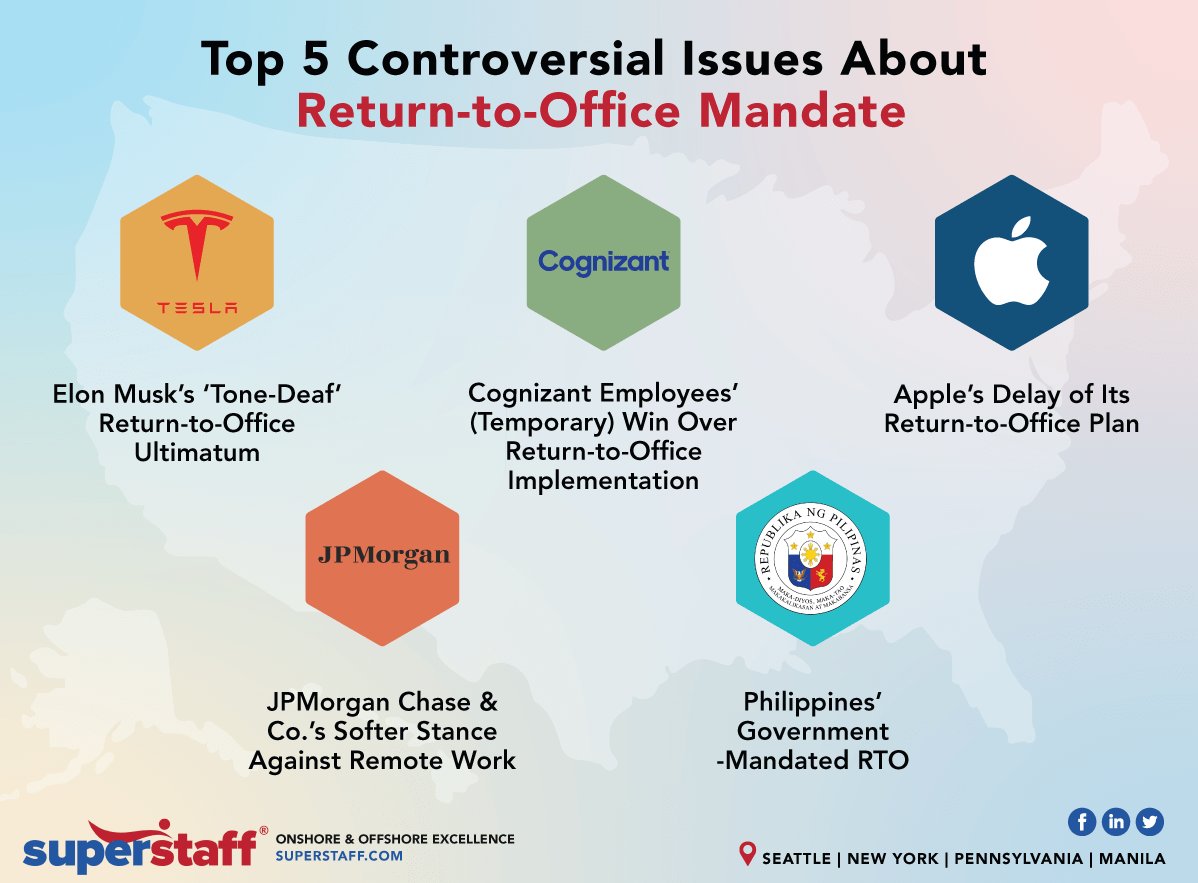
Indeed, flexible work arrangements such as telecommuting, job-sharing, and flexible hours can help caregivers manage their time more effectively. However, since the pandemic ended, return-to-office mandates have flourished with employers who want to manage employees in person and/or fill their empty office spaces. 90% of companies plan to implement return-to-office policies by the end of 2024, according to a report from Resume Builder. Nearly 30% say their company will threaten to fire employees who don’t comply with in-office requirements.
Source: SuperStaff
But for employees who can work remotely, several caregiver pressures can be relieved. Removing the commute and a strict start or end time of an office job gives the remote employee flexibility. Fields gives some of examples:
“On mornings where there’s been a difficult night, an extra hour of sleep can make a world of difference on how the employee feels and functions that day. Being able to work from home may also make it possible to leverage telehealth appointments instead of having to physically travel to doctor’s appointments. Caregivers also have the ability to provide distant supervision and mealtime support for a loved one while working from home and don’t need to have as many outside resources coming into the home to provide that supervision or ensure meals are delivered and consumed. These small benefits relieve a lot of microstress.”
Caregiver Needs Analyzed with DECAF
A study at the University of West Attica in Greece investigated the needs of caregivers of patients suffering from CKD, stroke, cancer, dementia and multiple sclerosis (Katsarou et al., 2023). 89% of these caregivers were relatives, 50% were between 20 and 50 years old, and 19% were spouses. Researchers found themes among caregiver needs:
Caregiver training
Help with nursing home care and physical therapy
Help with financial burden from health services
Lack of reliable transport
Psychological support, including delivery via digital media and mobile devices
Social support groups
Navigating complex medical insurance
I agree with all of these points. To break it down a bit more, I’m using the DECAF framework (Fields et al., 2022), which was developed to raise awareness about caregiver responsibilities in care planning and execution during the hospital-to-home transition. Here’s how DECAF played out in my caregiving experience.
Direct Care Provision
Direct Care Provision refers to hands-on support with activities of daily living (ADLs) such as getting dressed, food preparation, toileting and physical activities, and taking the patient to healthcare appointments. It also includes nursing tasks like wound care and medication management. I was a certified nursing assistant in the 90s, and a home health aide in the 2000’s, both of which prepared me for my experience with George.
Emotional Support
Emotional Support is the empathy and compassion for the patient and caregiver.
I had no close friends nearby, and George’s family was local, but most of them were more hands-off. So as his condition took more and more of a toll on my mental health, I sought out family members, a therapist, and church groups for support and stress relief.
Social support can diminish the impact of the emotional burden and stress of care by providing solutions to problems, distractions from issues or facilitating the required healthy behaviors (Ibrahim et al., 2022). Caregivers who seek social support from family and friends experience a lesser burden of care than caregivers without solid support networks.
Seeking social support is the dominant coping mechanism for caregivers of patients undergoing renal replacement therapy (Ibrahim et al., 2022). Caregivers of chronic patients are four times more likely to be diagnosed with depression and three times more likely to seek help for anxiety issues than individuals who are not caregivers.
Being an in-home caregiver is lonely, and I lacked self-care. I’ve been working from home since 2005 so I was used to being alone, but caregiving for your spouse is a different kind of loneliness. I was losing my husband slowly as his condition got worse, and I needed social support. I mostly relied on my family (long-distance phone calls) and a local church group. In less than a year, I shifted from being a newlywed with an independent husband to a caregiver. My marital needs were not met, as George lost sexual function early on. This also caused strain on our relationship.
I’m not alone. A study on psychological health from Savitribai Phule Pune University in India confirms that dysfunctions caused by chronic illnesses aren’t limited to the patient, but affect the partner, and the couple’s dynamic, making a considerable impact on the satisfaction levels in the relationship (Umrigar and Mhaske, 2022). Behavioral and personality changes in the patient can overpower emotional bonds between the caregiver and the patient as well. The greater the negative effect, the greater the frequency of depression, anxiety, and somatization in the caregiver.
This study polled women caregivers about their male spouses with chronic conditions of cancer, coronary heart disease, and diabetes. They found clinically significant marital and sexual dissatisfaction. Since marital satisfaction and sexual satisfaction are closely linked, a decrease in one tends to have a serious impact on the other, and consequently, on the overall quality of life.
Care Coordination
Care Coordination involves initiating, managing and maintaining healthcare services and support. Managing diabetes successfully requires significant care organization and coordination of multiple types of interactions with the healthcare system. Participants in a study at the University of Wisconsin-Madison (Fields et al., 2022) frequently recognized caregiver roles in care organization, such as helping with tracking and scheduling appointments, taking notes before and during healthcare visits, and making lists of current medications.
I can concur. I took George to his appointments, acting as an administrative assistant and advocate. It was up to me to take notes, ask for what he needed, and verify or dispel inconsistent information (test results, guidance, data, etc.) between different doctors. I had a spreadsheet that the nurses loved, because it listed all the pertinent information about his medication names, amounts, prescribing doctor, reasons for taking them, etc.
Patient Advocacy
Advocacy is about empowering individuals to obtain resources. In the same Wisconsin study, several participants described experiences where the caregiver advocated on behalf of the patient when experiencing serious health complications linked to diabetes.
I was no different. As the months went on, George’s depression intensified into hopelessness and an “I don’t care anymore” attitude. So in addition to caregiving, I was also a fierce advocate for his mental health, trying to find resources to alleviate his chronic pain and help him feel more comfortable.
Financial Support
Financial support refers to help with planning and using financial resources. With rising home and institutional care costs and formal caregiver shortages, 66% of caregivers use their retirement and savings funds to pay for care (Genworth).
Source: Grants for Medical
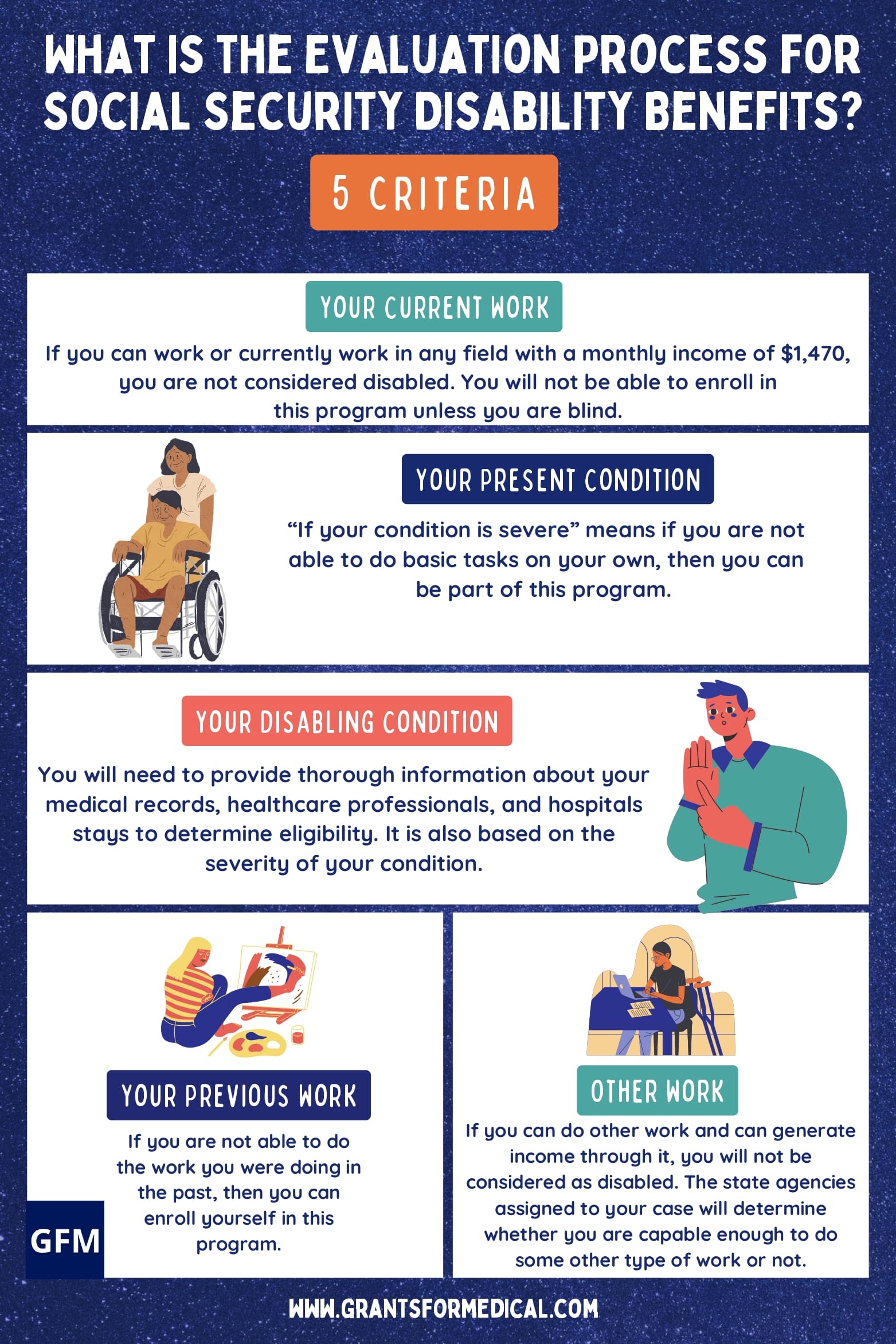
Applying for Social Security disability payments was a huge challenge. One of the questions that caused a denial related to his unemployment status. He explained that his medications made him fall asleep intermittently and randomly, so he couldn’t work. They blamed his medication and denied his application two more times before he was finally approved. He then started receiving payments of about $700 per month.
George had no life insurance, and I didn’t receive any direct financial support until his last week of life. I wrote Facebook posts about his status while he was in hospice care, and many of my friends sent funds via PayPal and Cashapp to help me pay for the funeral.
Navigating Healthcare Systems and Insurance Complexities
Caregiving at home often leads to substantial financial strain due to the cost of medical supplies, home health aides, and necessary modifications to the home. Not to mention the daunting task of navigating health insurance complexities, from finding in-network healthcare providers, care coordination, and working with billing offices regarding Medicare and Medicaid.
Finding In-Network Medical Providers
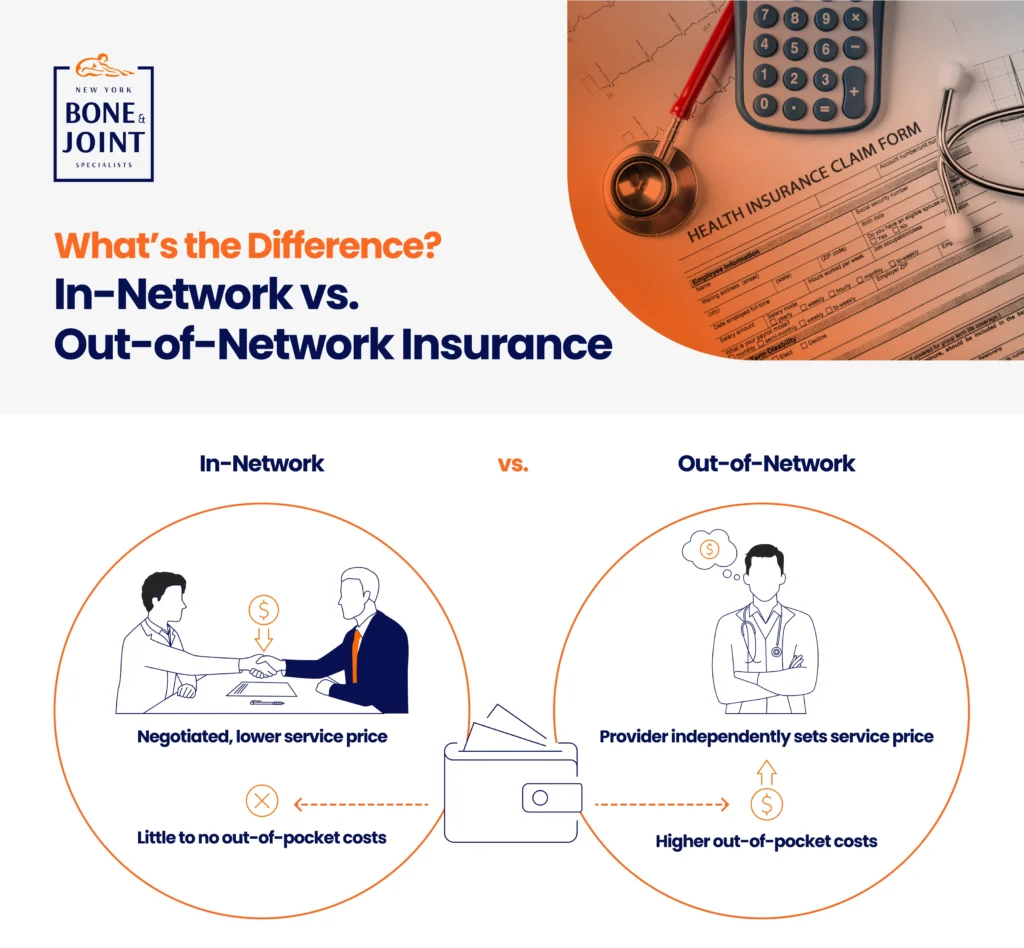
Another huge barrier for caregivers and patients alike is finding healthcare providers within their insurance network—especially specialists like those George needed. According to a Kaiser Family Foundation study, 29% of people struggle to find new providers within their network. Providers change the insurers they participate with frequently, and the onus is on the caregiver or patient to figure out how much of their bill will be covered in any given scenario.
Source: New York Bone & Joint Specialists
I’ve had to seek therapy before I met George, not just during his illness. No matter what, it’s difficult to find an available, local provider. Once I found a therapist, we started off going to see her together, but eventually he stopped.
Thomas recommends using online directories, insurance company tools and telehealth services to find these providers. And Dr. McAllister mentions an advanced step I’d never heard of before: “If you can’t find an in-network provider for your loved one, you can obtain a single case agreement, where your company will recognize the out-of-network provider as if they were in-network.”
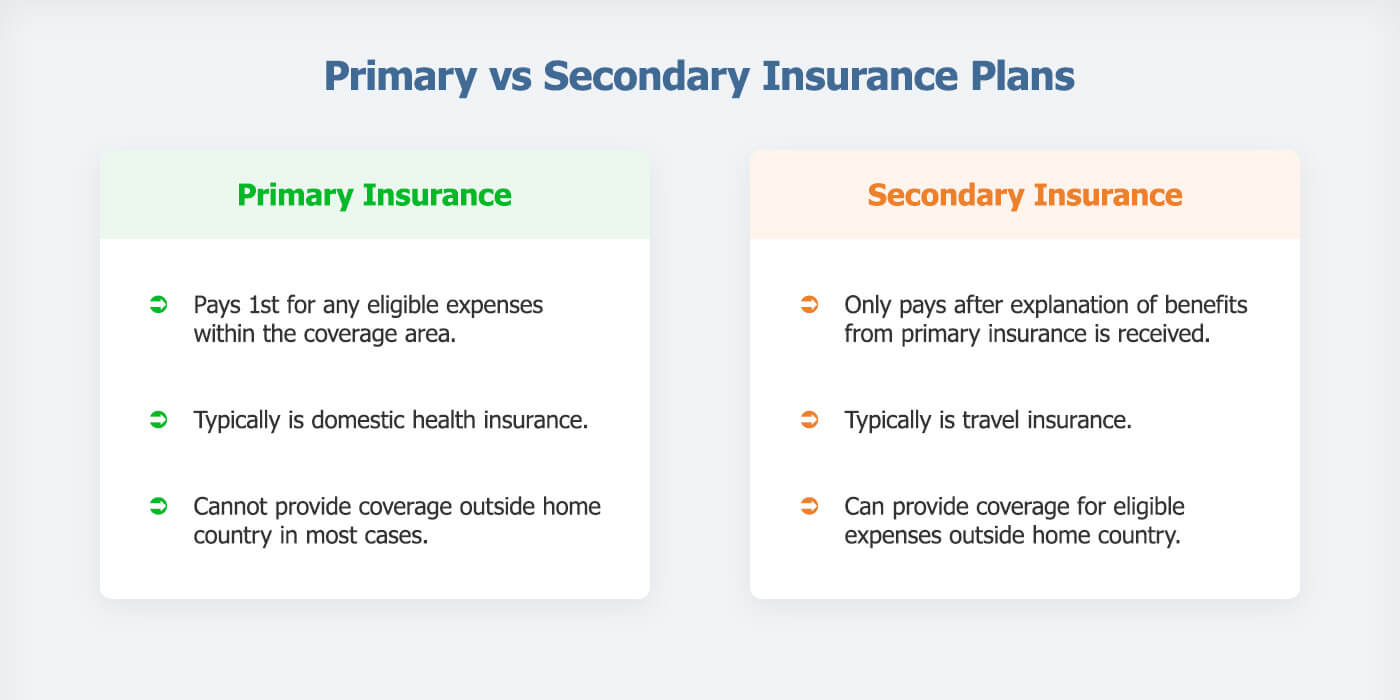
Decoding the Difference Between Primary and Secondary Payer Insurance
One recurring source of frustration for me was dealing with multiple billing departments about George’s insurance. The health insurance from my employer was primary, and Medicare was secondary. I made this clear for each medical provider (remember, he had 10 doctors). However, each billing department would call me to confirm multiple times based on how his claims were processed.
Source: Drive Safe Insure
The coordination of benefits between private insurance and Medicare/Medicaid is something Shawn Plummer, CEO of The Annuity Expert educates his customers about. For example, he explains that determining the primary and secondary payers can help maximize coverage and minimize out-of-pocket expenses. Additionally, exploring supplemental insurance options can fill gaps not covered by primary insurance plans.
Healthcare providers have their struggles working with health insurance companies as well. Take for example Dr. McAllister’s practice, which is in-network with Medicare and out-of-network with all private insurance companies.
“As a provider, it’s so difficult to deal with insurance, although Medicare is very straightforward and easy to work with if you abide by their rules,” she says. “If you understand that private insurance companies try to maximize profit by denying coverage, and go into the process knowing how to advocate, you won’t feel as frustrated.
Source:: Geeks for Geeks
“To add to the confusion, when people have Managed Medicare, the medicare rules apply but the private insurance manages Medicare. “I often suggest sticking to straight Medicare, not Managed Medicare, because standard Medicare tends to treat providers more fairly. Many providers won’t accept Managed Medicare because of the low reimbursement rates and bureaucracy associated with private insurance companies.”
Bert Hofhuis of Sovereign Boss in the UK says that many insurance plans, including Medicare and private insurance, have limitations on what they cover for in-home care. “For example, Medicare may cover some home health services but often does not cover custodial care.”
Dr. McAllister, Hofhuis, and Plummer shared more tips to navigate complex insurance issues:
Source: Investors
Understand the specifics of health insurance policies: Ask questions about things you don’t understand, and “seek plans that cover in-home care services, medical supplies, and home modifications to be prepared,” says Hofhuis. “It’s essential to review policy details and consider supplemental insurance to cover gaps.”
Take notes: “When dealing with insurance representatives on the phone, always write down the name of the person you speak with, information regarding the call and a reference for the call. Write everything down and email as much as possible so you have proof of everything,” Dr. Allister says.
Use HSAs and FSAs: When available, Plummer and Hofhuis recommend usingHSAs and Flexible Savings Accounts (FSAs), which can provide tax-advantaged funds that can be used for medical expenses, including caregiving costs.
Plan for long-term care: Consider purchasing long-term care insurance early to cover potential future caregiving needs.
Keep records for tax purposes: Keep detailed records of caregiving expenses, as some may be tax-deductible, potentially easing your financial burden, Plummer and Hofhuis concur.
Denise M. Brown, is Founder and CEO of The Caregiving Years Training Academy, a family caregiving agency that coordinates care across multiple systems. She shares that Medicare Part B reimburses for Caregiver Training, Community Health Integration Services and Principal Navigation Services. Family caregivers can receive these services on behalf of a Medicare beneficiary if that beneficiary cannot participate in care planning because of their illness.
“The interplay between private insurance and Medicare/Medicaid is a common source of confusion,” Shah says. “More educational resources are desperately needed to help caregivers understand these complexities, including decision trees to determine primary and secondary payers.”
Effective Care Coordination Between Health Systems
Getting Access to Supplies and Services
The healthcare system is disconnected and siloed. The complications that come with coordinating care getting medical supplies can be a hassle for caregivers. It requires time, energy, patience and diligence. I remember having to take note of each and every resource to get various supplies, whether it was for dialysis, a wheelchair, or even gauze strips.
According to AARP, nearly 75% of caregivers manage medications and medical tasks. Thomas’ reader Sarah went through a nightmare trying to get the right wheelchair for her husband. “We had to go through so much paperwork and phone calls with the insurance company,” she said.
Shah understands these frustrations. “Partnerships between tech and medical supply companies to streamline this process for caregivers would be super helpful,” he says.
Brown was also a caregiver, and shares her perspective as a provider: “We do our scheduling based on the provider’s schedule, which means working around our own work schedule. We may need to be with our patients when the nurse or home health aide comes. Because of staffing shortages, we often take the schedule that’s given even when the schedule completely derails our day.”
Improving Systems and Patient Satisfaction
Brown says that healthcare professionals can help caregivers and agencies alike by obtaining doctor orders and making effective referrals. “It’s frustrating to have to repeatedly call the doctor’s office to get an order for home health services and durable medical equipment,.” she says.
Source: Printablee
“It’s also important that the healthcare professionals know which providers have staff available. For instance, my dad received home health services with a visiting nurse. When I also asked for a home health aide, the nurse was upfront that there just wasn’t the staff available for home health aide to visit. We could work around that because my sister and I provided my dad’s personal care. Others may not have the luxury, so it’s important to know the reality of what we can expect.
Another thing to consider is the emotional effect on the patient when a provider or aide is no longer available.
For example, there was a week when neither Brown nor her sister would be available on a Friday to care for their dad. “I was waiting to hear if my dad’s home health provider could continue providing services for my dad. I waited to reconfigure my work day on Friday if I needed to provide care. I later heard back from the home health agency that benefits would continue. My dad was worried about benefits ending in part because he had formed a wonderful friendship with his nurse, and he loves her. But the system doesn’t take into account the emotional impact when services end. We miss the care, and we often also miss the care provider.”
Source: EDUCBA
Naama Stauber Breckler, Co-founder of Better Health, is trying to improve accessibility and convenience for people with chronic conditions and dependent on different medical devices and supplies. “Patients need the ability to easily discover and order medical supplies online and get an easy explanation of their insurance benefits, how to maximize them, and how to find the best products,” she says.
Dr. McAllister recommends contacting the insurance company to see what exactly is allowed (HHA, PT, OT, SLP and RN services). “Companies may try to give you less than your family needs, but your insurance company will help you understand what your rights are. Many home health companies are short-staffed, but if you know what you can get for your family member, you will be able to advocate for the best,” she says.
Addressing Caregiver Challenges with Care at Home
Some of the ways to address in-home caregiver challenges include care-at-home and Hospital-at Home programs, using RPM, employer-provided benefits and flexible work arrangements, and better health plan coverage.
The Rise of Hospital-at-Home Programs
Source: Rainbow Health
Care-at-home programs are integrated clinical programs created to deliver healthcare services that have either been traditionally provided within healthcare facilities or represent new care models for chronic disease management.
These programs typically combine remote insight into biometric data or symptoms via connected devices for remote patient monitoring (RPM) and communication with clinicians through telehealth modalities. Many care-at-home programs include in-home services such as durable medical equipment (DME), meal delivery, technical support, and therapeutics.
66% of hospitals and health systems currently offer patients a care-at-home service. Early care-at-home programs were primarily targeted at ad hoc or episodic care, often only relying on a telehealth visit. But the growing maturity of these models and the confidence of the clinical and operational leaders make it increasingly viable to treat chronically and acutely ill patients at home. The differences between these program types include the amount and type of RPM, the in-home services included, and the staffing required to operate the program.
Providing remote care at home can reduce the need for hospital admissions/early discharge, freeing up valuable hospital resources and beds and leaving patients and their families feeling supported in their own homes.
Remote Monitoring for Patients with Chronic Conditions
George’s endocrinologist recommended that he use a Dexcom device to track his blood sugar. This remote monitoring device was great for me because no matter where I was or what time it was, the Dexcom app sent my phone a notification whenever his sugar was too high or too low. It was especially helpful when I attended a conference 6 hours from home, but got his alerts throughout the day and night. His family stayed with him when I was gone, but I got the alerts.
“Remote monitoring technologies have been game-changers for caregivers managing chronic conditions,” Shah says. “… allowing caregivers and clinicians to monitor vital signs and symptoms remotely, providing peace of mind and enabling more proactive care.”
The Current Health platform helps hospitals and clinics provide healthcare services to patients in their homes. Patients can use this platform for various health conditions, including COVID-19, heart problems, pregnancy care, and cancer.
Survey respondents were confident that remote monitoring helps clinicians better understand the patient’s daily health.
Technology is essential to care-at-home programs, but the industry must embrace technology for these programs to be successful. According to another survey by Current Health and Sage Growth Partners, 51% of health system leaders cited patient engagement and adherence as a top challenge, with the most critical support service needs of clinical monitoring (54%), logistics (53%), and technical support (48%). In addition, interoperability between your care-at-home platform and the patient’s employee health record (EHR) is critical for reducing duplicative work for providers and ensuring you have a holistic view of the patient during and after their care-at-home experience.
RPM makes healthcare more accessible, as patients are monitored in their homes. Facing challenges such as high care costs, reduced revenue, and limited capacity, care at home is a cost-effective site of care that can provide better patient outcomes and satisfaction.
Employer Support
Employers can help by providing flexible work arrangements, paid leave, and Employee Assistance Programs (EAPs) that offer counseling, legal help, financial advice, and referrals to eldercare services.
Source: Academy to Innovate HR (AIHR)
In-home caregiving can significantly impact an employee’s ability to manage their work responsibilities. Logan Mallory, VP of Marketing at Motivosity offers flexible work arrangements, like reduced or flexible work hours, to help alleviate the stress of balancing caregiving and work duties. This flexibility allows employees to be present for their loved ones while still fulfilling their work commitments.
Motivosity also offers their employees unlimited paid time off (PTO), health savings accounts (HSAs), and comprehensive health insurance to support our caregiving employees, each of which benefits the employees who are also caregivers in specific ways:
Unlimited PTO ensures that employees can take the necessary time off without worrying about exhausting their leave.
HSAs help cover the costs of medical supplies and services, providing financial relief.
Health insurance plans that cover a wide range of services, including in-home care, which helps employees manage caregiving expenses more effectively. They also provide access to counseling services, stress management resources, mental health apps and gym access.
“While we can only do so much, employers should strive to provide as much support as possible to caregiving employees,” Mallory says. “By offering flexible solutions and understanding their unique challenges, we can help them manage their responsibilities more effectively.”
Health Plan Changes Needed
Insurance Coverage Gaps
Source: Jackson Insurance Brokers
In the U.S., patients and their caregivers could benefit from closing the following health insurance coverage gaps in their health plans:
Long-Term Services and Supports (LTSS): According to theHHS, 70% of people over 65 will require some type of LTSS, which is not covered under Medicare or most private health insurance plans.
Home and Community-Based Services (HCBS): There’s currently limited coverage for services that help with ADLs and care at home.
Caregiver Support Services: Lack of comprehensive coverage for services that directly support family caregivers, such as respite care, training, and counseling in some states.
Non-Expansion States: In states that have not expanded Medicaid, many low-income adults fall into a coverage gap, being ineligible for both Medicaid and Marketplace subsidies (Drake, et al., 2024).
10 Ways Health Plan Changes Can Support Caregivers
Source: Ramsey Solutions
Expand Medicaid Coverage: Adopting Medicaid expansion in all states could provide coverage to approximately 2.9 million uninsured adults, including many caregivers (Drake et al., 2024).
Integrate Caregiver Support: Incorporate caregiver support services into existing health care delivery models and value-based care programs.
Enhance LTSS and HCBS Coverage: Expand coverage for these services under Medicare, Medicaid, and private insurance plans to reduce out-of-pocket costs for families.
Improve Remote Care Options: Expand coverage and availability of remote patient monitoring and telehealth services to support both patients and caregivers. Hospital-at-Home programs should be a mainstay in health plan coverage. These programs are customer-centric, result in lower hospital readmission rates, increase hospital capacity, and reduce issues with resource allocation among clinical staff.
Develop Caregiver-Specific Insurance Products: Create insurance plans or supplemental coverage options designed to meet the unique needs of caregivers.
Enhance Workplace Policies: Encourage employers to offer flexible work arrangements and maintain health insurance coverage for employees who are caregivers (Tingey et al., 2020).
Improve Caregiver Identification and Assessment: Implement systematic processes in healthcare settings to identify, assess, and support caregivers.
9. Include Caregiver Metrics in Quality Measures: Incorporate caregiver experiences and outcomes into healthcare quality measurements to incentivize better support.
Prepare Healthcare Professionals: Enhance training for healthcare providers on person- and family-centered care to better support caregivers. Psychoeducational information (e.g., treatment, lifestyle, etc.) and healthcare (e.g., emotional support, practical services, etc.) were the most common unmet need domains across health conditions (Thomas et al, 2023). Addressing unmet informational or healthcare needs may help optimize outcomes and care for children and families living with common chronic health conditions.
By addressing these gaps and implementing these improvements, the U.S. healthcare system could significantly enhance support for both caregivers and patients by reducing the financial and emotional burden on families while improving overall care outcomes.
Supporting Caregivers and Their Families
Source: Caryfi
As we’ve explored throughout this article, home care programs and RPM offer transformative benefits for both patients and caregivers. These solutions provide enhanced flexibility, improved care coordination, crucial support for managing chronic conditions and reducing caregiver burden. Expanding health plan coverage for these programs is not just beneficial, but necessary.
Hospital-at-Home (HaH) programs, in particular, represent a cost-effective, patient-centered approach that deserves widespread adoption. Every health institution could likely benefit from such a program to increase the capacity of their facility, enhance customer-centricity and patient satisfaction, and promote better patient outcomes. It’s the way of the future, and the way patients want to receive care. So we call on healthcare providers and health plans to prioritize the inclusion of care-at-home programs in their coverage.
By supporting caregivers and improving patient outcomes, we can create a more efficient, compassionate healthcare system. This requires a collaborative effort from healthcare providers, insurers, policymakers, and technology innovators to truly enhance the caregiving experience and, ultimately, the quality of life for both patients and their dedicated caregivers.
References
Carter, K., Blakely, C., Zuk, J., Brittan, M., & Foster,C. Employing Family Caregivers: An Innovative Health Care Model. Pediatrics. 2022; 149(6), 1-4. doi.org/10.1542/peds.2021-054273
“Compensation For Caregiving.” Colorado Respite Coalition, https://coloradorespitecoalition.org/family-caregivers/compensation-for-caregiving.php. Accessed 2 July 2024.
Costa, S., Ferreira, J., Leite, Â., & Pereira, M. G. (2021). Traumatic stress as a mediator of quality of life and burden in informal caregivers of amputees due to diabetic foot: a longitudinal study. Health Psychology Report, 9(4), 339, 345. https://doi.org/10.5114/hpr.2020.101495
Drake, P., Tolbert, J., Rudowitz, R, & Damico, A. “How Many Uninsured Are in the Coverage Gap and How Many Could be Eligible if All States Adopted the Medicaid Expansion?” KFF, 26 Feb. 2024, https://www.kff.org/medicaid/issue-brief/how-many-uninsured-are-in-the-coverage-gap-and-how-many-could-be-eligible-if-all-states-adopted-the-medicaid-expansion. Accessed 2 July 2024.
Fakeye, M.B.K., Samuel, L.J., Drabo, E.F., Bandeen-Roche, K., & Wolff, J.L. Caregiving-Related Work Productivity Loss Among Employed Family and Other Unpaid Caregivers of Older Adults. Value in Health. 2023;26(5):712. https://doi.org/10.1016/j.jval.2022.06.014
Favreault, M., Dey, J., Anderson, L., Lamont, H., & Marton, W. “Future Change in Caregiving Networks: How Family Caregivers and Direct Care Workers Support Older Adults Now and in the Future.” Assistant Secretary for Planning and Evaluation, 2 Aug, 2023, https://aspe.hhs.gov/sites/default/files/documents/a449863a8c93838d37f78ccf29e9231f/future-change-caregiving-networks.pdf. Accessed 2 July 2024.
Fields B., Makaroun L., Rodriguez K.L., Robinson C., Forman J., & Rosland A-M. Caregiver role development in chronic disease: A qualitative study of informal caregiving for veterans with diabetes. Chronic Illness. 2022;18(1):193, 196. doi:10.1177/1742395320949633
“How Caregiving Impacts Families, Communities and Society.” Genworth, 27 Oct. 2021, https://pro.genworth.com/riiproweb/productinfo/pdf/682801BRO.pdf. Accessed 2 July 2024.
Ibrahim N., Chu S., Siau C., Amit N., Ismail R., Halim A., & Gafor, A. The effects of psychosocial and economic factors on the quality of life of patients with end-stage renal disease and their caregivers in Klang Valley, Malaysia: protocol for a mixed-methods study. BMJ Open. 2022;12(6):1-2. doi:10.1136/bmjopen-2021-059305
Katsarou, A., Intas, G., & Pierrakos, G. Investigating the Needs of Caregivers of Patients Suffering from Chronic Diseases: A Mixed-Method Study. Indian Journal of Palliative Care. 2023; 29(3), 285-286. https://doi.org/10.25259/IJPC_179_2022
Khurana, Sanjay. “Caregiver Support | Gaps, Opportunities and Emerging Models in Healthcare.” Linkedin, 19 Oct. 2023, https://www.linkedin.com/pulse/caregiver-support-gaps-opportunities-emerging-models-sanjay-khurana. Accessed 2 July 2024.
Smith, Morgan. “90% of companies say they’ll return to the office by the end of 2024—but the 5-day commute is ‘dead,’ experts say.” CNBC, 11 Sept. 2023, https://www.cnbc.com/2023/09/11/90percent-of-companies-say-theyll-return-to-the-office-by-the-end-of-2024.html. Accessed 26 June 2024.
Thomas S., Ryan N.P., Byrne L.K., Hendrieckx C., White V. Unmet supportive care needs of families of children with chronic illness: A systematic review. Journal of Clinical Nursing. 2023; 32(19-20): 7101. https://doi.org/10.1111/jocn.16806
Tingey, J.L., Lum, J. Morean, W., Franklin, R., & Bentley, J.A. Healthcare Coverage and Utilization Among Caregivers in the United States: Findings From the 2015 Behavioral Risk Factor Surveillance System. Rehabilitation Psychology. 2020; 65(1), 63-71. http://dx.doi.org/10.1037/rep0000307
Umrigar D, Mhaske R. Psychological Health of Wives’ of Patients with Chronic Illnesses. Journal of Psychological Research. 2022;4(1):1-2. doi:10.30564/jpr.v4i1.3879
Disclaimer: This article has affiliate links. If you sign up using my links, I may receive a small commission at no cost to you. Thanks for your support.
Are you tired of pouring your energy into creating content, only to hear crickets? You share your expertise, post consistently, and follow all the “best practices,” but your message still gets lost.
The market is oversaturated with low-quality thought leadership. More than half of your potential clients scroll past the very content designed to attract them.
It’s a sea of sameness out there, and most consultants and coaches are drowning in it.
In this article I’ll give you a clear framework for a contrarian content strategy that challenges assumptions, builds real authority, and helps you become the only choice for your ideal clients. Forget the generic playbook; it’s time to build a unique perspective that wins attention and converts followers into high-value clients.
Before we build a new strategy, we need to understand why the old one is broken. Most content fails not because the author lacks expertise, but because the approach is flawed from the start. It blends in when it needs to stand out.
The sea of sameness
Most content from consultants sounds eerily similar. It’s a mix of recycled quotes, generic tips, and popular opinions that everyone else is already sharing. This creates an “authority gap,” or a space where you’re producing content, but it isn’t building any real authority or trust with your audience. Decision-makers are looking for sharp, original insights, but they are mostly finding bland, repetitive advice.
This goes to show that clients want valuable insights but rarely find them. Your opportunity is to be part of that top 15%.
Fear of a unique point of view
Why does so much content sound the same? Often, it comes down to fear. Many professionals worry that having a strong, different opinion will alienate potential clients. They stick to safe, agreeable topics to avoid rocking the boat. They post platitudes like “consistency is key” or “culture matters” because no one can argue with them.
But here’s the truth: if no one can disagree with you, no one will remember you either. You want to stop the scroll after all. Playing it safe is the fastest way to become invisible. The very thing you’re afraid of—standing out—is exactly what you need to do to attract the right clients.
I learned this lesson the hard way.
My contrarian experience on LinkedIn
A few years ago, I was posting on LinkedIn multiple times a week, sharing the same productivity tips, the same “Monday motivation,” the same advice everyone else was recycling.
My engagement was dismal. I had 1,200 followers or so, and most of my posts got 8 to 12 likes from the same people.
Source: Dreamstime
Then I took a chance and wrote a post on the premise of, “Stop telling your team to ‘work smarter, not harder.’ It’s lazy advice that helps no one.” I was so nervous, I almost deleted it three times before publishing it.
But within 2 days, that post had 47 comments, where half of them agreed with me, and the other half were furious with me or trolling.
But you know what? I got four DMs from potential clients who said something to the effect of, “Finally, someone gets it.”
That uncomfortable post taught me something crucial: the content that scares you a little is often the content your ideal clients are desperate to find. Some people will be repelled from you, and some people will feel a connection and be more drawn to you, and that’s what you need! But you’ll never know if you keep hiding your contrarian views and unpopular opinions.
Is the customer always right for real?
Consider the marketing industry. For years, the mantra was “the customer is always right.” Bob Hoffman, a writer and speaker known as “The Ad Contrarian,” built his entire brand by challenging that idea. He argues that focusing solely on customer demands can lead to bad business decisions.
His provocative stance has earned him a massive following and established him as a key voice in advertising, proving that a strong viewpoint attracts a loyal tribe.
Don’t play it safe
I get it—taking a stand feels risky, especially when you’re trying to build your business. I once had a colleague tell me, “You’re going to alienate half your potential market.” My response? “Good. I only want to work with the half that thinks like I do.” You WANT people to take sides on your content, not just scroll past your ho-hum content.
What I’ve noticed after working with coaches and consultants is the ones who play it safe don’t just blend in—they actively repel clients. Decision-makers aren’t looking for someone who agrees with everyone. They’re looking for someone who has the confidence to tell them what they need to hear, not what they WANT to hear.
The irony? By trying not to offend anyone, you become forgettable to everyone.
The focus on tactics over substance
The final nail in the coffin for generic content is the obsession with tactics over substance. Social media platforms push new formats daily—carousels, polls, short-form videos—and consultants scramble to keep up. They spend hours designing a perfect-looking carousel but only minutes thinking about the core idea it communicates.
Source: Behance
The format is just the container; the idea is the magic. A weak idea in a fancy package is still a weak idea. A powerful, contrarian idea, even if it’s just plain text, can stop a person mid-scroll and make them think. You need to spend less time worrying about the how (the format) and more time on the what (the message).
According to the Content Marketing Institute’s 2024 report, the most successful B2B marketers are those who prioritize building an audience and providing valuable, substantive content over simply increasing brand awareness through tactical execution. They found that 78% of top performers focus on the audience’s informational needs first and foremost.
If the problem is generic, safe, and tactical content, the answer is to be original, brave, and strategic.
What is a “Contrarian” Content Strategy?
A contrarian strategy is about providing a genuinely unique and valuable perspective that challenges a common belief in your industry.
The core of a contrarian approach
Source: Express Writers
At its heart, a contrarian content strategy involves three simple steps:
Identify a widely held belief in your field (a “sacred cow”).
Present an opposing or different viewpoint based on your unique experience and expertise.
Back up your new perspective with logic, data, stories, or evidence.
Instead of adding another voice to the chorus, you become the person who makes the audience pause and reconsider what they thought they knew. You lead the conversation instead of just participating in it.
Source: Artofit.org
Adam Grant, an organizational psychologist and bestselling author, exemplifies this. In his book Think Again (affiliate link), he champions the idea of “intellectual humility” and argues against the common wisdom of “sticking to your guns.”
His entire platform is built on the contrarian idea that the smartest people are those who are constantly questioning their own beliefs. This approach has made him one of the most influential thought leaders in his field.
The benefits of a differentiated position
When you bravely adopt a contrarian view, you immediately separate yourself from the competition. This differentiation comes with powerful business benefits that go far beyond just getting more likes on a post, because you:
Attract higher-quality clients: People who resonate with your unique perspective are more likely to be your ideal clients. They aren’t just looking for any service provider; they are looking for your specific approach.
Command higher fees: A unique point of view creates a category of one. When you’re the only person who does what you do in the way you do it, you’re no longer a commodity. This gives you pricing power.
Build a memorable brand: People forget generic advice. They remember bold ideas that challenge them. Your contrarian stance becomes your brand’s signature.
Customers don’t just buy a service; they buy a unique perspective and the results it promises.
A Framework to Build Your Contrarian Content
Developing your contrarian voice is a repeatable process. You don’t need to wait for a lightning bolt of inspiration. You just need a framework to help you mine your own expertise for the gold that’s already there.
Identify the industry’s sacred cows
Source: Inc.com
Every industry has “sacred cows,” or ideas that are repeated so often they are accepted as fact without question. Your first job is to find them. These are your greatest opportunities.
Ask yourself these questions to start brainstorming:
What common advice in my field do I secretly disagree with?
What are clients constantly told to do that rarely works?
What popular trend do I think is a complete waste of time?
What “best practice” is actually just a common practice, not the best one?
A leadership coach might write down: “The belief that leaders should always have an open-door policy.”
Make a list of at least 10 ideas, and don’t filter yourself—this is for your eyes only.
In the world of project management, the dominant belief for years was that detailed, long-term planning (the “waterfall” method) was the key to success. Then a group of software developers introduced the “Agile Manifesto,” a contrarian document that argued for flexibility, collaboration, and responding to change over following a rigid plan.
Once you have your sacred cow, your next step is to build the case against it. You can’t just say, “That’s wrong.” You have to explain why it’s wrong and present a better alternative to establish your credibility.
Let’s use our example: “The belief that leaders should always have an open-door policy is flawed”:
Your contrarian argument could be: “An always-open door policy destroys a leader’s productivity, encourages dependency in their team, and prevents them from doing the deep strategic work they were hired to do.”
Your better alternative: “I propose a ‘structured access’ policy, where leaders schedule specific, predictable office hours. This respects the leader’s time while still ensuring the team feels supported.”
Your argument must be backed by evidence. Use your own client stories, data you’ve collected, or industry statistics to support your new way of thinking.
I developed my version of this framework after watching a executive coaching client burn out. She was brilliant, but her open-door policy meant she was managing everyone else’s crises instead of leading them.
When I suggested that she limit her access to scheduled time blocks, she was horrified. “Won’t my team think I don’t care?”
But we went ahead and tested it for a month. And you know what? Her team didn’t just survive—they thrived. They started solving problems on their own, and she reclaimed 15 hours a week for strategic thinking. Six months later, she got promoted. I’m really proud of her “glow up.”
That experience taught me that most sacred cows exist because no one bothered to question them with data.
Your job isn’t to be controversial for controversy’s sake—it’s to share what you’ve actually seen work in the real world.
A leader with a constantly open door is living in a state of perpetual interruption, which directly harms their effectiveness. You can use data like this to give your argument weight.
Create your content pillars
Source: Elevated Education
One contrarian idea is powerful, but it shouldn’t be a one-off post. You can turn your core contrarian viewpoint into three to five content pillars, which are the main themes you’ll talk about over and over again from a different angle each time.
Let’s stick with our “open-door policy” example. Your content pillars could be:
Pillar 1: The Myth of Constant Accessibility (productivity, deep work, and the role of a leader).
Pillar 2: Fostering Team Independence(empowerment, delegation, and building self-sufficient teams).
Pillar 3: The Structured Access Framework (explaining your specific methodology, office hours, and communication protocols).
Content pillars give your content strategy structure and consistency. Your audience will begin to associate you with this big idea, and you’ll never run out of things to say.
HubSpot, a leader in content marketing, built its empire on this pillar strategy. Their core idea was “Inbound Marketing,” a contrarian alternative to interruptive “Outbound Marketing.” All of their content, including blogs, videos, and courses, is organized around pillars that support this central theme (SEO, blogging, and social media).
With a solid framework in place, it’s time to take your message to the world.
Put Your Strategy Into Action on LinkedIn
Source: Dripify
LinkedIn is the perfect platformfor this strategy. It’s a professional network where decision-makers are actively looking for insightful ideas that can help them solve their problems.
How to structure a contrarian post
Your post needs to grab attention and guide the reader through your logic quickly. Here is a simple, effective structure you can use as a template:
The Hook (Challenge the Norm): Start by stating the common belief. Example: “Everyone says leaders need an open-door policy.”
The Turn (Introduce Your View): State your contrarian opinion directly. Example: “I think that’s terrible advice. Here’s why.”
The Reasoning (Explain Your ‘Why’): Use 2 to 3 bullet points or short paragraphs to explain your logic, and back it up with a quick story, data point, or personal experience. Example: “It kills your productivity, creates a dependent team, and stops you from thinking strategically.”
The New Way (Offer Your Solution): Briefly present your alternative. Example: “Instead, I teach my clients the ‘structured access’ method…”
The CTA (Engage Your Audience): End with a question to encourage discussion. Example: “What’s your take? Is the open-door policy overrated?”
Using this structure will help you stop the scroll and start a conversation.
How I figured out this structure
My first contrarian post followed this structure by accident. I was just frustrated and ranting. But when I look back at which posts drove the most meaningful conversations and client inquiries, they all followed this pattern without me realizing it.
The key is the turning point—that moment where you challenge conventional wisdom. It should feel a little uncomfortable to write. If you’re typing it and thinking, “Can I really say this?,” then that’s usually a sign you’re onto something valuable.
Instead of just saying that an open-door policy harms productivity, tell a short story about a client who was working 70-hour weeks, felt constantly behind, and was on the verge of burnout. Then explain how implementing your structured method or framework helped them cut their workweek by 20 hours while their team became more effective.
When you wrap your contrarian idea in a compelling narrative, you’re not just making a point; you’re making it unforgettable.
How to handle disagreement, push back, and build authority with discussion
Source: Elora Consulting
When you take a strong stand, you will get some pushback. This is a good thing! It means people are paying attention.
Disagreement is not a threat; it’s an opportunity to deepen the conversation and further establish your expertise. Here’s how to manage it:
Acknowledge and Validate: Start by showing you understand their point. (“That’s a great point,” or “I can see why you’d think that.”)
Reinforce Your Position Calmly: Don’t get defensive. Restate your perspective and explain your reasoning again, perhaps in a slightly different way.
Ask Questions: Turn the discussion back to them. (“What has your experience been with this?”)
By handling disagreements with grace, you show that you’re a confident, thoughtful leader, not a troublemaker trying to provoke arguments. This builds tremendous trust with everyone who’s watching (even LinkedIn lurkers).
Your Contrarian Content Action Plan
Source: Fractal Enlightenment
You now understand why a contrarian strategy works and what it looks like. But understanding something and doing it are two different things.
This section gives you the roadmap you need to implement your contrarian content strategy in the next 30 days. Let’s go!
Your first week: Finding your contrarian angle
So many coaches and consultants make the mistake of trying to find the “perfect” contrarian idea before they start.
Perfect doesn’t exist. Done beats perfect every time. (And I’m a perfectionist saying this!)
Source: Vecteezy
Days 1 and 2: The Sacred Cow Brainstorm
Set a timer for 15 minutes and complete these prompts without editing yourself:
“Everyone in my industry says ________, but I actually believe ________.”
“Clients come to me believing ________, and I have to undo that thinking.”
“The advice that makes me roll my eyes is ________.”
“If I could change one thing about how my industry operates, it would be ________.”
You should have at least 10 ideas. But don’t overthink this—write down everything, even if it feels obvious or small.
Day 3: The Validation Test
Look at your list and ask these three questions about each idea:
Source: ESIC University
Do I have evidence? (client stories, data, personal experience)
Would someone disagree with me? (if everyone would nod along, it’s not contrarian enough)
Does this connect to a real problem my clients face? (intellectual debates don’t build businesses)
Circle the 2 to 3 ideas that get “yes” to all three questions.
Days 4 and 5: Build Your Argument
Pick your strongest idea and write out:
The conventional wisdom: “Most people believe…”
Why it’s wrong: “Here’s the problem with that…”
Your alternative: “Instead, I recommend…”
The proof: “I’ve seen this work when…” (specific story or data)
Don’t write a polished post yet—just get your thinking on paper. This is your foundation.
If you need help refining your overall content approach, my article on creating a content strategy as a solopreneur walks through how your contrarian angle fits into your broader positioning.
Days 6 and 7: Draft Your First Post
Use the structure from earlier in this article: LINK TO How to structure a contrarian post
Hook: State the common belief (2-3 sentences)
Turn: Challenge it directly (1 sentence)
Reasoning: Explain why with 2-3 points (3-5 sentences)
New Way: Present your alternative (2-3 sentences)
CTA: Ask a question to engage readers
Keep it under 300 words for your first attempt. You can always expand later.
Week 2 through 4: Publishing and refining your approach
Source: Pngtree
Week 2: Publish and Learn
Post your contrarian content on LinkedIn on a day when you can monitor comments for the first 2 to 3 hours after publishing. (Early engagement signals to LinkedIn’s algorithm that your post is valuable.)
When people comment—especially when they disagree—respond within the first hour if possible. Use the framework from earlier: Acknowledge → Reinforce → Ask.
Track what happens:
How many comments? (Any post with 10+ comments is winning)
How many shares or DMs?
What specific objections came up?
Did anyone say “I needed to hear this” or similar?
These answers tell you if you’ve struck a nerve.
Week 3: Develop Your Content Pillars
Once you’ve validated your core contrarian idea with your first post, expand it into 3-5 content pillars (see the framework section earlier). Each pillar should be a sub-theme you can explore in multiple posts.
What success actually looks like (and when to expect it)
Source: Motion
Let’s set realistic expectations. Contrarian content works, but not overnight. Consistency matters.
In your first month, look for:
Engagement quality over quantity: A post with 15 thoughtful comments is more valuable than a post with 100 generic or AI-driven “great post!” comments.
The right kind of disagreement: If people are engaging with your ideas, even to disagree, you’re creating conversation.
Direct messages: When people send you DMs like “this resonates with me” or “I’ve been thinking the same thing,” you’re attracting your tribe.
Profile views: Check if more people are clicking through to learn about you after reading your contrarian posts
In months 2 to 3, expect:
Recognition: People start associating you with your specific viewpoint.
Invitations: Speaking opportunities, podcast interviews, or collaboration requests based on your unique angle.
Client conversations: Prospects mention your content in discovery calls (“I saw your post about X and thought…”).
Less effort, more impact: Your contrarian angle becomes second nature because you’re not forcing it.
The main metrics you should care about:
Forget vanity metrics like follower count or total likes. Focus on:
Inbound inquiries from ideal clients
Meeting requests or DMs asking for advice
Content attribution in sales calls (“I’ve been following your content and…”)
Speaking/writing opportunities based on your specific viewpoint
Consider amplifying your contrarian content through a LinkedIn newsletter. My guide on lead generation using LinkedIn newsletters shows you how to build a subscriber base around your unique perspective.
Common questions (and honest answers)
Source: Marin County Management Employee’s Association (MCMEA)
“What if my contrarian view is wrong?”
First, if you have evidence (client results, personal experience, data), it’s not “wrong”—it’s your informed perspective. Second, being willing to say “I was wrong” or “I’ve updated my thinking” actually builds credibility. Adam Grant built his entire brand on intellectual humility and changing his mind based on new evidence.
The only truly wrong approach is pretending to have all the answers and never evolving.
“What if I lose potential clients by having a strong opinion?”
You will, and that’s the point.
I’ve had people unfollow me after reading my content. I’ve had prospects tell me they went with someone else because they “didn’t agree with my approach.” But I’m not mad at that, because every single time, it saved both of us from wasting time in a bad-fit engagement.
Meanwhile, the clients who do hire you will already trust your methods before a sales conversation. The close rate will be higher, the projects will be smoother, and the relationships will last longer because they already know where you stand.
“How controversial should I be?”
There’s a difference between contrarian and combative. Your goal is to challenge ideas, not attack people. Ask yourself:
Am I trying to help my audience think differently, or am I just trying to get attention?
Can I defend this position with evidence and experience?
Am I being respectfully provocative or needlessly offensive?
If your contrarian stance comes from genuine expertise and a desire to serve your clients better, you’re in the right place.
“What if no one engages with my contrarian content?”
It happens, especially early on. Here’s what to check:
Is it actually contrarian? If everyone nods along, it’s not challenging enough.
Is it relevant? Contrarian for its own sake doesn’t work; it must connect to a problem your audience faces.
Are you engaging? LinkedIn rewards accounts that engage with others. Spend 15 minutes before and after posting commenting on others’ content.
Did you post at a dead time? Tuesday to Thursday, 7 to 9 AM or 12 to 1 PM in your timezone typically perform better.
Wait until you publish at least 5 to 7 posts before judging whether the approach is working. The first few are about finding your voice and testing what resonates.
“Can I mix contrarian content with other types of posts?”
Absolutely, and you should! A feed that’s 100% controversial gets exhausting. I recommend a variety of types:
60% educational/helpful posts where you give value (tactical advice, how-tos, frameworks)
30% contrarian/thought-provoking (challenging assumptions, offering new perspectives)
10% personal (stories, behind-the-scenes, failures and lessons)
This mix builds trust while keeping your unique perspective front and center. For a comprehensive approach to content variety and quality, see my article on creating consistent high-quality content.
Here’s a workflow you can adapt that takes about 90 minutes per week.
Monday morning (30 minutes):
Review which of my content pillars I haven’t posted about recently
Choose one specific angle or story
Draft a rough outline (Hook, Turn, Reasoning, New Way, CTA)
Tuesday morning (30 minutes):
Write the full post
Read it out loud (if it sounds stiff, simplify)
Edit ruthlessly—cut at least 20%
Wednesday morning (10 minutes):
Final review and post
Respond to early comments immediately
Wednesday afternoon and Thursday (20 minutes):
Continue engaging with comments
Share interesting discussion points in new comments
This method is sustainable, repeatable, and effective.
It’s Time to Change the Conversation
Source: Dreamstime
A contrarian content strategy is the way to move to your next level of growth and impact. So stop contributing to the noise. The most successful consultants and coaches don’t add to the conversation—they change it.
When you challenge the status quo with a well-reasoned, unique perspective, you build true authority, attract your ideal clients, and create a brand that is impossible to ignore. You stop being just another option, and become the only logical choice.
So, which common belief in your industry are you ready to challenge first? Your audience is waiting for your unique point of view.
References
Beck, K., et al. (2001). Manifesto for Agile Software Development. Agile Alliance. Retrieved from https://agilemanifesto.org/
Hoffman, B. (2021). How Adtech Helped To Radicalize the US. The Ad Contrarian. Retrieved from https://adcontrarian.blogspot.com/
HubSpot. (n.d.). “What Is Inbound Marketing?” Retrieved from https://www.hubspot.com/inbound-marketing
Stahl, S. (2024). B2B Content Marketing Benchmarks, Budgets, and Trends: Insights for 2025. Content Marketing Institute. Retrieved from https://contentmarketinginstitute.com/b2b-research/b2b-content-marketing-trends-research
Disclaimer: This article has affiliate links. If you sign up using my links, I may receive a small commission at no cost to you. Thanks for your support.
Out of over 260 million monthly active users on LinkedIn, only 3 million share content every week.
That means only 1% of LinkedIn users post content weekly.
Coaches and consultants know content matters, but they treat content creation like a side project instead of a core business function.
But you don’t need to be a content machine. You need a system.
This guide breaks down why most consultants fail at content consistency and provides actionable strategies to build a sustainable content calendar that actually works for your business.
There’s a massive gap between content consumers and content creators on social platforms. According to recent LinkedIn data, approximately 1% of users create content regularly, while the remaining 99% primarily consume without contributing.
This pattern is true across most social platforms, but it’s especially pronounced on LinkedIn, where professionals often hesitate to share publicly.
Most start strong, posting daily for a week or two, then vanish for months. But this pattern kills momentum, confuses your audience, and wastes the effort you already invested.
The consumption vs. creation gap on social platforms
Source: Web FX
Think about how you use LinkedIn. How many posts do you read versus how many you actually publish? If you’re like most consultants and coaches, you probably scroll through dozens of posts each week, but only share something once a month—if that. So you’re a lurker.
While 99% scroll, consume, and disappear into the feed, a tiny fraction actually shows up consistently. For consultants and coaches, this isn’t just a social media statistic—it’s a business survival issue. Without consistent content, you’re invisible. Without visibility, you have no pipeline.
A massive opportunity for solopreneurs who commit to consistency
Your competition isn’t posting either. When you commit to showing up consistently, you automatically stand out. You become the visible expert in your field while your competitors remain invisible. 80% of B2B leads generated on social media come from LinkedIn, making it a critical platform for consultants seeking new business.
Let’s take the example of a leadership coach who increased her inbound consultation requests by 340% after committing to posting 3 times a week for 6 months.
She didn’t go viral, but she didn’t need to. Just by staying consistent, she became the go-to expert in her niche of helping tech executives improve team communication.
The compounding effect of being in the visible 1% over time
Source: Startup Talky
Content works like compound interest:
Your first post might reach 200 people.
Your 10th post reaches those same 200 people plus new connections.
By post #50, your network has expanded, and past posts continue generating conversations.
Why Consultants and Coaches Struggle With Content Creation
Source: Dion Marketing
You know content matters. So why is it so hard to actually do it? The barriers facing consultants and coaches are both practical and psychological.
The “expert’s curse”: waiting for perfect insights instead of sharing practical value
As a consultant or coach, you’ve spent years building expertise. This expertise becomes a trap when you believe every post needs to be groundbreaking. You think, “Everyone already knows this” or “This isn’t profound enough to share.”
Wrong. Your audience doesn’t need groundbreaking info, they need useful info.
That basic mistake you see prospects make repeatedly? Worth sharing.
Time scarcity and prioritizing client work over business development
Source: Motion
You spend all your time serving current clients, leaving no time to attract future clients. It feels responsible. You’re honoring your commitments. But you’re also starving your pipeline.
Business professionals often struggle with time allocation, particularly around non-billable tasks that may include content creation.
The time exists. The prioritization doesn’t.
Fear of judgment from peers and potential clients
What will other consultants in your field think? What if a prospect sees your post and thinks it’s basic? What if you’re wrong about something? These fears paralyze otherwise confident professionals.
Career coach Dhairya Gangwani built an audience of over 100,000 followers on LinkedIn by consistently sharing straightforward career advice. She posts encouraging content and relatable stories that make an instant connection with her audience of other professionals seeking career guidance. Her consistent posting schedule helped her transform over 10,000 careers through her coaching practice.
Don’t worry about sounding “stupid.” Your peers aren’t your target audience, so it doesn’t matter what they think.
Lack of a clear content strategy or messaging framework
You sit down to write a post and stare at a blank screen. What should you talk about? Who are you even writing for? Without a clear content strategy, every post becomes an existential crisis.
Imagine hiring a fitness coach who posts workout tips for two weeks, disappears for a month, returns with nutrition advice, vanishes again, then suddenly shares posts about mindfulness. It makes you wonder, ‘What does this person actually do?’
Your audience faces the same confusion when your content lacks consistency.
You lose trust and credibility when you disappear for weeks or longer
Trust requires consistency. When you post regularly for a few weeks then disappear, your audience questions your reliability. If you can’t maintain a simple posting schedule, how will you handle their complex business challenges?
This applies equally to personal brands built by consultants and coaches.
More posts = more conversations
It’s simple math. If each post reaches 500 people and generates one meaningful conversation, posting once per month gives you 12 conversations per year. Posting three times per week gives you 156 conversations per year. Which scenario builds a better business?
Build a Sustainable Content Calendar System
Source: Holly Bray
Systems beat motivation every time. You need a content calendar that works with your schedule, not against it.
The batch creation method: produce multiple posts in single-focused sessions
Stop trying to create content daily. Batch creation means sitting down once or twice per month to create weeks of content at once. This approach reduces decision fatigue and improves quality because you’re creating in a focused, creative state rather than squeezing posts between client calls.
Content batching saves time and mental energy by allowing creators to set aside dedicated blocks of time to create bulk content instead of spending hours every day brainstorming and producing individual pieces.
Example: A leadership consultant who dedicates every second Friday afternoon to content creation can create 15 to 20 posts within three hours. He schedules them throughout the month and rarely thinks about content between those sessions. This system is a great way to maintain consistency.
How to identify your core content pillars based on client problems
Source: Brew Interactive
Your content pillars should mirror the problems you solve for clients:
Sales coaches: prospecting, objection handling, closing techniques, and sales mindset.
Productivity consultants: time management, focus strategies, systems thinking, and leadership efficiency.
Start by listing the 5 most common problems your clients hire you to solve. These become your content pillars. Every post should fit into one of these buckets. This framework eliminates the “what should I post about” paralysis.
Weekly versus monthly planning
Monthly planning works best for batch creators who want to front-load their content work. Weekly planning suits consultants with unpredictable schedules who prefer shorter planning sessions. There’s no wrong choice—only what you’ll actually stick with.
Consider a career coach who tried monthly planning and found it overwhelming at first. Then she switched to Sunday afternoon planning sessions where she outlines 3 posts for the week.
This kind of commitment can reduce your anxiety and improve consistency.
Time-blocking strategies to protect content creation hours
Content creation won’t happen in your “spare time” because spare time doesn’t exist. Block specific hours in your calendar and treat them like client appointments. During these blocks, close email, silence your phone, and focus only on creating.
People who use time-blocking techniques complete creative tasks more efficiently than those who try to “fit them in” throughout the day, with focused time producing both higher quality and greater efficiency.
Batch Content Creation Strategies That Actually Work
Knowing you should batch create and actually doing it effectively are two different things. Here’s how to make batching work.
The power of dedicated creation days vs. only posting when you feel like it
Source: Planly
Choose one day per month as your content creation day. Clear your calendar. Go to a coffee shop or library if your office has too many distractions. Bring your content pillar list and a simple template. Spend 3-4 hours creating.
If you need to get away from distractions, consider doing your content creation as part of a mini-retreat. Just book a hotel conference room or a study room at the library once a month, and batch-create a month’s worth of content in a single session.
Generate 30 days of content ideas in one planning session
Use this simple exercise:
List your five content pillars across the top of a page.
Under each pillar, write three common client questions. That’s 15 post ideas.
Now add three mistakes you see prospects make. That’s 30 ideas total.
This exercise takes 20 minutes and gives you a month of content.
Another variation on this is to:
Review the past month’s client calls (you should record them or take notes).
Pinpoint one lesson from each session.
Use those insights to make the next month’s content.
Voice-to-text methods for consultants who hate writing
Source: Nordic APIs
Hate writing? Stop writing, and talk instead.
Use your phone’s voice-to-text feature to record your thoughts as if you’re explaining a concept to a client. Clean up the transcript, and you have a post.
You could record 10-minute voice memos during your morning routine, say, when you’re on a walk. Speak about one topic per recording, send the audio to a transcription app (like Otter.ai), and later you can edit the transcript into 3 or 4 posts. That’s a week’s content during your daily routine.
Repurpose client conversations into valuable content pieces
Your client conversations are content goldmines. After a coaching session where you helped a client work through a challenge, write a post about the general principle you applied (without identifying details). The problem was real, your solution worked, and now you have authentic content.
Keep a “content journal” with notes about interesting client situations immediately after their calls:
Record the problem
Your approach
The outcome
This journal can provide 5 to 10 post ideas per week based on real consulting work.
Use frameworks and templates to maintain quality AND increase speed
Templates provide structure without limiting creativity.
Create 3 to 5 post templates and cycle through them. One template might be “Problem → Insight → Solution.” Another could be “3 mistakes [target audience] make with [topic].”
You could do Monday posts using a “client win story” template. Wednesday posts could be about a “common objection breakdown” using another specific template. Friday posts could follow a “tactical tip” format.
This structure makes creation faster while keeping content varied.
Overcome the Psychological Barriers to Posting
Your biggest content barrier isn’t time or skill. It’s the voice in your head saying your content isn’t good enough.
Reframe “No One Cares” thoughts into reality checks
When you think “no one cares about this,” you’re usually wrong. That thought reflects your fear, not reality. Reframe it: “Some people will find this valuable, and I’m sharing it for them, not for everyone.”
The compound interest of content: early posts build future success
Your 10th post won’t go viral, and that’s fine. Your 100th post benefits from the foundation your first ninety posts created.
Think long-term. Each post is a brick in your visible expert foundation.
Separate self-worth from post-performance metrics
Source: Blue Space Consulting
A post with 5 likes isn’t a failure. A post with 500 likes isn’t a success. The only metrics that matter for your business are conversations started and clients acquired. Everything else is noise.
Imagine an executive coach who received only 8 likes on a post about meeting management. Three of those likes led to DM conversations. One conversation led to a $45,000 coaching contract.
Wouldn’t you rather make a “low-performing” post that generates business, instead of just likes?
Reduce perfectionism and ship imperfect content
Done is better than perfect. Your audience doesn’t expect perfection. They expect authenticity and value. Give yourself permission to publish “good enough” content. You can always refine your approach based on what resonates.
Measure What Matters in Your Content Strategy
Tracking the right metrics tells you what’s working. Tracking the wrong metrics wastes time and creates false anxiety.
Move beyond vanity metrics like likes and follows
Source: Vecteezy
Likes feel good but don’t pay bills. Focus on leading indicators of business growth: profile views, connection requests from ideal clients, direct messages, consultation requests, and actual revenue from content-driven relationships.
Track consultation requests and meaningful conversations
Source: Templates.net
Create a simple spreadsheet with columns for date, post topic, meaningful conversations started, and consultation requests received. Review this monthly. You’ll quickly identify which content types drive business results versus which generate empty engagement.
Example: A business coach tracked her posts and saw that her “unpopular” tactical how-to posts generated 3X more consultation requests than her “popular” inspirational posts. This data completely changed her content strategy and doubled her client acquisition rate.
Monitor which content types drive actual business results
Not all content serves the same purpose:
Educational content builds trust.
Storytelling content builds connection.
Opinion content builds authority.
Case studies drives decisions and share social proof.
Track which types move people toward working with you.
Use LinkedIn analytics to understand your audience better
LinkedIn provides free analytics showing who views your content, when they’re most active, and what topics resonate. Check your analytics monthly. Look for patterns in which posts reach your target audience versus posts that reach random connections.
The 90-day consistency test: commit before judging results
Judging results after a few weeks or even a month is premature.
Commit to 90 days of consistent posting before evaluating whether content “works” for your business. This timeframe allows the algorithm to recognize your consistency, your audience to grow, and compound effects to materialize.
Tools and Resources to Maintain Consistency
The right tools remove friction from content creation and scheduling.
Content scheduling platforms that save time and mental energy
Tools like Buffer, Hootsuite, or LinkedIn’s native scheduler let you create content once and schedule it for optimal posting times. This separation between creation and publishing reduces daily content stress.
AI assistance for ideation without sacrificing authenticity
You could use AI to generate 5 topic ideas based on your content pillars.
Pick one idea, record a voice memo with your perspective, and use AI again to structure her thoughts into a post.
This hybrid approach speeds up creation while preserving her authentic voice.
AI tools can help generate topic ideas, create first drafts, or reframe your thoughts. Use AI as a starting point, not a replacement for your voice. Your unique insights and client experiences are what make your content valuable.
Note-taking apps to capture ideas throughout your week
Ideas strike at random times. Use a note-taking app like Notion, Evernote, or Apple Notes to capture content ideas whenever they occur.
Tag them by content pillar, or record a quick voice note. Then when it’s time to batch create your content, you’ll have a library of ideas ready.
Simple spreadsheet systems for tracking your content calendar
A basic spreadsheet with columns for date, topic, content pillar, and status (drafted/scheduled/posted) keeps you organized. Add columns for engagement metrics and business outcomes if you want deeper tracking.
Join the 1% Who Show Up Consistently
99% of consultants and coaches treat content as an afterthought, but you can choose to be in the 1% who show up consistently. The difference between consultants who struggle and those who thrive often comes down to visibility. Consistent content creates that visibility.
You don’t need complicated funnels or viral ads. You need a system that fits your life, protects your time, and delivers valuable insights to your audience week after week.
Start simple: pick two days per week to post. Batch create content in focused sessions. Use templates to speed up production. Track what drives real conversations, not just vanity metrics.
The consultants and coaches winning in today’s market aren’t necessarily smarter or more talented. They’re simply more consistent.
Disclaimer: A few photos in this article have affiliate links. So if you sign up for Canva or Styled Stock Society using my links, I may receive a small commission at no cost to you. Thanks for your support.
You’ve spent years, even decades, honing your craft. As a consultant, coach, or voice actor, you’ve developed deep expertise that shifts your clients’ businesses and projects in the best way possible.
Yet, when someone asks “What exactly do you do?” or “Why should I hire you over someone charging half as much?,” you struggle to convey the full value of what you bring to the table.
The harder you’ve worked to develop sophisticated skills, the more difficult it becomes to communicate their value to those who need them most. Your expertise has become so natural that you can’t explain it. Meanwhile, less experienced competitors win clients with flashy websites and bold promises.
The problem isn’t your skills. It’s that nobody can see what makes you special. Your knowledge stays locked in your head while prospects compare you to cheaper options.
This “invisible expertise” is a problem costing solopreneurs like you thousands in profit every month. But what if you could show prospects exactly how you think? What if they could experience your expertise before hiring you?
Not just any content—strategic content that showcases your professional expertise, unique skills and process.
The “curse” of knowledge makes your skills seem simple to you
Remember when you first started, and every project had challenges? Now you spot problems in seconds that others don’t even know exist.
The curse of knowledge is a cognitive bias where a person who has specialized knowledge assumes that others share in that knowledge.
Source: Common Craft
You’ve internalized so much knowledge that you forget how much you actually know. And the paradox of mastery is that the better you get at something, the more effortless it appears to outsiders. So when you:
Ask the exact coaching question that unlocks a breakthrough, it feels obvious.
Identify the root cause of a business problem in minutes, it seems like a no-brainer.
Deliver the perfect voiceover in one take that captures exactly the right emotion, it sounds natural and easy, like anyone could do it. (I’ve done this many times with cold reads, but it’s because I’ve worked on it for years.)
Clients can’t see the years of practice behind your work
Source: AZ Quotes
Your clients see the final result, not the journey. They don’t see the 10,000 hours of practice, the hundreds of books you’ve read, or the failed attempts that taught you what works.
Think about watching a master chef prepare a meal—they make it look effortless. The knife moves like an extension of their hand. They season without measuring. And it all comes together perfectly.
Source: The Daily Meal
But what you DON’T see are the burned dishes from culinary school. The cuts and scars from learning knife skills. The thousands of meals that came before this one.
The same is true for your expertise.
What clients don’t see are the thousands of hours of practice, the pattern recognition developed over hundreds of projects, or the intuitive leaps that come from deep experience. Your expertise has become so internalized that it’s hard to articulate all the micro-decisions and sophisticated judgments you make in your work.
Your internal mastery becomes harder to explain as you improve
The better you get, the more automatic your skills become. You don’t think about each step anymore—you just do it because that skill has become “second nature.”
This is called unconscious competence. It’s like trying to explain how you ride a bike or tie your shoes. You just… do it. Your brain has created shortcuts that work perfectly but are invisible to everyone else.
This unconscious competence is a sign of mastery. But it’s also a marketing nightmare.
Surface-level service comparisons lead to price shopping
The market compounds this problem. When prospects can’t see the difference between you and someone charging half your rate, they choose based on price. Why wouldn’t they?
Potential clients comparing services see surface-level similarities:
Your LinkedIn profile says “business consultant.” So does theirs.
Or your website offers “coaching services.” So does theirs.
Many industries don’t require a license or certification to practice that role. Anyone can call themselves a coach, claim to be a consultant, or put themselves out to be a pro voice actor. The market is flooded with people who took a weekend course and then hung out their shingle as an expert.
Source: Swift Media
As a voice actor, I remember a few times when a casting director or producer at an agency balked at my rates, saying that I was charging more than other talent. But I stuck to my guns because I know the value of what I do.
Outsiders doing comparisons between service providers think, “They all offer consulting,” “They’re all voice talent,” “They all provide coaching.” Without tangible proof of your unique expertise, you look the same on paper. So their purchasing decisions default to price, availability, or whoever has the flashiest website.
This isn’t their fault. They’re not experts in what you do. They can’t tell the difference between surface-level knowledge and deep expertise unless you show them.
The “Show, Don’t Tell” Framework for Solopreneurs
Source: The Marketing Sage
Instead of trying to tell people about your expertise, you need to show it.
Your content creation strategy should be to making your invisible expertise more visible through concrete examples, actionable insights, and tangible changes.
This framework has four components that work together to showcase your expertise naturally:
Document your process
Use before-and-after examples
Share questions that help uncover issues
Reveal the patterns that only a pro like you can spot
Document your process, not just your results
Most solopreneurs share success stories like, “I helped Company X increase revenue by 40%” or “I’ve booked 60% of my auditions this year and made over 6 figures.”
Stats like these may be impressive, but these results don’t help your prospects understand how you think or whether you can solve their specific challenges.
Instead, document your process. Thought leadership starts with revealing how you think, not just what you achieve. Show your approach, what questions you ask, which patterns you look for, how small changes create big results.
Source: Tango
For example, a management consultant might share a detailed case study walking through how they diagnosed a communication breakdown in a remote team, including the specific questions they asked, the behavioral patterns they observed, and the small interventions that created cascading improvements.
When you document your process, you’re showing prospects your analytical framework (how you approach script copy or challenging problems), and helps them recognize similar patterns in their own work.
Use before-and-after examples
Nothing shows expertise like a before-and-after example. But don’t just show the beginning and the end—people want to see the journey between them.
A few ideas:
Voice actors can share before-and-after recordings of the same script, showing how direction and technique transform a read. (But be sure to only share your reads online with permission. If the script you’re reading is confidential, don’t post it.)
Coaches can reveal (with permission) actual coaching conversations that led to breakthroughs. Note how your specific intervention created the shift to improve your client’s issue.
Consultants can share screenshots of the frameworks, worksheets, or analysis tools they’ve developed.
This transparency does 2 things:
It demonstrates your professionalism and systematic approach.
It educates your prospects about what working with you actually looks like, reducing anxiety about the unknown.
Develop diagnostic tools, sharing questions you ask and why
An amateur asks “What’s wrong?” An expert asks “When did you first notice this pattern, and what else changed around that time?”
Your questions reveal your expertise more than your answers.
So share your go-to diagnostic questions, explaining why you ask them and what the answers tell you. This shows prospects the depth of your analytical process.
Productize your expertise into interactive tools and programs that let prospects experience your value directly. Create assessment frameworks, audit checklists, diagnostic questions and courses that help potential clients understand their own situations better and improve them.
Examples:
A voice coach might create a “Voice Brand Alignment Assessment” that helps businesses identify gaps between their brand personality and their current voice talent.
A business consultant could develop a “Team Dysfunction Diagnostic” that reveals specific collaboration breakdowns.
These tools showcase your analytical frameworks while giving prospects immediate value.
Reveal the patterns only you can spot by teaching the “Why” behind the “What”
After hundreds of projects, you see patterns others miss.
Like the executive who says they need time management help but really needs better boundaries. Or the business that thinks they have a sales problem, but actually has a retention issue.
Document these patterns and share them publicly. This positions you as someone who sees beyond symptoms on the surface.
Share the principles and mental models that guide your work. Don’t just tell people what to do—explain the thinking behind your recommendations. This demonstrates depth of understanding that differentiates you from those simply following playbooks.
When you explain why certain voice inflections create specific emotional responses, why particular meeting structures improve decision-making, or why certain coaching questions unlock resistance, you show people a sophisticated understanding that only comes from true expertise.
Content Formats That Make Your Expertise Tangible
Different formats work for different types of expertise. Choose the formats that best showcase your unique skills.
Case study walk-throughs
Don’t just share a success story. Walk through your entire problem-solving process:
Start with the initial problem.
Show what you noticed that others missed.
Explain each decision point.
Include the small adjustments that made big differences.
Showcase your expertise with interactive tools prospects can use immediately.
Create:
Self-assessment checklists
Diagnostic questionnaires
Evaluation templates
Scoring rubrics
Decision trees
For instance, a voice coach could make a “Voice Brand Alignment Assessment” that helps businesses identify gaps between their brand personality and their current voice talent to generate leads.
Behind the scenes content
Pull back the curtain on your actual work process. This builds trust while educating prospects about what working with you looks like.
Record yourself analyzing a problem. Share your marked-up notes on a script or strategy document.
Whatever it is, show the messy middle part of your process, not just the polished final product. This humanizes you to foster connection with your audience.
Practical Strategies for Consultants
Your analytical process is your superpower. Make it visible using systematic content creation. Here are some ideas to add to your content strategy as a consultant.
Weekly diagnosis posts analyzing common business problems
Pick one problem you see repeatedly, and break down:
Warning signs or symptoms to look for
Questions you ask to confirm your hunches
Why it happens
Common wrong solutions
Your recommended approach
Professional consulting firms like McKinsey, BCG, and Bain demonstrate ROI through systematic case studies showing specific problem-solving approaches, diagnostic frameworks, and measurable business outcomes.
Record yourself reviewing actual data (anonymized). Describe your thought process as you spot patterns others miss, and connect seemingly unrelated issues.
This “thinking out loud” type of content is incredibly powerful for demonstrating your expertise.
Turn your best tools and frameworks into downloadable resources like email templates, meeting agendas, project plans, and analysis frameworks—anything that shows your systematic approach.
According to government contract data, top-tier strategy consultants (McKinsey, BCG, Bain) charge premium rates averaging 2-3 times industry standard. These firms justify premium pricing through systematic methodologies, proven frameworks, and documented case studies showing measurable business impact. Their success comes from demonstrating expertise through detailed problem-solving processes, not free downloadable resources.
Email scripts that show your communication expertise
Share the exact emails you use to handle difficult situations. How you deliver bad news. How you push back on unreasonable requests. How you get buy-in from resistant stakeholders.
This shows your soft skills—often the most valuable part of consulting work.
Workshop agendas that reveal your facilitation skills
Don’t just say you run great workshops. Share the actual agenda. Include timing, exercises, and the psychology behind each section.
Content Approaches for Coaches
Your ability to create breakthroughs is valuable. Make it visible through story and pattern recognition. Your content marketing strategy works best when it shows a transformation in action.
Share specific moments when a question or reframe created a breakthrough. Include:
The context and stuck point
What you noticed that prompted your intervention
The exact question or reframe you used
Why you chose that approach
The shift that happened
Common client patterns
You’ve seen the same issues hundreds of times. Create content around these patterns, along with pivotal coaching moments of specific scenarios where a particular question or reframe created a breakthrough for your client, without breaking confidentiality. This will help prospects understand your coaching philosophy and recognize their own stuck points.
Examples:
The entrepreneur whose “time management problem” is really a fear of delegation or a boundaries issue.
The executive whose “communication issues” stem from unprocessed grief about a merger.
The creative whose “motivation problem” is actually misaligned values.
The person who discovers their perfectionism actually stems from risk aversion.
These patterns showcase your ability to see beyond surface symptoms.
A Metrix Global study of a Fortune 500 company reported 788% ROI, while 86% of companies can calculate positive returns from coaching programs.
Visibility Tactics for Voice Actors
The author Daree recording a voiceover demo.
Your voice is your instrument, but your expertise goes far beyond just sound. Your voiceover content marketing should showcase your interpretive and technical skills.
Same script recorded five different ways with explanations
To demonstrate your range and technical skill, take one piece of copy and record it using five different approaches. Then explain:
The emotional target for each version
Technical adjustments you made
How you made your creative choice for each version
Why each approach works for different contexts
Which version you’d recommend and why
Content like this showcases not just your voice, but your interpretive skills and directability.
Script markup showing your analytical process
Source: Premium Beat
Share the process you go through to analyze a script.
Take a piece of commercial copy and mark it up with your notes:
Where you’ll breathe
Which words need emphasis
How your choice creates an emotional arc for the listener
This content shows the strategic thinking behind your performance that clients never see but always benefit from, and probably take for granted.
Technical breakdowns of voice techniques
Explain the mechanics behind different voice qualities and choices, such as:
Changing your tone to create warmth versus authority.
Performing different voices and then explain why you’d choose each approach for different brands or contexts.
Using physicality in your voice acting, including how you adjust based on the type of script or character you have.
Direction interpretation examples
Source: Flickside
During a recording session, clients often have a hard time explaining or describing how they want you to sound, or they don’t really know what they want, period. So this is a great opportunity for you to show how you translate vague direction into specific performance choices.
For instance, what does “Give me more energy, but not too pushy” actually mean? How do you interpret “Pretend you’re a storyteller”? Break it down.
If you can explain how to handle vague direction from a client, you show your professionalism and ability to work with almost anyone.
The Compound Effect of Visible Expertise
Source:Dreamstime
When you make expertise tangible with consistent demonstration, everything changes about how prospects interact with you:
Prospects begin to self-qualify. Your content helps them recognize whether their challenges match your expertise. You spend less time on dead-end discovery calls, and more time with potential clients who already understand your value and are likely a better fit.
Referrals become more targeted. When clients and colleagues can clearly articulate your unique expertise, they send you exactly the right opportunities.
Trust builds before the first conversation. By the time someone reaches out, they’ve already experienced your thinking and approach, so they feel like they already know you. The sales conversation shifts from proving your credibility to discussing specific ways you can help them.
Premium pricing becomes justifiable. When expertise is visible and tangible, price comparisons become less relevant. Clients aren’t buying a commodity service based on your time—they’re buying your specific talent, approach, and proven frameworks.
Moving from Invisible to Undeniable
Your invisible expertise is costing you. Every day, your ideal clients choose someone else because they can’t see what makes you special.
But you can change that!
The shift from invisible to visible expertise requires that you market yourself by creating content that shows the depth and sophistication of your work. Every piece should make someone think, “I never realized how much goes into this” or “I hadn’t thought about it that way.”
Source: Pikbest
Pick your most common client challenge or desire. Then create one piece of content that shows—not tells—how you solve it. Share your process. Reveal your frameworks. Document your thinking.
Don’t wait for perfect. Don’t overthink it. Just start showing what you know, and how well you do your thing.
Your expertise deserves to be seen, understood, and valued at the price it’s worth. The world needs what you know and what you do.
Your expertise is already extraordinary. It’s time to make it visible.
If you’re ready to make your expertise tangible and attract clients who truly value your work, let’s talk about your content strategy.
Tullis J.G., and Feder, B. The “curse of knowledge” when predicting others’ knowledge. (2022). Memory & Cognition; 51(5):1214-1234. doi:10.3758/s13421-022-01382-3
Did you know that users form an opinion about your website in just 50 milliseconds? That’s faster than a blink. And that snap judgment often determines whether someone will stayad or leave.
You’ve spent hours crafting the perfect About page, meticulously describing your coaching methodology or consulting process and ways of working. But when visitors land on your site, they bounce in seconds, because the design is unclear, and hard to read or navigate.
The squint test is a simple technique that can make or break the user experience (UX) of your website. It’s a way to assess the whether websites, social media posts, and marketing materials guide attention effectively.
The squint test is a quick way to make sure users notice the most important parts of a website or app first.
When you squint, details blur and only the strongest elements (shapes, colors, and buttons) stand out. The big picture becomes clear. Elements that grab attention first reveal themselves. Poor contrast disappears into the background.
When someone lands on your coaching website or scrolls past your LinkedIn post, they don’t carefully read every word. Instead, their brain rapidly scans for the most prominent visual elements to decide whether to engage further or move on. So the squint test helps you check whether the main elements of your content, like headlines, buttons, and main sections, are clear and easy to spot, or if they get lost.
For solopreneurs, this matters even more because you’re competing against businesses with dedicated design teams and marketing departments.
When someone searches for “life coach in Denver,” “African American voice actor” or “business consultant for small companies,” your website might appear alongside competitors who’ve invested heavily in professional design and SEO. The squint test levels the playing field by helping you make strategic visual choices that capture attention effectively.
Why visual hierarchy matters for your solo business
In the typical customer journey, potential client finds your website, landing page, or social media profile. Within seconds, they need to understand three things: what you do, who you help, and why they should choose you. If your visual hierarchy doesn’t guide them to these answers quickly, they’ll leave.
Trust signals are even more critical for solopreneurs. Unlike established companies with brand recognition, you’re often building credibility from scratch with each new web visitor.
Source: Jagadeesh Chundru
Your visual hierarchy needs to strategically highlight testimonials, credentials, and social proof to establish authority. Studies show that business credibility depends on website quality, and professional visual hierarchy signals competence before visitors even read your content.
The psychology works in your favor when done right. Clean, organized layouts create a halo effect where visitors assume your services are equally well-organized and professional. This perception can justify charging higher rates and differentiate you from competitors with cluttered, confusing websites.
For voice actors and content creators, visual hierarchy serves additional functions:
Portfolio/Demos: Your portfolio needs to guide attention to your best work first.
Contact info: Your booking information must be immediately accessible and easy to find. Prospective clients, casting directors and producers will NOT hunt for it–they’ll just move on to the next.
Research shows that conversion-focused design relies heavily on proper visual hierarchy. According to a study by Roger West, strategic use of visual hierarchy can significantly impact conversion rates by guiding users’ attention to key conversion points like calls-to-action (CTAs) and special offers.
Your personality should shine through consistent visual branding that supports your unique voice in a crowded market.
How the Squint Test Works for Better Content Design
Performing a squint test is surprisingly straightforward, but doing it at the right time and in the right way makes the difference.
How to do a squint test
Step 1
Start with your homepage open on your computer screen. Sit back about arm’s length from your monitor, and slowly squint your eyes until text becomes blurry but you can still make out shapes, colors, and general layout. Don’t strain—just gently reduce your vision until details fade. And always test in normal lighting since too much glare or darkness can distort results.
Step 2
Now ask yourself: How do your eyes travel across the page? What grabs your attention first? Is it your headline, a client testimonial, your professional photo, or perhaps a distracting graphic element you never intended to emphasize? The elements that remain most visible when squinting represent what your visitors will notice first.
Design elements to review
Pay attention to these key indicators during your test:
Size and spacing create natural focal points. Larger elements command attention, while generous white space around important content makes it stand out. If your call-to-action button disappears when squinting, it’s probably too small or lacks sufficient contrast with surrounding elements.
Color and contrast determine visual prominence. High contrast draws the eye, while similar tones blend together. Your most important information should maintain strong contrast even when squinting. If everything looks gray and muddy, your hierarchy needs work.
Typography variations should create clear levels of importance. Headlines should remain visible when squinting, subheadings should be secondary, and body text should recede into the background. If all your text looks the same size when blurred, you need stronger typographic hierarchy.
Repeat the test on mobile devices
Go back and repeat steps 1 and 2 with a phone and a tablet, staying about 12 inches from the screen. Mobile visual hierarchy differs significantly from desktop because of screen constraints and different usage patterns. Your squint test results should make sense for both viewing contexts.
Benefits of Using Squint Tests for Readability
When applied correctly, the squint test offers direct benefits to usability and readability.
Customers can digest your content much easier
Users need to process information in the right order. A squint test shows whether your information architecture guides users naturally through your content. When you blur details, the remaining elements should tell a clear story about what’s most important.
It also directly impacts user engagement, as people need clear visual cues to process information efficiently.
Enhanced contrast and color accessibility compliance
The squint test acts as a quick accessibility check. Elements that disappear when you squint likely have insufficient contrast. This is beyond aesthetics—proper contrast ratios are required for web accessibility compliance.
Source: San Diego State University
The Digital.gov accessibility guidelines emphasize creating “a clear hierarchy of importance by placing items on the screen according to their relative level of importance.”
“Orange you accessible?” featured a case where white text on orange buttons passed both squint tests and WCAG 2.1 color contrast checks. Before the fix, users with vision impairment missed key actions, but afterward, the click-through rate (CTR) improved by 18%.
Better font size and typography decisions
Typography choices become obvious during squint testing. Headers that should stand out but don’t indicate hierarchy problems. Body text that dominates the page suggests sizing issues.
If your body text disappears when squinting, your font size or weight may be too light. Adjusting typography can make a major impact.
NUMI Tech’s study on Typeform showed that the clearest forms were those with single, bold CTAs and solid font weight. People were more likely to finish forms if they quickly identified the main action, driving up completion rates.
Common Design Problems the Squint Test Reveals
Squint testing reveals hidden flaws that traditional review often misses, but many solo business owners unknowingly sabotage their own success with predictable visual hierarchy errors. These mistakes stem from trying to communicate everything at once instead of guiding visitors through a logical information sequence.
Cluttered layouts with too many competing elements
It may seem like everything is important on your website—especially the homepage. Your services, testimonials, about story, contact information, and credentials all compete for attention simultaneously. But when you squint at these sites, nothing stands out clearly because everything’s fighting for visual prominence. Then your web visitors leave because they can’t quickly identify the most relevant information.
Too many elements competing for attention creates visual chaos and overwhelms users. The squint test simplifies the noise, highlighting whether a dominant focus exists.
Ineffective CTA buttons, placement and styling
Source: EngageBay
CTAs that disappear during squint testing signal major conversion problems.
Your primary action button should be the star of your layout. If it vanishes when squinting, it’s likely too small, poorly colored, or positioned incorrectly. Conversion studies show button placement impacts click-through rates and increases revenue by 83%.
Your “Schedule a Discovery Call” or “Download My Free Guide” buttons should be among the most prominent elements when squinting. Yet many solopreneurs bury these important conversion elements in small text or low-contrast colors that disappear during the squint test.
Inconsistent branding across platforms
Your LinkedIn profile, website, email newsletters, and social media posts should pass the squint test with similar visual priorities. If your Instagram posts emphasize completely different elements than your website, you’re confusing potential clients about what matters most.
Web template constraints
Squarespace, Wix, Webflow and WordPress templates come with predetermined visual hierarchies that may not align with your business needs. Many solopreneurs accept these defaults without testing whether they actually guide attention to business-critical information.
Let’s get into more detail on the specific limitations of each platform.
Squarespace
Squarespace has beautiful templates but limits customization.
When performing the squint test on Squarespace sites, you’ll often find that template designers prioritized aesthetic appeal over conversion optimization. The large, gorgeous images that look stunning at full resolution might overwhelm your actual business message when viewed through the squint test lens.
To optimize within Squarespace’s constraints, focus on strategic content placement and typography choices. Use their built-in style editor to increase contrast on important elements. Choose templates where the navigation and primary call-to-action naturally pass the squint test, even if other elements need adjustment.
Wix
Wix provides complete creative freedom, which can be good and bad. The drag-and-drop interface allows you to place elements anywhere, but this freedom often results in layouts that fail basic hierarchy principles if you don’t have design experience.
Use Wix’s built-in design assistance features and grid alignment tools. Test your layouts frequently with the squint test as you build, rather than waiting until the site is complete. Pay special attention to mobile responsiveness, as Wix’s absolute positioning can create hierarchy problems on smaller screens.
Webflow
Webflow is best for advanced, tech savvy users, but offers powerful hierarchy control if you’re willing to learn it. The visual CSS editor allows precise control over typography, spacing, and color without coding knowledge. However, the learning curve can be steep for solopreneurs focused on growing their businesses rather than mastering web design.
WordPress
WordPress offers more flexibility but requires more decision-making.
The abundance of themes and customization options can actually hurt your visual hierarchy if you’re not careful. Many solopreneurs install multiple plugins and design elements that compete for attention, creating visual chaos that fails the squint test dramatically.
When working with WordPress, start with themes specifically designed for service businesses. Look for designs where testimonials, service descriptions, and contact information are visually prominent. Avoid themes with too many sidebar widgets or navigation options that could distract from your primary business goals.
Let’s shift to discussing how to use the squint test for your social media content.
The squint test for social media content
Social media platforms present unique visual hierarchy challenges because you’re competing for attention in crowded feeds with minimal time to make an impression. The squint test becomes even more critical when you have only seconds to capture someone’s interest as they scroll.
LinkedIn
LinkedIn requires professional hierarchy that builds authority.
Your posts need to establish credibility quickly while encouraging engagement. When you squint at successful LinkedIn content from coaches and other solopreneurs, you’ll notice that personal branding elements, key statistics, and clear value propositions remain most visible.
Here’s how you can do the same:
Start with an irresistible hook: Structure your LinkedIn posts with strong opening lines that remain readable when squinting.
White space and readable design: Use line breaks and formatting to create visual separation.
Branded photo: Include your professional photo consistently to build recognition.
CTA: Most importantly, ensure your call-to-action (whether it’s commenting, connecting, or visiting your website) stands out visually from surrounding content.
Instagram
Instagram demands immediate visual impact since the platform is inherently visual.
Your images need to pass the squint test independently of text elements. This is particularly important for content creators and voice actors who rely on visual storytelling to showcase their personality and expertise.
Test your Instagram posts by squinting at them in your phone’s preview before publishing. Your key message should be apparent even when details blur. Text overlays should contrast strongly with background images. For voice actors, ensure your recording setup or the subject of your post is prominently visible.
Facebook
Facebook’s algorithm favors engagement, making hierarchy crucial for organic reach.
Posts that capture attention quickly receive more comments and shares, which signals the algorithm to show them to additional people. The squint test helps ensure your most engaging elements like questions, compelling statistics, or striking visuals get noticed first.
YouTube
For video content across YouTube and all other social platforms, apply squint test principles to thumbnails and opening frames.
These elements determine whether people click to watch your content. Your face, key text, or compelling imagery should remain visible when squinting at thumbnail previews.
Use Visual Hierarchy in Your Email Marketing
Your email newsletters and marketing campaigns need strong visual hierarchy, because people scan emails even faster than websites.
Subject lines
Source: Grammarly
Subject lines represent the first level of your email hierarchy, but once opened, your email design takes over.
The squint test reveals whether your most important elements, like your value proposition, main CTA or key announcement, gets the appropriate visual emphasis.
Structure your emails with a single, clear focal point per message. If you’re promoting a new coaching program or event, that announcement should dominate the visual hierarchy. When you squint at the email preview, make sure the supporting elements like testimonials, bonus information, or secondary offers are visually subordinate to the main elements above.
Mobile optimization
According to Adestra, 61.9%of emails are opened on mobile devices. Your email hierarchy might work perfectly on desktop, but fail completely on phone screens. Always test your email campaigns with the squint test on both desktop and mobile before sending.
Many email marketing platforms provide mobile preview tools, but the squint test offers additional insight into whether your hierarchy actually works in practice. Your unsubscribe link should be minimally visible, while your main message and CTA should remain prominent even when squinting at a small screen.
How to Use the Squint Test for Your Content Marketing
Blog posts, resource guides, and lead magnets all benefit from strong visual hierarchy, particularly for solopreneurs who use content marketing to demonstrate expertise and attract clients.
Blogs
Long-form blog posts need hierarchical structure to maintain reader engagement. Your headline should pass the squint test by being significantly larger and more prominent than body text. Subheadings should create clear visual breaks that remain visible when squinting, helping readers scan for relevant information.
Use the squint test to evaluate whether your key points stand out sufficiently. Important statistics, quotes, or takeaways should be formatted to remain visible when details blur. This might mean using pull quotes, bullet points, or highlighting techniques that create visual emphasis.
Lead magnets
Lead magnets like webinars, checklists and resource guides serve 2 purposes: to provide immediate value to your audience and position you as an expert in your field. The squint test helps ensure these materials look professional and guide readers through the content logically.
Your lead magnets should have a clear visual hierarchy that makes them easy to scan and use. Key action items should be visually prominent, while supporting explanations can be less visually dominant.
Doing this makes your resources more valuable to busy professionals who need quick access to relevant information.
Case studies and testimonials
These items require strategic visual hierarchy to build credibility effectively.
The client’s results and your role in achieving them should be the most prominent elements when squinting. Supporting details about methodology or process can be visually secondary.
Measuring Squint Test Results and Success
Unlike large or mid-size companies with dedicated analytics teams, solopreneurs need simple ways to measure how visual hierarchy improvements impact business results. Understanding how to track and validate your design changes ensures continuous improvement in user experience.
Focus on the data that directly affect your business goalsinstead of vanity metrics that don’t drive revenue.
The value of squint testing shines when you measure real outcomes. All good design choices should have measurable impact. Squint testing delivers quick wins—and long-term gains.
Track website conversions
Monitor your consultation booking rates, email signup conversions, and resource download numbers before and after implementing squint test recommendations. Even small improvements in these metrics can significantly impact your business growth over time.
Set up Google Analytics goals for key actions like contact form submissions or resource downloads. Compare conversion rates month-over-month as you refine your visual hierarchy. A 1% improvement in conversion rate can mean substantial revenue increases for service-based businesses with high-value offerings.
Check your email engagement metrics
Source: Slide Team
Check whether your hierarchy improvements translate to better content performance. Open rates indicate whether your subject lines and sender name stand out in crowded inboxes.
Click-through rates (CTRs) show whether your email hierarchy successfully guides readers to take a specific action. CTRs on primary CTAs provide direct feedback about hierarchy effectiveness. If your main action button becomes more prominent after hierarchy adjustments, click-through rates should increase accordingly.
Monitor which types of visual hierarchy changes produce the best results for your specific audience. You might find that larger call-to-action buttons significantly improve click-through rates, or that restructuring your email templates increases consultation bookings.
Review your social media analytics
Source: BrandBastian
Track engagement rates on posts where you’ve applied squint test principles compared to older content. Look for patterns in which visual approaches generate more comments, shares, and profile visits.
Pay attention to the quality of engagement, not just quantity. Posts that successfully guide attention to your key messages should generate more relevant comments and inquiries from potential clients rather than just generic engagement.
Collect feedback
Qualitative feedback complements quantitative metrics. Ask visitors about their first impressions and navigation experience. This feedback often reveals hierarchy issues that metrics alone might miss.
Five-second testswork well for validating squint test improvements. If people can quickly identify your page’s purpose and main action within 5 seconds, your hierarchy is likely working effectively.
A/B test to validate squint test improvements
A/B testing validates squint test improvements with real user data.
Set up an A/B test where one design is optimized using findings from a squint test, while the other isn’t.
Focus on testing one hierarchy change at a time. This isolation helps you understand which specific improvements worked to drive results. Complex tests with multiple changes make it difficult to identify successful elements.
Monitor your design improvements over time
Visual hierarchy effectiveness can change over time as content updates and user expectations evolve. You should do squint testing regularly to be sure your design continues performing optimally.
Set up automated monitoring for key conversion metrics. Sudden drops might indicate hierarchy problems introduced during content updates or design changes. Regular testing catches these issues before they significantly impact performance.
Don’t stop testing after a single improvement. Monitor metrics monthly. Users’ expectations and devices change, so designs that pass now may need adjustments later.
Wrap Up
The squint test is a way to help improve how potential clients experience your marketing materials and websites. Instead of guessing if your content captures attention effectively, you can quickly evaluate and refine your visual hierarchy to guide visitors toward the actions that will grow your business.
Whether you’re using Squarespace templates, creating LinkedIn posts, or designing email newsletters, the squint test shows whether your most important messages get the appropriate visual emphasis. For coaches, consultants, content creators, and voice actors competing in crowded and competitive spaces, this competitive advantage costs nothing to implement, but can dramatically improve business results.
Every visual choice should either guide potential clients toward working with you or provide value that builds your authority in your field. The squint test ensures these priorities remain clear even when visitors are scanning quickly through their busy digital lives.
Start with your homepage. Squint at it, adjust what doesn’t work, and begin building a visual hierarchy that turns casual visitors into paying clients.
Lindgaard, G., Fernandes, G., Dudek, C., & Brown, J. (2006). Attention web designers: You have 50 milliseconds to make a good first impression! Behaviour & Information Technology, 25(2), 115-126. Retrieved from https://www.tandfonline.com/doi/abs/10.1080/01449290500330448
van Rijn, J. (2025). The ultimate mobile email statistics overview. Email Monday. Retrieved from https://www.emailmonday.com/mobile-email-usage-statistics/
Think of it as cleaning out your digital closet—keeping what works and tossing what doesn’t serve you anymore.
“Less is more” rings true in SEO—prune unhelpful content and watch your important pages grow. Removing old or weak web pages often leads to better search rankings. When you use content pruning as part of a content audit, you can boost traffic, streamline your site, and help search engines focus on your best work.
How much could your business benefit from a 64% increase in revenue? A lot, I bet.
Common types of content to prune
If you’re ready to get started, you need to know what kinds of pages to look for:
Thin content: Pages with little useful information
Outdated posts: Content with old dates or incorrect facts
Duplicate topics: Multiple pages targeting the same keywords
Zero-traffic pages: Content that gets no visits or engagement
Taking action to remove or improve your content is a crucial part of a full website review. The key is finding pages that drain your site’s SEO power without giving anything back in return.
Benefits you’ll see from pruning content
So, what’s in it for you? A clean website leads to some amazing results.
A case study by Seer Interactive shows the real impact of content pruning. Their client experienced declining traffic for five years straight. After removing 14,000 low-value pages, they achieved a 23% increase in organic traffic year-over-year.
Imagine what a 23% traffic increase could do for your business.
Steps to Prune Your Website
Ready to clean up your site? Here’s a simple process that works for websites of any size.
Conduct a full content inventory
Start by creating a complete list of all your pages. You can use tools like:
Google Analytics for traffic data
Google Search Console for search performance
Screaming Frog for technical crawls
Your content management system (CMS) export for a basic page list
Export everything into a spreadsheet so you can analyze the data easily. (I’ve listed more tools further in this article.)
Review analytics to find problem pages
Look for pages that meet these criteria:
Less than 50 organic sessions in the past 12 months
When you delete pages, always set up 301 redirects to send visitors and search engines to relevant replacement content. This preserves any SEO value the old page had.
The right tools can speed up your content audit and help you make better decisions about what to keep and what to get rid of.
Essential analytics tools
Start with these free options:
Google Analytics: Shows traffic, bounce rates, and user behavior
Google Search Console: Reveals search performance and indexing issues
Screaming Frog: Crawls your site for technical SEO problems
For deeper analysis, consider paid tools like:
Ahrefs: Comprehensive SEO data and competitor research
SEMrush: Keyword tracking and content gap analysis
Clearscope: Content optimization and performance insights
Simple scoring systems
Create a simple point system to evaluate each page:
Traffic: 0 to 10 points based on monthly visitors
Engagement: 0 to 10 points for time on page and bounce rate
Links: 0 to 10 points for backlinks and internal links
Relevance: 0 to 10 points for topic alignment with your goals
Pages scoring below 15 to 20 points are good candidates for pruning.
Organizing your audit data
Use spreadsheets to track your decisions and results. Include columns for:
URL and page title
Current performance metrics
Action taken (keep, update, merge, delete)
New redirect URL (if applicable)
Implementation date
This documentation helps you track results and avoid repeating work.
Wrap Up
Content pruning is a smart way to strengthen your SEO and help your site’s best content shine. Include regular audits to review and trim low-quality content, to keep your site health and support higher search rankings.
It may seem like a big job, but remember, every small step you take to improve your website’s health is a win for your business. By focusing on quality, you’re not just improving your SEO; you’re building a stronger, more efficient business that works for you.
Try content pruning in your next website audit for greater visibility.
A full content audit can feel like a massive project, taking days or even weeks to complete. But you’re busy running a business—nobody’s got time for that.
What if you could find your biggest content problems and opportunities in the time it takes to drink your morning coffee? ☕
You don’t need to block out your entire week to make a real impact on your website’s performance. This guide will walk you through a simple, focused process to audit your website’s content in just 15 minutes.
We don’t need to find every little flaw. In 15 minutes, you can spot the “low-hanging fruit,” or quick fixes that can boost your organic traffic and improve your site’s user experience (UX) right now.
What’s the difference between a content gap analysis and a content audit?
Before we dive in, let’s clear something up. People often use the terms “content audit” and “content gap analysis” interchangeably, but they are two very different tasks with different goals. Knowing the difference helps you choose the right tool for the job.
Define the terms “content gap analysis” and “content audit”
A content audit is like looking in the mirror. You’re analyzing the content you already have on your website. The goal is to evaluate its performance, find weaknesses, and see what’s working well. You’ll look at metrics like page views, keyword rankings, and bounce rates to decide if a piece of content should be kept, updated, or removed.
A content gap analysis on the other hand, is like looking out the window at your neighbors. You’re researching what content your competitors have that you don’t. The goal is to find topics and keywords that your audience is searching for but that you haven’t covered. This helps you plan future content that can attract a wider audience.
When to do a content gap analysis
You should run a content gap analysis when you’re focused on growth and expansion. It’s the perfect tool for when you need to:
You should perform a content audit when you want to improve what you already have. It’s your go-to move for content consolidation and optimization. An audit is ideal when you need to:
Improve the performance of underperforming content.
Clean up outdated or irrelevant pages (thin content).
Find quick SEO wins to boost your rankings.
Ensure your existing content still meets your quality standards and business goals.
For example, case studies by cognitiveSEO show that several companies who conducted content audits led to significant increases in organic traffic just by pruning and improving existing content.
Source: Search Engine Land
What a 15-minute content audit can show you
This quick audit is all about speed and impact, so we’re not getting lost in the weeds. We’re looking for a handful of actionable insights that can make a difference right away.
Here are some things to do before you start that 15-minute timer.
Set realistic goals for a quick audit
In 15 minutes, you won’t be able to analyze every single page on your site, and that’s okay.
Your goal is simple: find 3 to 5 high-impact action items. This could be identifying a blog post to update, a title tag to rewrite, or a broken page to redirect.
Focus on big problems, not small details
This audit uses the 80/20 principle. We’re looking for the 20% of problems that are causing 80% of your performance issues.
Don’t worry about a typo on a page that gets two visits a month. Instead, focus on a high-traffic page with a terrible bounce rate or a page that has high impressions but almost no clicks. These are the big problems that, once fixed, deliver the biggest returns.
Identify your content’s “low-hanging fruit”
“Low-hanging fruit” refers to opportunities that require minimal effort for maximum gain. In a quick content audit, this typically includes:
Pages ranking on the bottom of page one or the top of page two in Google search results.
Content with high impressions but a low click-through rate (CTR).
Popular posts that can be updated with new information to boost their rankings further.
This 15-minute audit is like a health screening, not major surgery. It’s designed to give you a quick, actionable snapshot of your site’s condition. It will give you a clear to-do list to get started on, but it won’t replace the need for a deeper, more comprehensive audit every 6 to 12 months.
Create a content inventory or content audit matrix
To keep your findings organized, you need a simple content inventory spreadsheet, sometimes called an inventory or matrix.
Don’t overcomplicate it. Create a new sheet with these basic columns:
URL: The address of the page.
Topic/Keyword: The main topic the page covers.
Traffic (30 days): The number of sessions from organic search.
Impressions (30 days): How many times it appeared in search results.
CTR (30 days): The click-through rate, or how many times someone clicked on your webpage.
Action: A simple note on what to do (“Update,” “Improve Title,” “Redirect”).
Okay, it’s time to start the clock! ⏱️ The first two minutes are for getting your workspace set up. Efficiency is key, so have these tools open and ready to go.
Get these tools for an effective content audit
For this quick audit, you only need three things, and they’re all free:
Google Search Console (GSC): Shows how your site performs in Google search.
Google Analytics (GA): Reveals what visitors do once they are on your site.
A spreadsheet: Google Sheets or Excel to create your content inventory.
(Paid tools like Ahrefs and Semrush are fantastic for deep dives, but you don’t need them for this rapid-fire check-up.)
Open your Performance report in Google Search Console
Log in to your Google Search Console account. Then go to the Performance report, and set the date range to the last 28 or 30 days.
This is where you’ll find data straight from Google, including impressions, clicks, CTR, and your average position for different queries.
Access your All Pages report in Google Analytics
In a separate tab, open your Google Analytics (GA4) account. Go to Reports > Engagement > Pages and screens.
Filter the report to show only organic search traffic. This view will show you your most visited pages, average engagement time, and other on-site metrics.
Prepare a simple spreadsheet or a notepad
Have your spreadsheet ready with the columns we discussed earlier. As you go through the next steps, you’ll quickly paste in URLs and jot down notes. This prevents you from getting sidetracked and ensures you have a clear action plan when the 15 minutes are up.
Use a timer to stay on track
Set a real timer on your phone or computer for 15 minutes. This creates a sense of urgency and forces you to stay focused on the high-impact tasks instead of falling down a rabbit hole of data analysis.
Minutes 3 to 7: Find your best and worst pages
With your tools open and your timer running, it’s time to dig in. In this four-minute block, you’ll be a detective, quickly scanning for clues about your content’s health.
Spot your top-performing content
In Google Analytics, sort your Pages and screens report by organic users to see your most popular pages. These are your workhorses.
For the top 3 to 5 pages, ask yourself: “Is this content fully up-to-date?” and “Can I add internal links from this page to other important pages?” Add these URLs to your spreadsheet with a note like “Check for internal linking opportunities.”
Find pages with high impressions but low clicks
Switch back to Google Search Console. In the Performance report, click the Pages tab. Then filter your results to find pages that have a high number of impressions but a low CTR.
This is a red flag for a poor user experience. Add one of these pages to your spreadsheet with the note: “Review for search intent mismatch.”
Minutes 8 to 12: Look for quick SEO wins
Now that you’ve identified some key pages, let’s spend the next four minutes looking for technical and on-page issues that are easy to fix but can have a big impact.
Check for pages with missing title tags
A missing or duplicate title tag is a basic SEO mistake that can hold your webpage back. You can spot these using GSC or a free browser extension.
If you find any, fixing them is one of the quickest wins you can get. A unique, compelling title tag is critical for both search engines and users.
Find content that ranks for the wrong keywords
In GSC, click on a specific page from your list, then click the “Queries” tab. Are the keywords listed here relevant to your page’s content?
Sometimes a page will rank for an unexpected term. This isn’t always bad! It could be an opportunity to re-optimize the page for that term or create a new piece of content that serves that search intent even better.
Identify opportunities for internal links
Source: Zyppy
Internal linking is one of the most underrated SEO tactics. It helps Google understand your information architecture and spreads authority throughout your site.
Quickly open the pages on your list in a new tab. How do they look? Have you viewed these pages on a mobile device?
Check for things that would annoy a user, like:
Aggressive pop-ups that block the content.
Slow load times.
Text that’s hard to read.
Broken images or videos.
Make a quick note of any glaring UX issues in your spreadsheet. Fixing these can directly impact how long people stay on your site and how Google perceives its quality.
Minutes 13 to 15: Decide what to do next
The timer is about to go off! In these final minutes, your goal is to turn your messy notes into a clean, prioritized action plan. This is where the audit becomes truly valuable.
Use a simple “keep, update, or remove” framework
Source: SEOBuddy
For every URL in your spreadsheet, assign it one of three statuses:
Keep: The content is performing well and is up-to-date. No action is needed right now.
Update: The content has potential but needs work. This could be a small tweak (like a new title), combining elements from two or more posts, or a major rewrite.
Remove: The content is outdated, irrelevant, and gets no traffic. These pages can be deleted and redirected (using a 301 redirect) to a more relevant page, called content pruning. Pruning this “dead weight” can sometimes improve your site’s overall SEO health.
Prioritize tasks that will have the biggest impact
How do you choose your priorities? Go back to the 80/20 rule. Which task will likely drive the most traffic or conversions for the least amount of effort? Updating the title tag on a page with 50,000 monthly impressions is more important than fixing a typo on a page with 10 monthly impressions (although you can do the latter quickly).
Look at your list of “Update” and “Remove” tasks, and choose the 3 to 5 you think will have the biggest and fastest impact. This is your official to-do list. You can’t do everything at once—save the rest for later.
Schedule a deeper audit for a later date
Finally, acknowledge that this was just a sprint. Put a reminder on your calendar three or six months from now to perform a more in-depth site audit. Consistent, iterative improvement is the key to a long-term, successful content performance strategy.
Your 15-Minute Audit is Complete!
And just like that, within just 15 minutes, you’ve moved from feeling overwhelmed by your website’s content to having a clear, prioritized list of actions that can improve your SEO.
This quick content audit proves you don’t need weeks to make real progress. While it doesn’t cover everything, it gives you an actionable list to start improving your SEO and providing more value to your audience right away. Run this quick check today and take the first step toward more organic traffic.
You don’t need weeks to make progress. By focusing on high-impact tasks and ignoring the small stuff, you can make meaningful changes quickly. Now, take that short to-do list you created and schedule time to get it done. Run this quick audit every quarter, and you’ll build powerful momentum toward better rankings and a healthier website.
References
Antara. (2025). Google AI Search Impact: Website Traffic Slashes by 50%. Analytics Insight. Retrieved from https://www.analyticsinsight.net/news/google-ai-search-impact-website-traffic-slashes-by-50
Content pruning for SEO. (n.d.). LearningSEO. Retrieved from https://learningseo.io/seo_roadmap/deepen-knowledge/content/content-pruning/
Dean, B. (2022). We Analyzed 4 Million Google Search Results. Here’s What We Learned About Organic Click Through Rate. Backlinko. Retrieved from https://backlinko.com/google-ctr-stats
Hardwick, J. (2020). Republishing Content: How to Update Old Blog Posts for SEO. Ahrefs. Retrieved from https://ahrefs.com/blog/republishing-content/
Sauciuc, A. (2025). Is Content Pruning Good for SEO? Case Studies + Experts’ Opinions. cognitiveSEO. Retrieved from https://cognitiveseo.com/blog/17548/content-pruning-for-seo/
Shepard, C. (2025). 23 Million Internal Links – SEO Case Study. Zyppy. Retrieved from https://zyppy.com/seo/seo-study/
Soulo, T. (2023). 96.55% of Content Gets No Traffic From Google. Here’s How to Be in the Other 3.45% [New Research for 2023]. Ahrefs. Retrieved from https://ahrefs.com/blog/search-traffic-study/
Are you creating content, but still feel like you’re falling behind your competition? You publish blog posts, update your site, but it seems like everyone else is getting more traffic and ranking higher on Google.
Do you know exactly what your audience is searching for, that you haven’t covered in your content? A content gap analysis is a powerful way to find those hidden opportunities as a clear roadmap to attract more visitors with your content.
Let’s go over a 4-step process to find these gaps, fill them with valuable content, and grow your audience.
It’s a great question, and the answer is simpler than you might think. A content gap analysis is a powerful way to find opportunities for your business.
A content gap analysis finds topics and keywords important to your audience that your business doesn’t cover. It usually involves looking at the keywords your competitors rank for in search results that you don’t.
The goal is simple: identify holes in your content that your audience needs you to fill. Creating useful resources builds trust and authority with potential customers.
Think of it like a grocery store owner checking a rival’s aisles. If they see customers constantly buying a popular brand of organic granola that they don’t stock, they’re missing out on sales. That’s called a “product gap.”
You’re doing the same thing, but with information. You’re looking for information your audience wants, but they can’t find on your site.
Content strategies must be hyper-focused on customer needs to be effective. A content gap analysis is the most direct way to align your strategy with your audience’s needs.
Now that we’ve covered the basics, let’s look at how this can help your search engine optimization (SEO) and make your content work harder for you.
How Content Gap Analysis Affects Your SEO
Conducting a content gap analysis is a core part of a smart SEO and content strategy that delivers real results. It helps you stop creating content based on guesses and start making data-driven decisions that directly impact your growth. Here’s why it’s so important.
Find new keyword opportunities
Think you know all the important keywords for your industry? There’s always more to discover.
A content gap analysis uncovers valuable keywords your competitors are using to attract visitors—visitors that could be yours. These are often long-tail keywords or specific questions that show a user is further along in their buying journey.
Long-tail keywords (phrases of 3+ words) make up a significant portion of all Google searches. These less-competitive phrases often have higher conversion rates because the user’s search intent is much more specific. By finding gaps, you’ll also find these high-intent long-tail keywords.
Different types of content gaps
There are four types of content gaps you can address to be sure that your content strategy is thorough and promotes conversions:
Formats: Content types like videos, blogs, case studies and podcasts your audience likes, but you don’t have.
Understand your audience
What questions are your potential customers asking? What are their biggest problems? A content gap analysis helps you get a clearer picture of what your audience needs at every stage of their journey. By seeing what topics are popular on competitor sites, you get direct insight into the conversations happening in your industry. This allows you to create content that truly resonates and helps people.
Let’s say for example that you’re a B2B software company, and you see your main competitor has an entire section of their blog dedicated to “integrations with other software.” If you have no content on this topic, you could address this gap by creating a series of articles on how their product works with other popular tools, and get an increase in qualified leads from your blog within a few months.
Outperform competitors
To get ahead, you have to be better than your competitors and cover the topics they’ve missed.
You can systematically cover topics your competition already ranks for, but you can create more comprehensive, up-to-date, and helpful content to win the top spot on Google. You can also find the “gaps within the gaps”—topics that none of your competitors are adequately covering. This analysis gives you a strategic advantage.
Competitor analysis is an important piece of your marketing and content strategy. It’s the foundation for identifying opportunities to gain a competitive edge in search rankings.
Improve the customer journey
The customer journey isn’t a straight line. People move from being aware they have a problem, to considering different solutions, to making a final decision. You need content that supports them at every stage.
Source: Talkative
A content gap analysis helps you see if you’re missing content for a critical stage. For example, you might have great blog posts for the “awareness” stage, but no comparison guides for the “consideration” stage.
Ensuring a seamless customer journey with helpful information at each touchpoint can significantly increase customer satisfaction and conversion rates. Customers who receive helpful content throughout their journey are more likely to become loyal brand advocates. Filling your content gaps can help you do that.
4 Steps to Content Gap Analysis
Now that you understand why it’s so important, let’s get into the how. Here’s a four-step process to find and fill the gaps in your own content strategy.
Step 1: Analyze Your Competitor’s Content
What’s already working for others in your space? Let’s find out, using SEO tools to get a data-backed look at your competitors’ content performance.
First, identify your SEO competitors. These are websites that consistently show up on the first page of Google for the keywords you want to rank for.
Next, use an SEO tool to do the heavy lifting. Tools like Ahrefs, Semrush, and Moz have specific “gap analysis” features built for this exact purpose. These competitive analysis tools are essential for your digital marketing strategy, saving you hundreds of hours of manual research.
Source: Semrush
Here’s a typical workflow using Semrush’s Keyword Gap tool:
Enter the domains: Input your own website’s domain and the domains of up to four of your top SEO competitors.
Run the analysis: The tool will compare the keyword profiles of all the websites.
Find the gaps: Filter the results to show keywords where your competitors rank (e.g., in the top 10 results), but your site does not. Semrush has a “Missing” filter perfect for this.
This process will give you a spreadsheet full of valuable keywords and topic ideas that are already proven to attract visitors in your industry. This data-driven approach removes guesswork and gives you a clear starting point.
Step 2: Map the Customer Journey
A content gap can also exist within your own site. You might be missing content for crucial stages of the customer journey, leaving potential customers stuck.
Think about the journey in three simple stages:
Awareness Stage: The person knows they have a problem but doesn’t know the solution yet. They are looking for educational, top-level information. Examples: “Why is my skin so dry in the winter?” “How to improve team productivity.”
Consideration Stage: The person now understands their problem and is researching different solutions or methods to solve it. Examples: “Hyaluronic acid vs. glycerin for dry skin.” “Asana vs. Trello for project management.”
Decision Stage: The person has decided on a type of solution and is now comparing specific products or services to make a purchase. Examples: “CeraVe Moisturizing Cream review.” “Best price on Asana business plan.”
Now audit your existing content. To do a content audit, create a simple spreadsheet and categorize your current articles, guides, and landing pages into these three stages. You’ll quickly see where the gaps are. Do you have dozens of “awareness” blog posts but no “consideration” comparison guides? That’s a huge content gap you need to fill to guide users toward a purchase.
Step 3: Use Keyword Research to Find Questions
Sometimes the biggest opportunities lie in the specific questions people are asking. These questions are a goldmine for content ideas because they tell you exactly what’s on your audience’s mind.
Source: Swarm Digital
There are several free and easy ways to find these questions:
Google’s “People Also Ask” (PAA) Box: When you search for a keyword, Google often shows a box with related questions. This is a direct look into what other users are searching for. Click on a question, and more will appear.
AnswerThePublic: This free tool takes your keyword and generates a visualization of hundreds of questions related to it, broken down by who, what, where, when, why, and how.
Forums: Search for your topic on these sites like Reddit and Quora and look at the discussions. What are people confused about? What problems are they trying to solve? The language is natural, giving you raw insight into your audience’s pain points.
For example, if your main topic is “email marketing,” you might discover from the PAA box that people are asking, “How often should a small business send emails?” or “What are the best free email marketing tools?” These are perfect topics for new articles that address a very specific need.
Step 4: Organize and Prioritize Your Ideas
By now, you should have a long list of potential content ideas from your competitor analysis, customer journey mapping, and question research. The final step is to organize these ideas and decide what to work on first.
Create a master spreadsheet for your content ideas. For each idea, include these columns:
Topic Idea
Target/Focus Keyword
Stage of Customer Journey
Monthly Search Volume
Keyword Difficulty
Business Relevance (1 to 5)
How to Choose Project Management Software
choose project management software
Consideration
800
Medium
5
Asana vs. Trello
asana vs trello
Consideration
2,500
High
4
Best Free Email Marketing Tools
free email marketing tools
Decision
5,000
High
3
Use this data to prioritize. A good approach is to look for topics with a sweet spot of:
High business relevance
Decent search volume (100 to 1,000 searches per month minimum)
Manageable keyword difficulty (KD)
Then group related topics into topic clusters to build authority on a subject and improve your internal linking structure. This ensures you’re creating content that will not only attract traffic but attract the right leads who are likely to be interested in your products or services.
A content gap analysis takes the guesswork out of your content strategy. Instead of wondering what to write next, you’ll have a clear roadmap based on real data about your audience and competitors. Do a content gap analysis regularly to fill the holes in your content, meet your audience’s needs, and steadily grow your organic traffic.
References
Ahrefs. (2023). Ahrefs Keyword Explorer Data. Ahrefs Pte. Ltd. Retrieved from [https://ahrefs.com/keywords-explorer.
AirOps (2024). Content Gap Analysis: Types, Examples & Step-by-Step Guide. Retrieved from https://www.airops.com/blog/content-gap-analysis-examples
du Plessis, C. (2022). A Scoping Review of the Effect of Content Marketing on Online Consumer Behavior. SAGE Open, 12(2). https://doi.org/10.1177/21582440221093042
Search Engine Journal. (2025). The State of SEO: A 2025 Report. Retrieved from https://www.searchenginejournal.com/state-of-seo/