Disclaimer: One of the links in this article is an affiliate link: if you sign up for Canva using my link, I may receive a small commission at no cost to you. Thanks for your support.
Being a solopreneur can be a rewarding journey, but day-to-day, it’s hard trying to do all of your business functions by yourself.
Any solopreneur trying to build their brand and connect with their audience needs to create valuable long-form content. But content writing can be a time-consuming and challenging process if you’re not a naturally-gifted writer or you don’t have time for in-depth research.
This article is a deep dive of my curated list of writing tools for solopreneurs to help you produce amazing content that can engage your audience and grow your business.
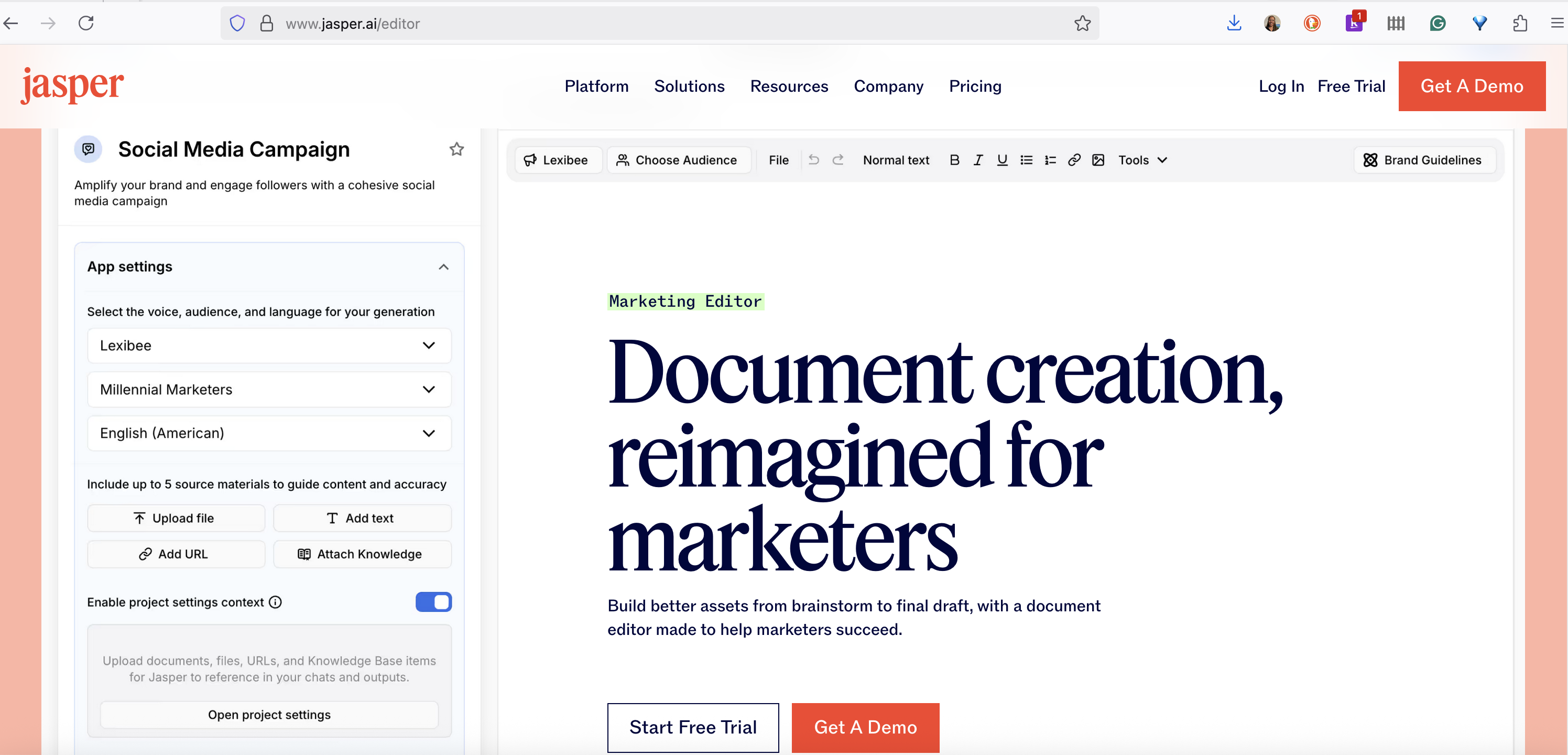
Jasper AI, formerly known as Jarvis, is a powerful “OG” AI content writing tool that preceded most of the writing tools we know today. It’s designed to help you write better content faster using AI to generate human-like text for a variety of purposes, making it one of the best AI tools for content writing for busy solopreneurs.
Jasper is particularly useful for overcoming writer’s block and generating ideas for your long-form content writing. It can help you produce a solid first draft that you can then refine and make your own.
Features and Capabilities
Boss Mode: This feature allows you to write long-form content with more control: you can give Jasper commands, and it will generate content based on your instructions.
Templates: Offers over 50 templates for various content formats, including blog post intros, outlines and conclusions.
Surfer SEO integration: Works seamlessly with Surfer SEO to help you optimize your articles for specific keywords to rank on search engines.
Multiple languages: Supports over 25 languages, making it a versatile tool for solopreneurs with a global audience.
Plagiarism checker: Ensures the content you generate is original.
Can be expensive for solopreneurs on a tight budget.
Overcomes writer’s block and sparks creativity.
The AI may sometimes produce irrelevant or repetitive content that requires editing.
Integrates with other useful tools like Surfer SEO and Grammarly.
Fact-checking is still necessary for generated content.
User-friendly interface that is easy to navigate.
The “Boss Mode” features (most useful for long-form content) are in the higher-priced plans.
Use Cases
Generating first drafts: When you provide a topic and some key points, Jasper will do the heavy lifting.
Creating content briefs: If you work with freelance writers, you can use Jasper to quickly generate detailed content briefs, including outlines and key talking points.
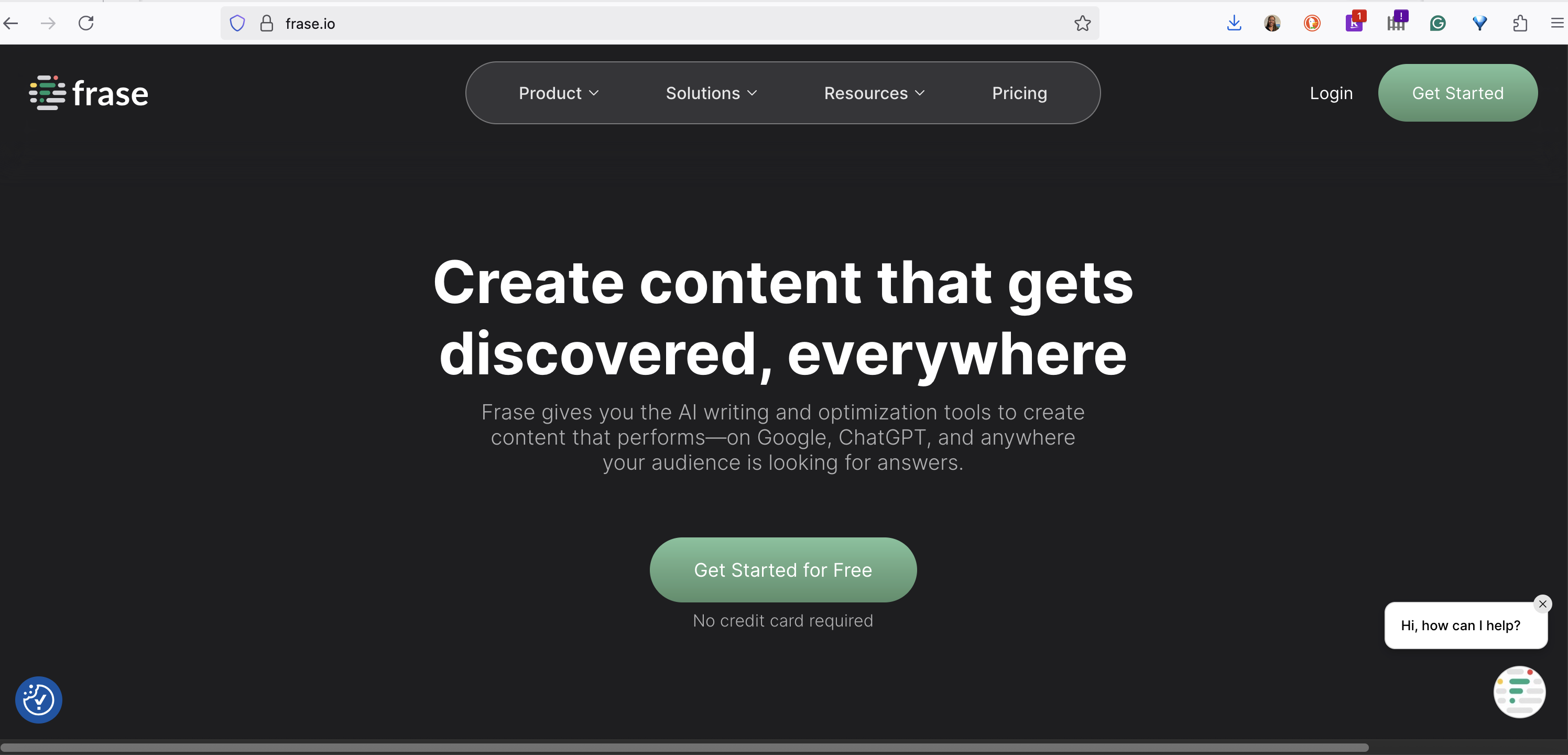
Frase is another excellent AI content writing and optimization tool that is particularly useful for SEO. It helps you research, write, and optimize content that answers your audience’s questions.
Frase’s standout feature is its ability to analyze the top search results for a given query and generate a detailed content brief. This makes it one of the top tools that simplify content creation by providing a clear roadmap for your writing.
Features and Capabilities
Content briefs: Automatically generates detailed content briefs based on the top-ranking search results.
Content optimization: Provides a real-time topic score as you write, helping you to cover the topic thoroughly.
Question research: Identifies the questions your target audience is asking on platforms like Google, Quora, and Reddit.
AI writer: Can help you write and paraphrase content.
Pros
Cons
Excellent for generating comprehensive content briefs quickly.
The AI writing features are not as robust as a dedicated AI writer like Jasper.
Helps you create content that thoroughly answers user questions.
The pricing is based on the number of documents you can create per month.
The user interface is clean and easy to navigate.
Can have a learning curve for those unfamiliar with SEO content optimization.
Focuses on creating helpful, user-centric content.
The free plan is very limited.
Use Cases
Creating in-depth guides: When writing an ultimate guide, use Frase to ensure you are covering all the important subtopics and answering the most common questions your audience has.
Outsourcing content creation: Generate detailed content briefs in Frase to provide to your freelance writers, ensuring they create content that is well-researched and optimized for SEO.
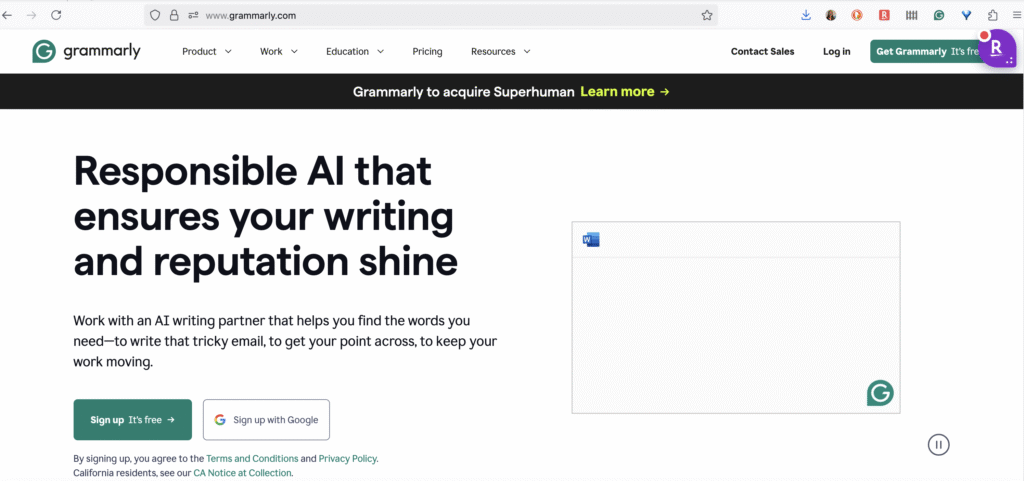
Grammarly is a name that’s synonymous with writing assistance, and a must-have for anyone who wants polished and professional written content.
Besides its grammar and spell-checking capabilities, Grammarly’s premium version has a suite of features valuable for long-form content writing. It goes beyond basic corrections to help you improve your writing style, tone, and clarity so you can confidently publish engaging, easy-to-read content without mistakes.
Features and Capabilities
Advanced grammar and punctuation review: Catches complex grammatical errors that other tools might miss.
Style and tone suggestions: Provides feedback on the tone of your writing (confident, friendly, formal, etc.) and suggests improvements to make your content more effective.
Clarity and conciseness: Helps you eliminate wordy sentences and improve the overall readability of your work.
Plagiarism detector: Checks your content against billions of web pages to ensure originality.
Vocabulary upgrades: Suggests alternative word choices to make your writing more dynamic and engaging.
Pros
Cons
Comprehensive grammar, spelling, and punctuation checker.
The free version is limited in its features.
Provides valuable suggestions for improving writing style and tone.
Can sometimes be overly prescriptive with its suggestions.
Integrates with a wide range of platforms, including web browsers, Microsoft Word, and Google Docs.
The premium plans can be a recurring expense.
The plagiarism checker is a useful tool for ensuring content originality.
Does not offer content generation features like an AI writer.
Use Cases
Final proofread: Before publishing any piece of long-form content, run it through Grammarly to catch any lingering errors and ensure it’s in top shape.
Improving writing skills: By paying attention to Grammarly’s suggestions, you can learn to identify and correct your own common writing mistakes over time, making you a better writer.
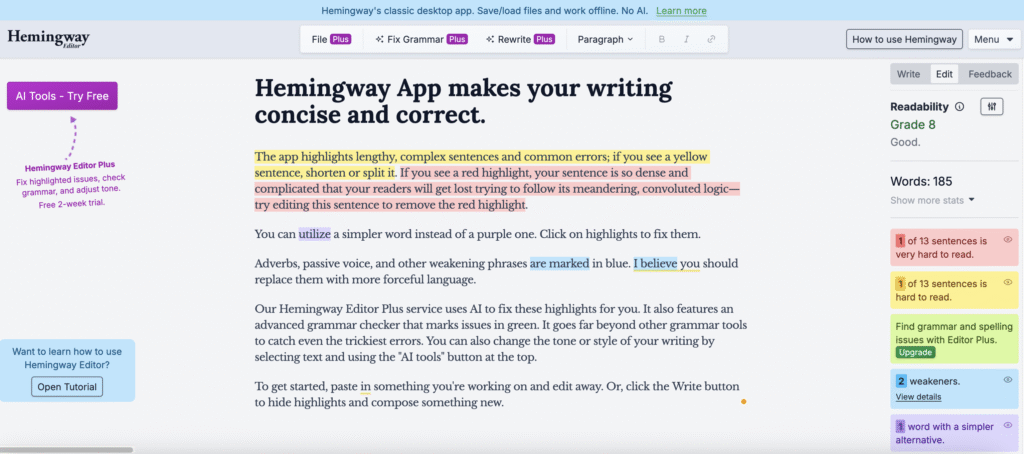
The Hemingway Editor is a simple yet powerful tool that can dramatically improve the clarity and readability of your content writing.
Inspired by the concise and direct writing style of renowned author Ernest Hemingway, it highlights common issues that can make your writing weak or confusing. It’s a great final check to run your content through before hitting “publish.”
If you want to ensure your audience can easily understand your message, the Hemingway Editor is an invaluable resource.
Features and Capabilities
Color-Coded highlighting: The editor uses different colors to highlight adverbs, passive voice, complex sentences, and words with simpler alternatives.
Readability grade: It gives your text a “readability” score, so you can see how easy it is to understand. Aiming for a lower grade level is generally better for web content.
Desktop app: In addition to the free web version, there is a paid desktop app that allows you to work offline.
Formatting options: You can apply basic formatting like headings, bold, and italics directly within the editor.
Pros
Cons
Simple and easy-to-use interface.
Its suggestions are not always perfect and should be considered with your own judgment.
Helps you write more clearly and concisely.
It doesn’t offer grammar or spelling checks like Grammarly.
The free web version is a great starting point.
The focus is solely on style and clarity, not content generation.
The readability score is a helpful metric for web content.
Some writers may find the suggestions to be too simplistic for their style.
Use Cases
Improving readability: After you’ve written a blog post, paste it into the Hemingway Editor to identify and fix any sentences that are too long or complex.
Editing sales copy: When writing sales pages or emails, use the Hemingway Editor to ensure your message is clear, direct, and persuasive.
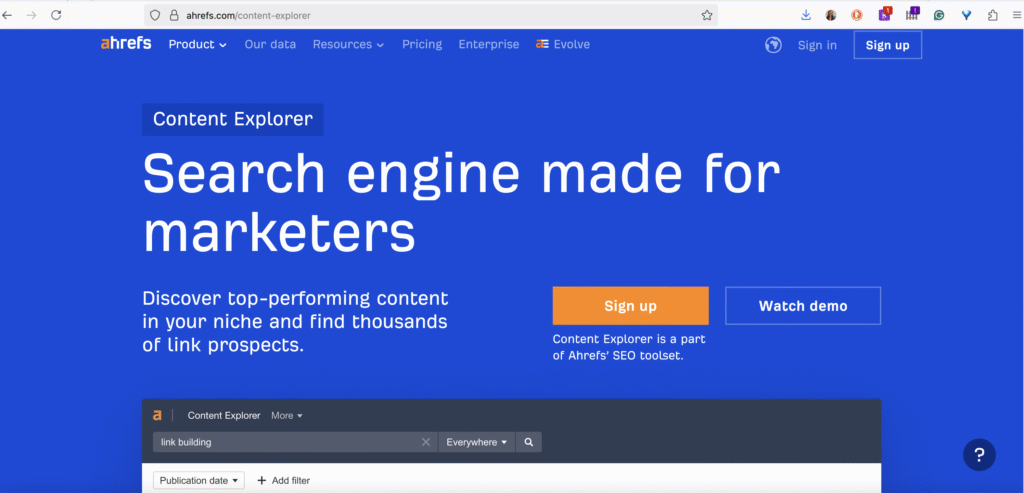
Ahrefs is a powerhouse SEO tool that is a favorite among marketing professionals. While it’s known for its backlink analysis and keyword research capabilities, it’s also an incredibly valuable tool for long-form content writing ideation and research.
Ahrefs can help you uncover content ideas that have a high potential to attract organic traffic. If you want to create content that gets seen, Ahrefs provides the data you need so you can address the topics your audience cares about. They also have AI tools to write better content.
Features and Capabilities
Keywords Explorer: Discover thousands of keyword ideas, analyze their ranking difficulty, and see their search volume.
Content Explorer: Find the most popular content in your niche based on social shares and backlinks.
Site Explorer: Analyze your competitors’ top-performing content to see what’s working for them.
Rank Tracker: Monitor your website’s keyword rankings over time.
AI Content Helper: Get AI assistance with your writing.
Pros
Cons
Provides a wealth of data for content ideation and keyword research.
One of the more expensive tools on this list.
Excellent for analyzing your competitors’ content strategies.
The interface can be complex for beginners.
Helps you find low-competition keywords with high traffic potential.
The focus is on SEO data, not the writing process itself.
A comprehensive suite of SEO tools in one platform.
Some features may be more than a solopreneur needs.
Use Cases
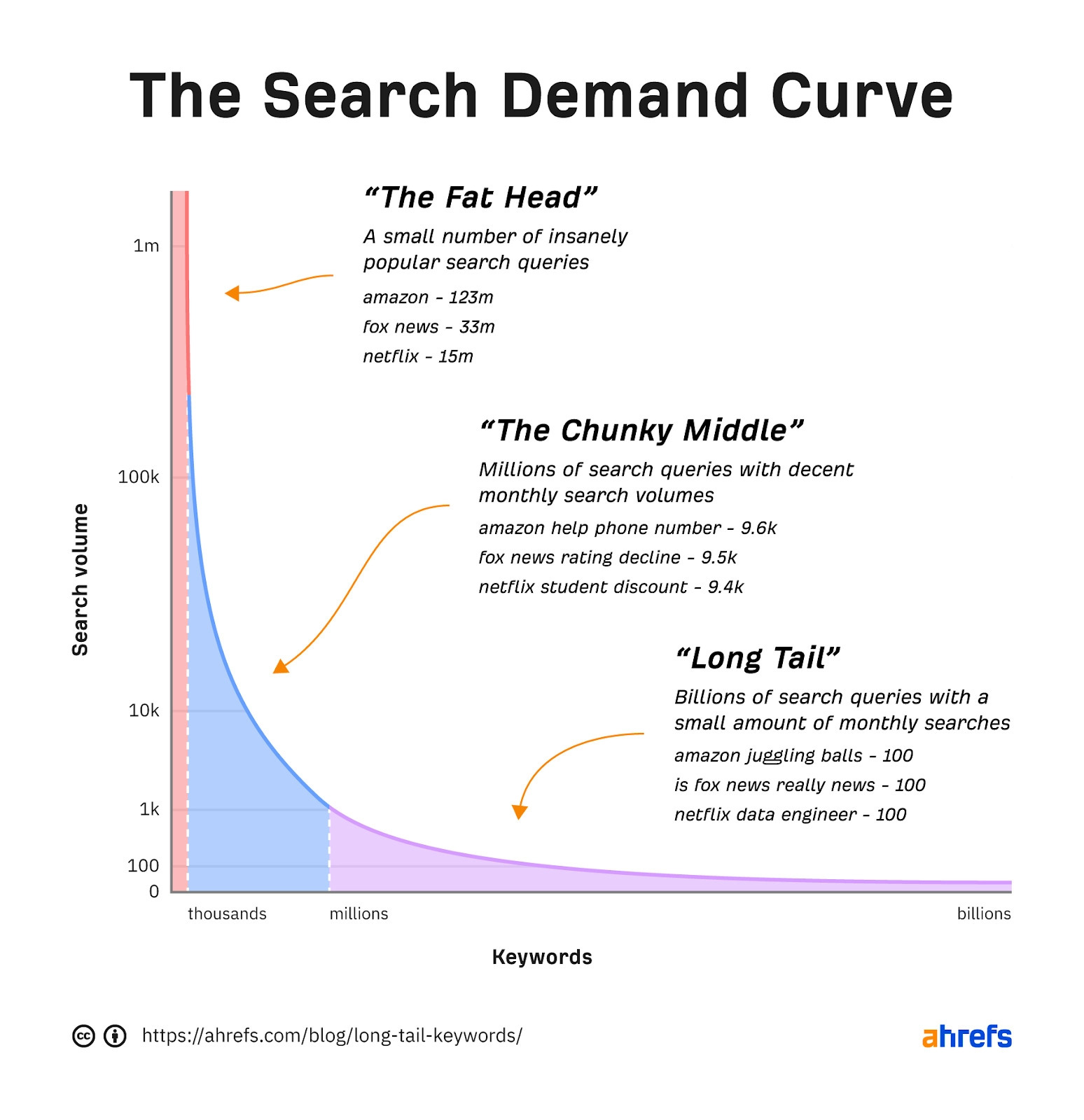
Researching blog post topics: Use the Keywords Explorer to find long-tail keywords that your target audience is searching for. These can serve as the foundation for your blog posts.
“Skyscraper” technique: Use the Content Explorer to find popular articles in your niche. You can then create a better, more in-depth version of that content to attract backlinks and traffic.
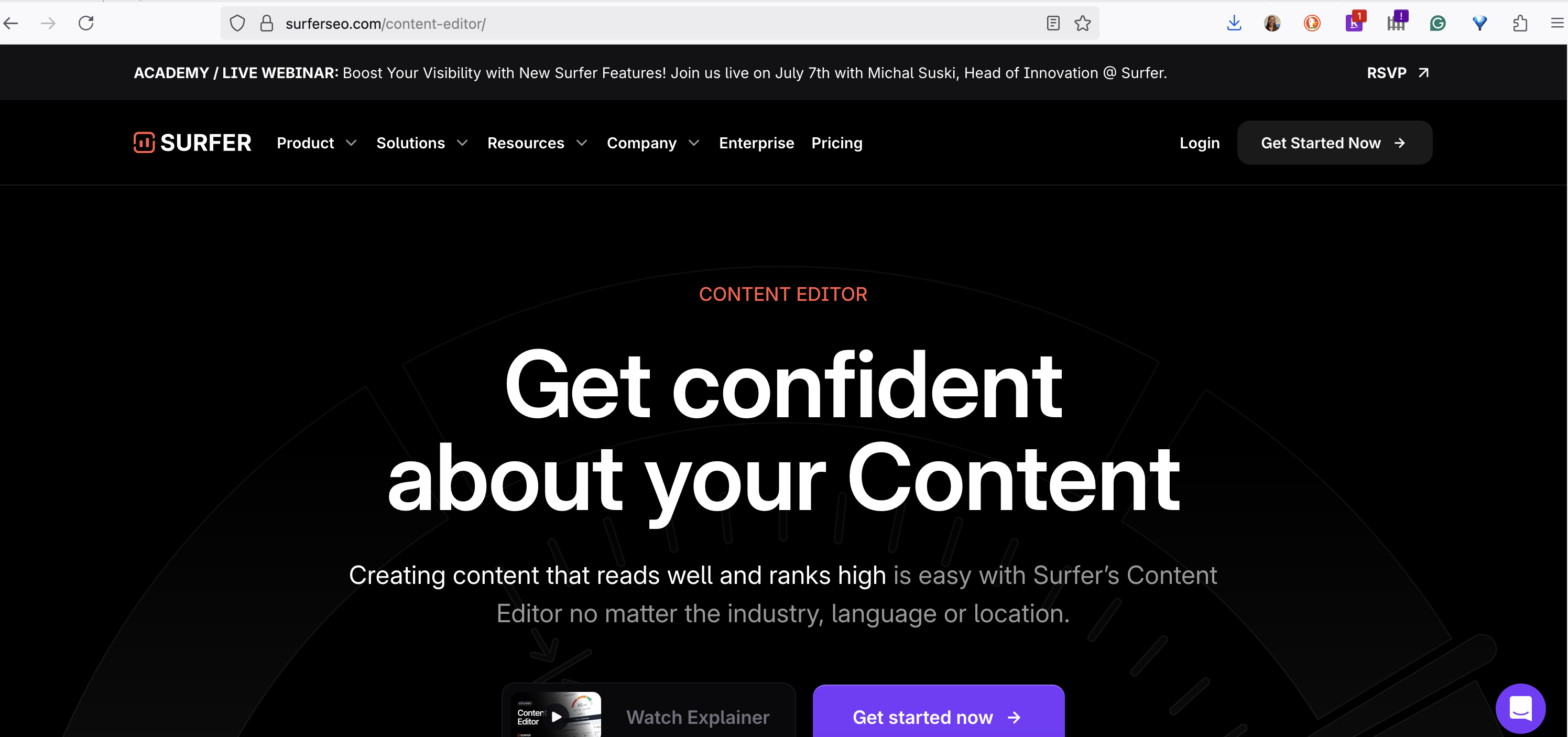
If you care about search engine optimization (SEO), Surfer SEO is an indispensable tool designed to help you write high-ranking content. It analyzes the top-ranking pages for your target keyword and provides you with a data-driven blueprint.
Surfer SEO takes the guesswork out of on-page SEO. Instead of hoping your content will rank, you can use Surfer to create articles that are perfectly optimized for your target audience and search engines.
Features and Capabilities
SERP Analyzer: Analyzes the top-ranking pages for your target keyword and reveals common elements, such as word count, keyword density, and heading structure.
Content Editor: Provides a real-time “Content Score” as you write, based on how well your content aligns with the top-ranking pages. It also suggests relevant keywords and phrases to include.
Content Planner: Helps you discover topic clusters and plan a complete content strategy for your niche.
Audit Tool: Reviews your existing content and provides a list of actionable insights for improving its on-page SEO.
AI writing tools: Can help you write and paraphrase content.
Pros
Cons
Provides data-driven recommendations for on-page SEO.
The pricing can be a significant investment for a solopreneur.
The Content Editor makes it easy to optimize your content as you write.
Can have a bit of a learning curve for those new to SEO.
Integrates with popular writing tools like Google Docs and Jasper AI.
The suggested keyword usage can sometimes feel forced if not implemented carefully.
Helps you create content that covers a topic in-depth.
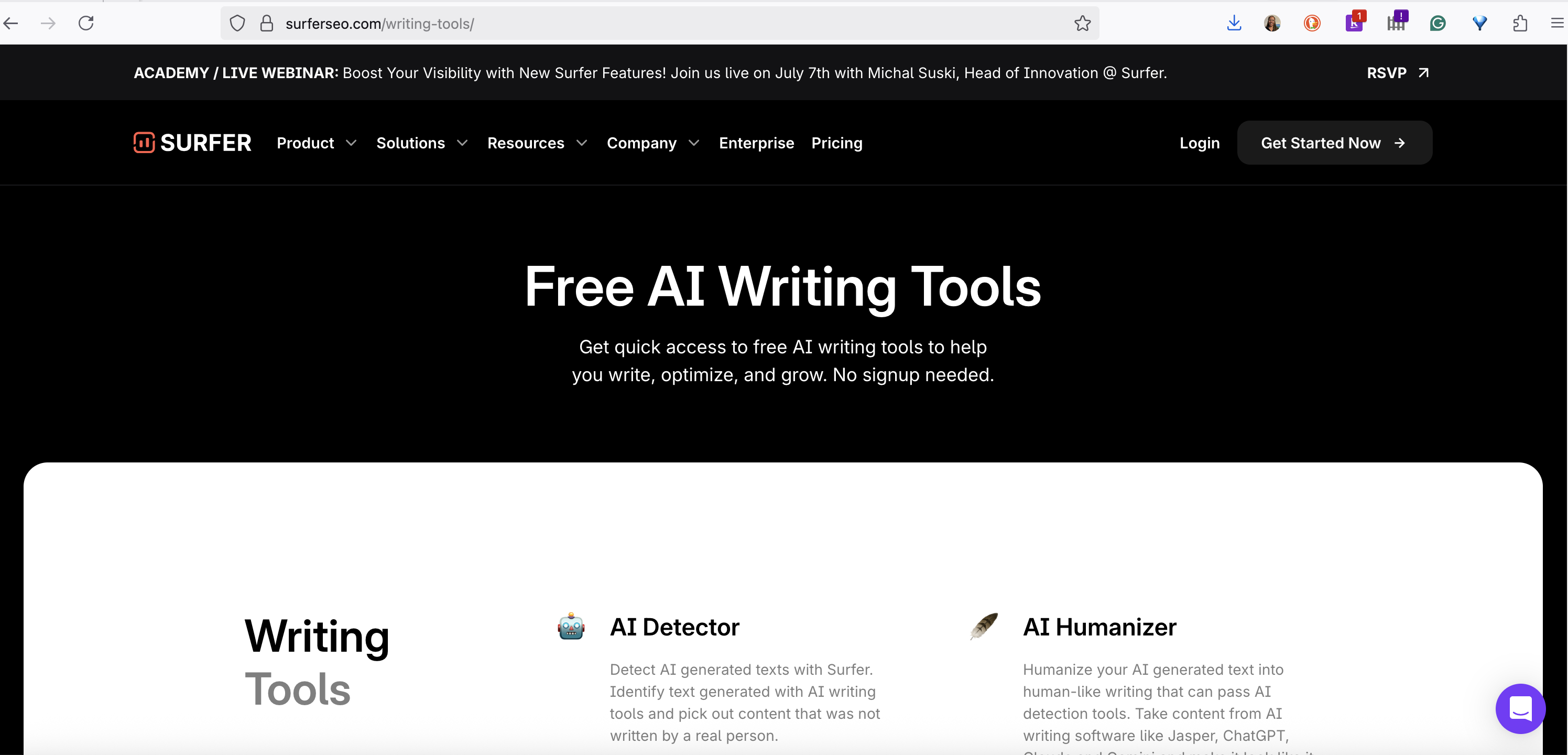
The free tools are limited in scope.
Use Cases
Optimizing blog posts for SEO: When you’re writing a blog post that you want to rank on Google, use Surfer SEO’s Content Editor to guide your writing and ensure you’re including all the right elements.
Developing a content strategy: Use the Content Planner to identify topic clusters and create a long-term content plan that will establish your authority in your niche.
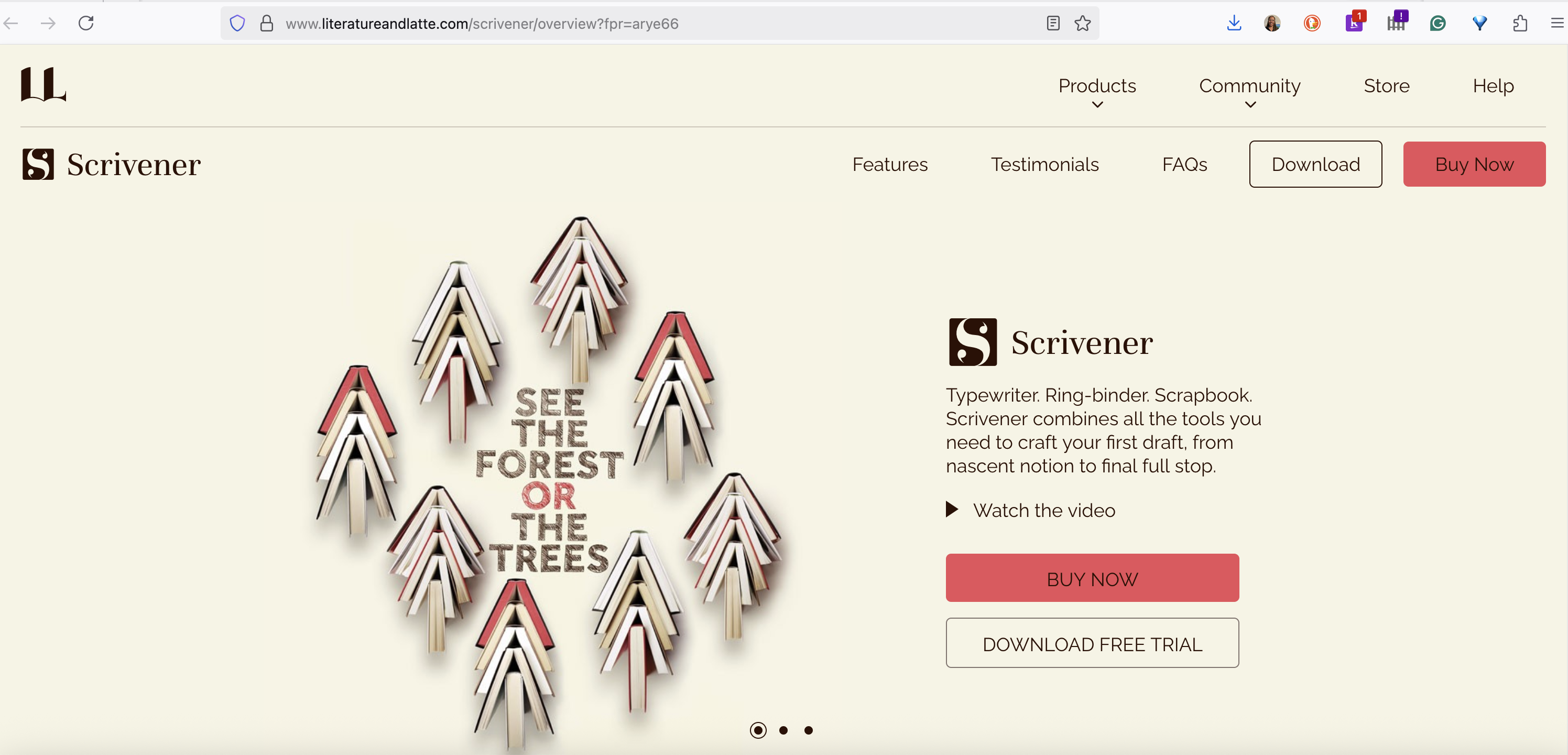
If you work on projects like e-books, courses or in-depth guides, Scrivener is a game-changer. It’s a powerful word processor and project management tool in one, designed to organize a lot of text and research.
Unlike a traditional word processor that treats your work as a single document, Scrivener lets you break your project down into smaller, more manageable chunks. This makes it so much easier to structure your content, rearrange sections, and keep all your research in one place.
Features and Capabilities
The Binder: This is the heart of Scrivener, where you can organize your writing into folders and individual text files. You can easily drag and drop sections to reorder your content.
Corkboard: View your project as a collection of virtual index cards, making it easy to brainstorm and outline your content.
Outliner: See your project’s structure in a hierarchical list.
Research folder: Store all your research materials—including web pages, images, and PDFs—directly within your Scrivener project.
Distraction-free writing mode: Focus on your writing without online distractions.
Pros
Cons
Excellent for organizing large and complex writing projects.
Has a steeper learning curve than a traditional word processor.
The one-time purchase price is very affordable compared to subscription-based software.
The interface can feel a bit dated to some users.
Allows you to keep all your writing and research in one place.
Collaboration features are not as robust as cloud-based tools like Google Docs.
The “Compile” feature offers a lot of flexibility for exporting your work in different formats.
Can be overkill for short blog posts.
Use Cases
Writing an ebook: Scrivener is the perfect tool for writing and organizing an e-book. You can create a chapter for each section in the Binder and easily manage all your research.
Creating an online course: If you’re developing an online course, you can use Scrivener to write the scripts for each module, store your presentation slides, and keep all your course materials organized.
Notion is an all-in-one workspace that has gained a massive following for its versatility. You can use it for note-taking, project management, and, you guessed it, content writing.
While not a dedicated writing tool, Notion’s flexibility allows you to create a customized workflow that suits your specific needs. You can build databases to track your content ideas, create detailed outlines, and write your articles all in one place. For solopreneurs, Notion can serve as a central hub for your entire content creation process, from ideation to publication. And if you happen to grow into a team, Notion grows with you.
Features and Capabilities
Databases: Create powerful databases to manage your content calendar, track the status of your articles, and store your research.
Templates: Notion offers a wide range of templates that you can customize for your content creation process.
Markdown support: Write your content using Markdown for clean and consistent formatting.
Collaboration: You can easily share your Notion pages with others for feedback or collaboration.
Integrations: Notion integrates with a variety of other tools, including Google Drive, Slack, and Trello.
Pros
Cons
Incredibly flexible and customizable.
The sheer number of features can be overwhelming for new users.
Can serve as an all-in-one workspace for your entire business.
The writing experience is not as polished as a dedicated writing app.
The free plan is very generous and suitable for many solopreneurs.
Requires an internet connection to use.
Great for organizing and planning your content strategy.
Can become slow if you have a very large and complex workspace.
Use Cases
Content calendar: Create a database in Notion to serve as your content calendar. You can track the status of each article (e.g., idea, in progress, published), set deadlines, and assign categories.
Digital swipe file: Use Notion’s web clipper to save inspiring articles, research, and content writing examples to a dedicated database for future reference.
While not a writing tool in the traditional sense, Canva is a user-friendly graphic design platform that makes it easy to create stunning visuals for your blog posts and othCanvaer content. It’s an essential tool for anyone creating long-form content (I’ve been using the paid version since 2015 when I started podcasting!).
High-quality images, infographics, and other visuals can make your long-form content more engaging and shareable. Canva empowers you to create professional-looking graphics without any design experience.
Features and Capabilities
Templates: A massive library of templates for all kinds of visuals, including blog post graphics, social media posts, and infographics.
Drag-and-Drop editor: An intuitive editor that makes it easy to customize templates and create your own designs.
Stock photos and illustrations: Access to a large library of free and paid stock photos, icons, and illustrations.
Brand Kit: Store your brand’s colors, fonts, and logos for easy access and consistent branding.
Pros
Cons
Incredibly easy to use, even for non-designers.
The free version has limitations on templates and features.
A vast library of templates and design assets.
Professional designers may find the tool to be too basic for their needs.
The Brand Kit helps you maintain a consistent visual identity.
Exporting options are more limited than professional design software.
Affordable pricing for the pro version.
The mobile app can be less intuitive than the desktop version.
Use Cases
Creating feature images: Quickly design eye-catching feature images for your blog posts that will attract clicks from social media and search results.
Designing infographics: Turn complex information from your long-form content into a visually appealing infographic that is easy to share and can drive traffic back to your website.
The internet is full of distractions that can easily pull you away from your work, and it’s a big challenge for solopreneurs to stay focused. Freedom is a simple yet powerful app that blocks distracting websites and apps.
By creating a distraction-free writing environment, Freedom can help you get into a state of deep work and be more productive.
Features and Capabilities
Block websites and apps: You can create blocklists of distracting websites and apps.
Schedule sessions: You can schedule your focus sessions in advance, making it a regular part of your routine.
Locked mode: For those who need an extra layer of accountability, Locked Mode prevents you from ending a focus session early.
Sync across devices: Freedom can be used on your computer, phone, and tablet, ensuring a distraction-free environment no matter where you are working.
Pros
Cons
Simple and effective at blocking distractions.
It’s a subscription-based service.
Can be used across all your devices.
Requires you to be proactive in setting up your blocklists and sessions.
The “Locked Mode” is great for those who are easily tempted to cheat.
Some users have reported occasional glitches with the app.
Helps you develop better focus and work habits.
Does not offer any writing or content creation features.
Use Cases
Dedicated writing time: Schedule a two-hour writing session in Freedom every morning to work on your long-form content without any interruptions.
Deep work sessions: When you need to do deep research or outlining for a complex article, use Freedom to block out all distractions and give the task your full attention.
Creating high-quality long-form content writing can help solopreneurs build their authority, connect with their audience, and grow their business.
It’s a process that requires time, effort, and focus, but you don’t have to do it all on your own. The content writing tools I’ve described in this article can help you at every stage of the content creation process to make your life easier.
By incorporating these tools that simplify content creation into your workflow, you can produce better content in less time, and focus on other business tasks. So take some time to explore these options and find the ones that best fit your needs and budget. Your next great piece of content is just a few clicks away.
Did you know the average revenue from email marketing will increase from 12.9 cents to 17 cents per email by 2026? As a one-person business, you need marketing tactics that work hard while you focus on what you do best.
Email marketing isn’t just about sending newsletters. It’s your direct line to customers, your sales assistant, and your brand builder all rolled in one.
Whether you’re just starting out or looking to improve your current email game, this guide will show you exactly how to create campaigns that convert browsers into buyers, and turn one-time customers into lifelong fans.
Running a solo business means making smart choices about where to invest your limited time and resources. Email marketing stands out as the perfect channel for solopreneurs, offering unique advantages that other marketing methods simply can’t match.
Email provides direct access to your audience without an algorithm
Source: HostAdvice
Unlike social media platforms where algorithm changes can suddenly tank your visibility, email gives you a direct line to your audience. Your messages land in their inbox without a middleman filtering your content.
This means the time you invest in creating email content won’t be wasted because of unexpected platform changes.
Cost-effective marketing channel with high return on investment
Email marketing delivers an exceptional return on investment that few other channels can match, generating $36 to $40 for every dollar spent. That’s a 3,600% to 4,000% return on investment (ROI), making it particularly valuable for solopreneurs with tight budgets.
For solo AI startup founders, email marketing offers up to 4,000% ROI by delivering cost-effective, direct communication with audiences, while building trust from the earliest stages of business. This makes it one of the most powerful growth levers available to solopreneurs.
Build personal relationships that larger companies can’t
As a solopreneur, your personal touch is your advantage. Email allows you to connect directly with customers in a way that feels authentic and builds stronger relationships. You can write in your unique voice and share your expertise in a way that resonates with your audience.
With email marketing, you decide exactly when your message goes out and what it says. This level of control helps solopreneurs maximize the impact of every marketing effort.
Emails sit in inboxes and get read later, starred, forwarded, or saved, giving them a much longer shelf life than social media posts, which typically fade from feeds within hours. This extended visibility means your message has more time to make an impact.
Creates predictable revenue streams through automated sequences
Automated email sequences (autoresponders) can generate sales while you focus on other aspects of your business. In 2024, automated emails drove 37% of all email-generated sales despite accounting for just 2% of email volume. This efficiency is game-changing for solopreneurs.
Helps establish authority and expertise in your niche
Source: Trueffelpix
Regular emails that provide valuable information position you as an expert in your field. This builds trust with your audience and makes them more likely to buy from you when they need what you offer.
Essential Email Marketing Tools Every Solopreneur Needs
Choosing the right email marketing tools can make or break your success as a solopreneur. Let’s explore the essential tools you’ll need to create effective email campaigns without wasting time or money.
Free and paid email service providers comparison
As a solopreneur, you need to balance cost with functionality. Many email service providers offer free plans to get you started, with paid options as your list grows.
At the time of publication, MailerLite offers a free plan for up to 1,000 subscribers and 12,000 emails per month, with paid plans starting at just $10 monthly for 500 subscribers. Brevo (formerly Sendinblue) starts at $9 monthly and includes email automation and CRM tools.
Features to look for when choosing your platform
Source: Cience
When selecting an email platform, prioritize features that will save you time and improve results. Look for automation capabilities, ease of use, and good deliverability rates.
Automation features are crucial for solopreneurs who are wearing multiple hats. Your email software should automate messages based on customer actions (like sign-ups or clicks) to save time and ensure consistent engagement without manual effort.
Integration with other business tools
Your email marketing platform should work seamlessly with your other business tools, such as your website, payment processor, and CRM system.
MailBluster, for example, offers integration with Zapier, CRM, and other tools to meet your specific needs. This connectivity allows you to create automated workflows that save time and provide a better experience for your subscribers.
Template libraries and design options for non-designers
As a solopreneur, you likely don’t have a design team. Look for platforms with ready-to-use templates that you can customize to match your brand.
AWeber offers over 700 email templates, providing users with a wide variety of designs to create professional-looking emails without design skills. Some platforms like AWeber also offer AI-powered design assistants that use your website and social media accounts to automatically build on-brand templates.
Analytics and tracking features that matter most
To improve your email marketing, you need to understand what’s working and what isn’t. Look for platforms with robust analytics that are easy to understand.
The best email platforms make these metrics easy to access and interpret, helping you make data-driven decisions about your email strategy.
Automation capabilities to save time and increase efficiency
Source: EmailOctopus
Automation is a game-changer for solopreneurs, allowing you to set up sequences that run on autopilot while you focus on other aspects of your business.
Email automation features let you run your campaigns without constant attention, including drip campaigns for welcoming subscribers or launching new products. For example, AWeber’s campaign marketplace offers pre-made workflows with email templates for each campaign stage, saving you significant time and effort.
Building Your Email List from Scratch
Growing your email list is one of the most valuable activities you can undertake as a solopreneur. Let’s explore proven strategies to build a quality list from the ground up.
Lead magnets that attract your ideal customers
Source: Convert with Content
Lead magnets convert visitors into subscribers by offering something specific and valuable in exchange for an email address. Just ensure your lead magnet solves a real problem for your audience. For example:
E-commerce: a discount code, free shipping, or early access to sales.
Content creators: exclusive guides, templates, or educational resources that help your audience achieve a specific goal.
Opt-in form placement strategies for maximum signups
Where you place your opt-in forms can dramatically impact your conversion rates. Strategic placement ensures maximum visibility without disrupting the user experience.
Exit-intent popups activate when user behavior indicates they’re preparing to leave—like moving the cursor toward the browser close button. This timing matters because it gives you one final opportunity to connect with visitors who might otherwise never return. When combined with a compelling offer, conversion rates have been shown to exceed 3%.
Social media tactics to grow your subscriber base
Source: Anime Expo
Your social media presence can be a powerful tool for growing your email list, especially when you create strategic pathways for followers to become subscribers.
One effective strategy is to run or participate in a live event. Creating a valuable and exciting live event and publicizing it is a great way to get new people onto your list. You could do interviews, free training, or even networking sessions—just make sure to include a sign-up component. (This also works if you’re a vendor at someone else’s live event.)
Content upgrades that turn blog readers into subscribers
Content upgrades are bonus materials related to a specific blog post that readers can access by subscribing to your email list. They work because they’re highly relevant to what the reader is already interested in.
When blog readers are engaged with your content, offering them an expanded version, template, checklist, or additional resources related to that specific topic can be highly effective. Just make sure your content upgrade delivers additional value that’s worth sharing an email address to receive.
Networking and partnership opportunities for list growth
Source: Inspired Pencil
Collaborating with other business owners can help you reach new audiences and grow your list faster than you could on your own.
Virtual events like webinars work well for email list building. Partnering with other business owners to host webinars allows you to tap into each other’s audiences, creating a win-win situation where both parties grow their lists.
Ethical email list-building practices
Building your list ethically isn’t just the right thing to do—it also leads to better engagement, fewer spam complaints, and improved deliverability.
Always use double opt-in processes where subscribers confirm their email address, be transparent about what they’ll receive, and make it easy to unsubscribe. These practices help ensure that the people on your list actually want to hear from you, which leads to higher engagement rates and fewer spam complaints.
Writing Subject Lines That Get Opened
Your subject line is the gateway to your email content. No matter how amazing your email is, it won’t matter if no one opens it. Let’s explore how to craft subject lines that your audience will notice and click.
Psychology behind compelling subject lines
Source: Konnect Insights
Understanding the psychological triggers that prompt people to open emails can dramatically improve your open rates. Two powerful motivators are curiosity and FOMO.
Humans have a natural desire for closure and don’t like having gaps in their knowledge. You can leverage this by leaving your subject line open-ended so subscribers will get curious, like a cliffhanger or open loop that can only be satisfied by opening the email. Similarly, you can trigger FOMO can be by adding an element of scarcity (limited availability) or urgency (limited time).
Power words that increase open rates
Certain words have been proven to grab attention and increase open rates. Using these strategically can give your emails a better chance of being noticed in a crowded inbox.
Email subject lines that include words implying time sensitivity, like “urgent,” “breaking,” “important,” or “alert” are proven to increase email open rates. However, it’s important to use these judiciously and ensure your email content delivers on the promise of urgency.
Personalization techniques that grab attention
Source: Siege Media
Personalization goes beyond just including the recipient’s name. It’s about making the subject line relevant to the recipient’s interests, behaviors, or past interactions with your brand.
Personalized subject lines can include using the recipient’s name, referencing their location, or mentioning their recent activity on your website. For example, Jersey Mike’s Subs used “Mary, Earn double points today only” as an effective personalized subject line.
A/B testing strategies for subject line optimization
Testing different subject lines helps you understand what resonates with your audience and continuously improve your open rates over time.
Length and format guidelines for different industries
The ideal subject line length can vary depending on your industry and audience, but there are some general guidelines that can help improve open rates.
Keep the most important information at the front of the subject line to hook the reader, especially since many people read emails on mobile devices where longer subject lines get cut off. Short subject lines (fewer than 25 characters) drive the most opens, followed by medium-length ones (25 to 35 characters).
Creating Email Content That Converts
Once your subject line has done its job and gotten your email opened, your content needs to deliver. Let’s explore how to create email content that engages readers and drives them to take action.
Storytelling techniques that engage readers
Source: Full Tank Creative
Stories capture attention and create emotional connections that make your message more memorable and persuasive. They’re a powerful way to engage readers and keep them reading to the end.
Call-to-action placement and wording best practices
Your call-to-action (CTA) is where conversion happens. The wording, design, and placement of your CTA can significantly impact your CTRs.
Keep your email CTA brief and straightforward, using no more than three words. Clarity is critical—your customers should instantly understand what action you want them to take. Use compelling verbs that trigger action, like “Get,” “Shop,” “Discover,” and “Save” to drive clicks.
Balance promotional and valuable content
Source: Fluent CRM
Finding the right balance between promotional content and valuable information is crucial for maintaining engagement and building trust with your audience.
Email personalization involves tailoring your emails to individual recipients based on their preferences, behaviors, and personal information. This approach helps make your emails more relevant and engaging, increasing the likelihood of interaction and conversion.
To implement personalization, collect customer insights from:
lead magnets
newsletter signup forms
surveys
other user interactions on your website
Email design principles for mobile optimization
With more than half of all emails being opened on mobile devices, optimizing your emails for mobile is no longer optional—it’s essential.
Proven copywriting formulas provide a structure for your email content that guides readers toward taking your desired action. These formulas have been tested and refined over time to maximize conversions.
Start with a clear and engaging promise that addresses the reader’s needs or desires.
Next, paint a vivid picture of how your product or service can solve a problem or improve the customer’s life.
Then, incorporate social proof to build credibility and trust.
Finally, include a clear CTA that encourages the reader to take the next step.
Build trust through authentic communication
Trust is the foundation of any successful email marketing strategy. Without it, your subscribers are unlikely to open your emails, let alone buy from you.
Add strong action words that prompt the reader to act, creating urgency and excitement around your message. Tailor your email copywriting to the specific audience you are targeting, adjusting your tone and style accordingly, using phrases and language they naturally use.
Email Sequence Strategies That Drive Sales
Strategic email sequences can automate your sales process and create predictable revenue streams. Let’s explore the most effective sequence types for solopreneurs.
Welcome series structure and timing
Source: Encharge
Your welcome series is often the first impression subscribers have of your email content. It sets the tone for your relationship and can significantly impact long-term engagement.
Since the average sales cycle is about 30 days, planning twice-a-week touchpoints is enough to stay top-of-mind without spamming. That means about 8 emails over 30 days, spaced out to nurture interest, answer objections, and drive action.
Each email should have a clear purpose, from recapping the initial conversation to sharing success stories and offering a clear path to take the next step.
Start with an email that provides instant value. This could be a link to an industry report or an interesting article that solves the same problem as the product you’re launching.
The following few emails should educate the lead on your offering while building your authority by sharing relevant customer success stories.
Finally, send a CTA asking them to make a purchase.
Nurture campaigns for long-term relationship building
Source: The Partner Marketing Group
Nurture campaigns focus on building relationships over time rather than making an immediate sale. They’re especially valuable for products or services with longer sales cycles.
By the time you introduce a soft CTA, your leads already trust you, which makes conversions easier.
Re-engagement sequences for inactive subscribers
Re-engagement campaigns can help you reconnect with subscribers who haven’t opened or clicked your emails in a while, potentially saving relationships that might otherwise be lost.
For users who haven’t opened any of your promotional emails, set up an automated re-engagement campaign. These campaigns can help bring closure to both you and your unengaged users—or even save the relationship.
Don’t feel defeated when you remove unengaged recipients from your list; you’re really just polishing and perfecting your list so you can focus on your engaged customers.
Automate cart abandonment recovery
Source: Shop Again
Cart abandonment emails can recover sales that would otherwise be lost, making them one of the highest ROI email sequences you can implement.
Abandoned cart emails are highly effective because they target people who have already shown interest in your products. These emails should remind customers of what they left behind, address potential concerns or objections, and often include an incentive to complete the purchase.
Post-purchase follow-up sequences for repeat sales
The relationship doesn’t end after the first purchase. Post-purchase sequences can increase customer lifetime value through repeat purchases, cross-sells, and upsells.
When a customer makes a purchase or shows interest in a product or service, they’ve already put their trust in your brand. This is your chance to introduce them to additional products or services that complement their purchase:
An upsell suggests a more premium version or an upgrade of what they’ve bought.
A cross-sell introduces related products or services that can complement their original purchase.
Measuring Success and Improving Performance
Without measuring your results, you can’t improve your email marketing performance. Let’s explore the key metrics to track and how to use that data to continuously optimize your campaigns.
Key metrics every solopreneur should track
Tracking the right metrics helps you understand what’s working and what needs improvement in your email marketing strategy.
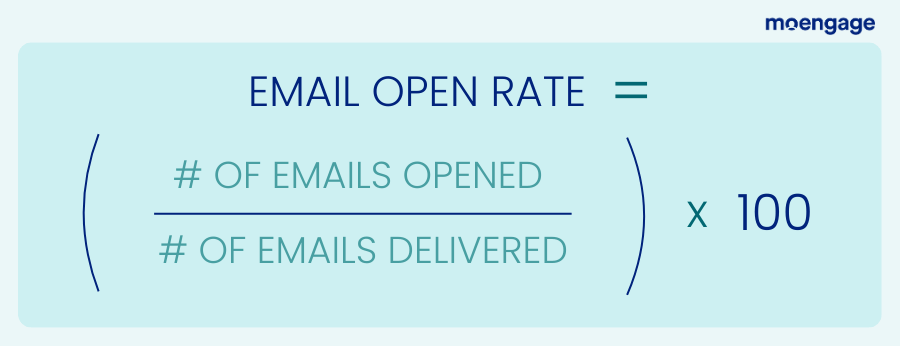
The most important email marketing metrics to track include deliverability rate, open rate, click-through rate, conversion rate, and unsubscribe rate. These core metrics give you a comprehensive view of how your emails are performing at every stage of the customer journey, from delivery to conversion.
Tools for monitoring email campaign performance
The right tools make it easier to track and analyze your email performance, helping you make data-driven decisions about your strategy.
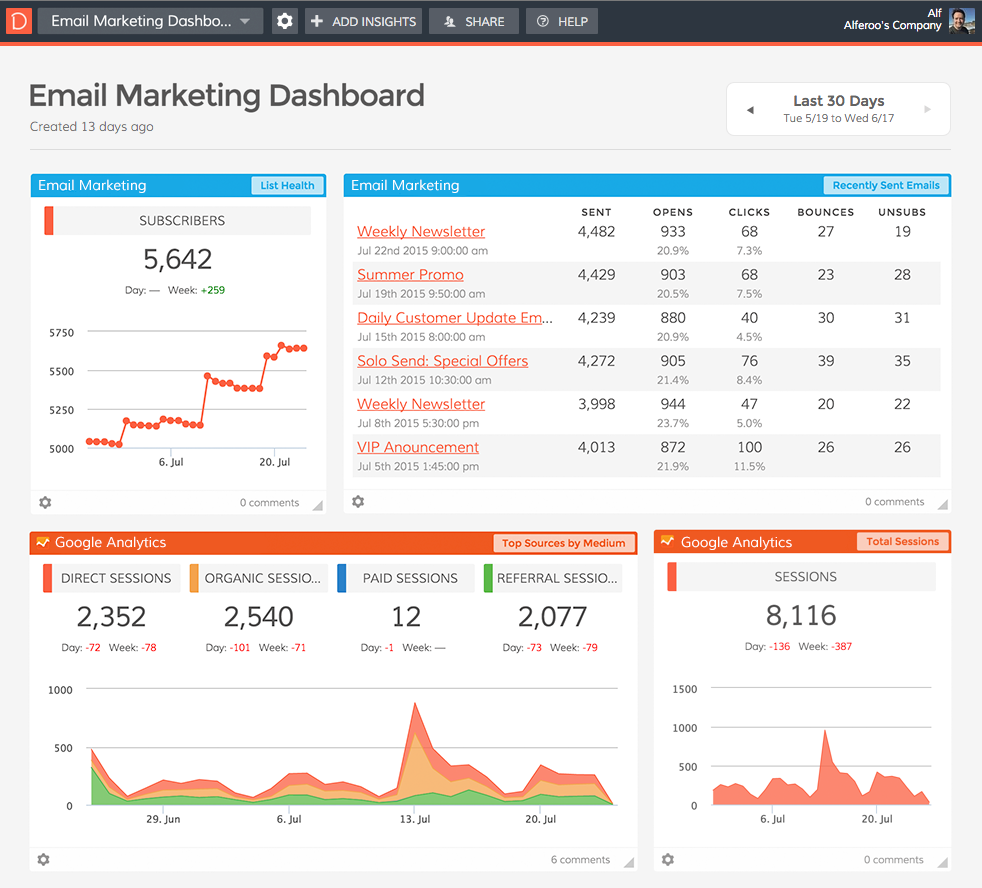
Most email service providers offer built-in analytics that track key metrics like open rates, click rates, and conversions. These tools often provide visual dashboards that make it easy to see trends over time and identify areas for improvement. Some platforms also offer more advanced analytics that can help you segment your audience based on engagement levels.
How to interpret open rates, click rates, and conversions
Understanding what these metrics mean and how they compare to industry benchmarks helps you set realistic goals and identify opportunities for improvement.
Knowing these benchmarks helps you understand how your campaigns compare and where you have room to improve.
Split testing strategies for continuous improvement
Source: ABTasty
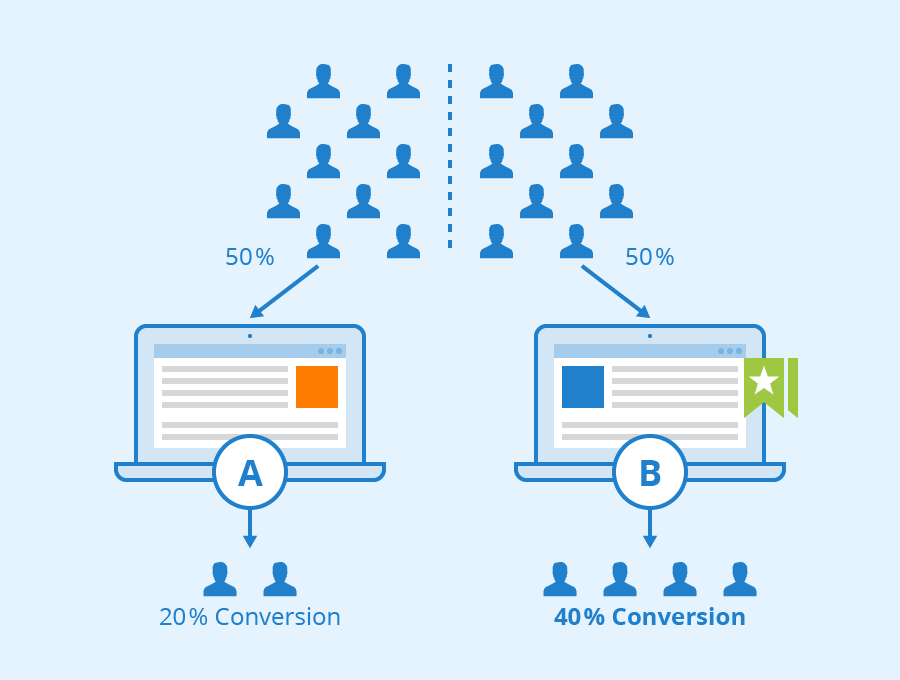
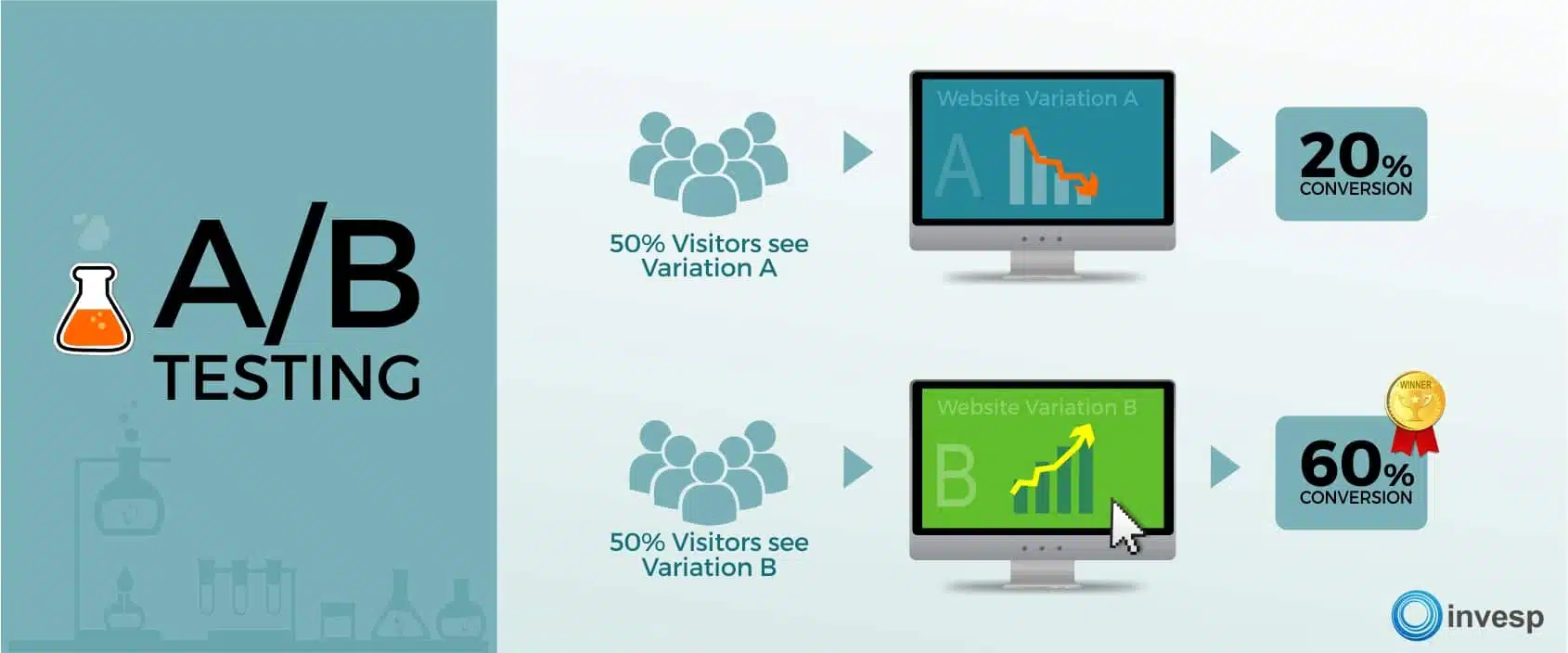
Split testing (also known as A/B testing) allows you to compare different elements of your emails to see what works best with your audience.
When conducting A/B tests, only change one element at a time so you can clearly identify what’s impacting your results. Common elements to test include:
subject lines
sender names (use the “Friendly From”)
email content
CTAs
send times
Start with testing elements that are likely to have the biggest impact, such as subject lines, which directly affect open rates.
Collect subscriber feedback
Direct feedback from your subscribers can provide valuable insights that metrics alone can’t capture. It helps you understand the “why” behind your numbers.
Low click rates: Review your content relevance, CTA placement and wording, and overall email design.
High unsubscribe rates might indicate your content isn’t meeting subscriber expectations, or you’re sending too frequently.
Advanced Email Marketing Tactics for Growth
Once you’ve mastered the basics, these advanced tactics can help you take your email marketing to the next level and drive even better results.
Segmentation strategies based on customer behavior
Source: Influencer Marketing Hub
Segmentation allows you to send more relevant content to different groups within your audience, increasing engagement and conversions.
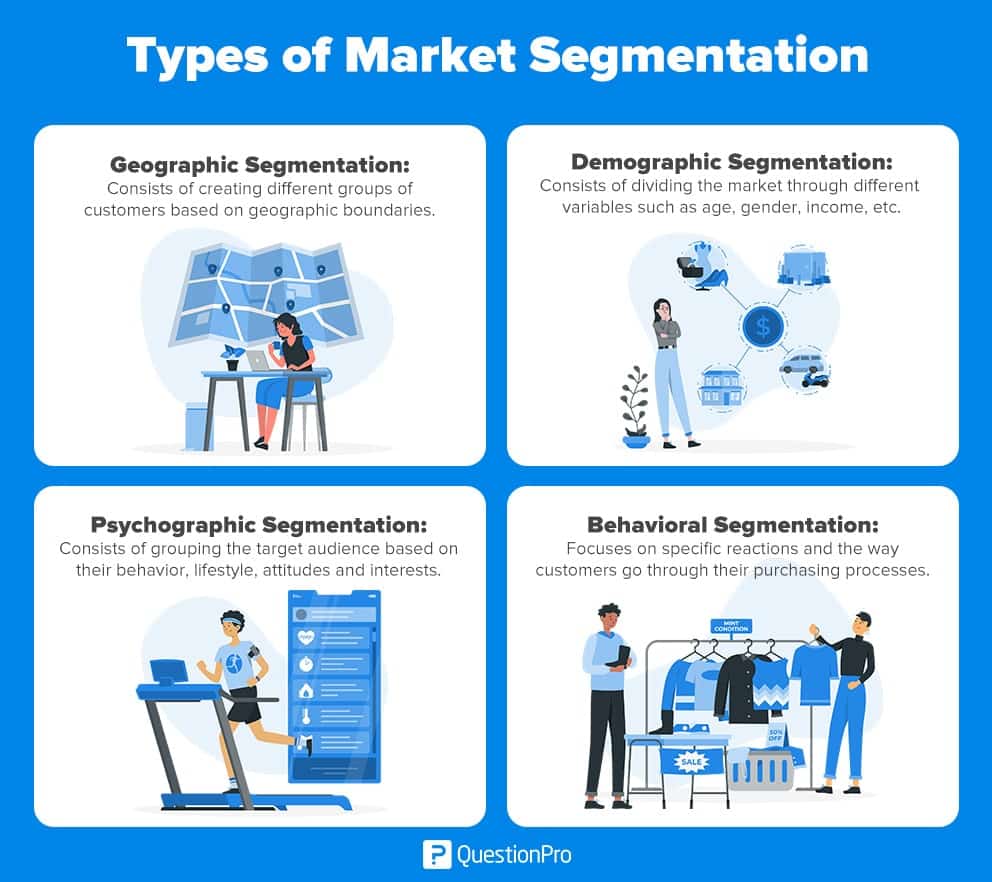
Email segmentation is the strategic practice of dividing your audience into smaller, focused groups based on specific criteria. This allows you to create more personalized and relevant content for each segment, or group on your email list.
Common segmentation criteria include demographics (age, gender, location), behavior (past purchases, website activity, email engagement), and customer lifecycle stage (new customer, loyal customer, at-risk). Include psychographic data too.
Dynamic content personalization techniques
Dynamic content in email marketing refers to elements that change based on who opens the email, when they engage with it, or where they are. Examples include:
Integration with sales funnels and customer journeys
Source: BIT.AI
Integrating your email marketing with your broader sales funnel and customer journey creates a seamless experience that guides prospects toward becoming customers.
Email automation is at the heart of this integration, allowing you to run complex communication flows using multiple channels and collect data to build solid subscriber profiles.
This approach helps you connect with your contacts at every stage of their journey, from initial awareness to post-purchase follow-up, creating a cohesive experience that builds trust and drives conversions.
Cross-selling and upselling through email
Strategic cross-selling and upselling emails can significantly increase your average order value and customer lifetime value.
When a customer makes a purchase, they’ve already put their trust in your brand. This is your opportunity to introduce them to additional products or services that complement their purchase.
Referral programs can help you leverage your existing customer base to acquire new customers at a lower cost than traditional marketing methods.
Email is an ideal channel for promoting and managing referral programs because it allows for direct communication with your existing customers. You can use email to explain the referral program, provide easy sharing options, and reward customers who successfully refer others. This creates a virtuous cycle where satisfied customers help grow your business through word-of-mouth.
Seasonal campaign planning and execution
Seasonal campaigns tied to holidays, events, or time of year can create timely, relevant content that resonates with your audience.
Seasonal email campaigns don’t have to be tied to a specific time of the year. By creatively adapting your messaging and strategies, you can engage customers year-round with relevant offers, product suggestions, and themes.
Plan ahead—many people purchase seasonal items weeks or even months beforehand, so don’t wait ’til the last minute to send your promotional emails.
Wrap-Up
Email marketing isn’t just another task on your solopreneur to-do list—it’s your secret weapon for building a thriving business. The strategies we’ve covered in this guide will help you create campaigns to reach AND connect with your audience. Successful email marketing is about building relationships, not just making sales.
Start with one or two tactics from this guide, test what works for your audience, and gradually expand your efforts. Your future self (and your bank account) will thank you for the time you invest in mastering email marketing today.
Ready to write your first high-converting campaign? Your subscribers are waiting to hear from you.
You can have the best product in the world. A killer subject line. A fancy design. But if you don’t understand what really moves your reader to act, your message may fall flat.
Segmented email campaigns can drive 30% more opens and 50% more click-throughs than non-segmented ones, proving that understanding your audience’s psychology isn’t just nice to have—it’s essential for results.
This article digs into the psychological triggers in emails that persuade your audience to open, click, reply, and take action. From cognitive biases to emotional triggers, let’s break down the art and science of email persuasion so you can craft messages that actually convert.
Before You Write, Understand Your Audience’s Mindset
Before you type a word, you need to get inside your reader’s head. What are they thinking about when your email lands in their inbox? What problems keep them up at night? What makes them excited enough to click?
Audience segmentation matters in your persuasive messaging
Think about it this way: A busy executive checking email at 6 AM has a completely different mindset than a parent scrolling through their phone during their kid’s soccer practice. Your message needs to match where their head is at.
Research shows that newsletter readers are motivated by different psychological needs. Personal needs drive people seeking information about their interests, while cognitive needs push those looking for professional knowledge.
When you segment based on these motivations, your emails feel less like marketing and more like mind-reading.
Common motivations behind reader behavior
“People don’t buy for logical reasons. They buy for emotional reasons.” – Zig Ziglar
That quote hits at the core of what makes persuasive emails work.
Personal needs include seeking information about fields of personal interest and the practicality of newsletters versus other media.
Cognitive needs cover seeking information for professional reasons and learning opportunities.
Social needs involve looking informed when speaking to others and feeling up-to-date.
Affective needs include entertainment and filling empty time.
Understanding which need drives your specific audience helps you craft messages that hit the right psychological buttons. So, a B2B software company should focus on cognitive needs, while a lifestyle brand may tap into personal and affective motivations.
Your reader’s mental state changes throughout the day. Monday morning emails compete with weekend catch-up mode. Friday afternoon messages fight against weekend planning. Test different send times and watch how engagement shifts based on when people are psychologically ready to receive your message.
Why? Because our brains are wired to respond to human connection.
The sender name (also called a “Friendly From”) using something like Daree at Ree Writes seems like a message from a real person (it’s me!). But something like noreply@ company.com screams automation, and triggers our mental spam filters.
To build familiarity over time, keep your Friendly From consistent, and provide value in every email. Trust compounds, and each positive interaction makes it more likely that your audience will open your next email.
Fear works, but use it carefully. Fear of missing out (FOMO) drives more action than fear of negative consequences. Instead of “Don’t let your business fail,” try “Join 10,000+ entrepreneurs who never miss an opportunity.”
Curiosity creates what psychologists call a “curiosity gap”—the space between what someone knows and what they want to know. A subject line like “The mistake 90% of marketers make” creates an itch that a reader can’t scratch until they open the email.
Exclusivity makes your audience feel like they’re getting selective access that others can’t have.
Joy, excitement and other positive emotions make people more likely to share and engage. Success stories, celebrations, and good news all trigger positive responses that increase the chances of action.
How scarcity and social proof affect behavior
Source: The New Statesman (Otto Dettmer/Iko Images)
Urgency taps into FOMO and our tendency to procrastinate. But fake urgency can backfire on you. Real deadlines and limited-time offers work because they reflect genuine scarcity.
Scarcity makes things more valuable in our minds. When something is rare or limited, we want it more. But the scarcity should be real to keep your audience’s trust. In other words, “Only 3 spots left” works when there really are only 3 spots available to sign up.
Social proofleverages our herd mentality. We look to others to guide our decisions, especially when we’re uncertain. Customer testimonials, user counts, and case studies all provide social proof that reduces the risk of taking action.
Try phrases like “Join 5,000+ professionals who rely on…” or “Here’s what Sarah from Chicago said about…” These signals tell your reader that other people like them have already made the decision to engage.
The Zeigarnik Effect and why unfinished ideas work
The Zeigarnik Effect describes our tendency to remember incomplete tasks better than completed ones. In emails, this means starting a story or idea without immediately finishing it increases the likelihood someone will click to learn more.
For example: “I discovered something surprising about email open rates last week (the data will shock you)…” creates mental tension that pushes readers toward your call-to-action to resolve the incomplete thought.
Use this sparingly. Too many open loops become annoying. But one well-placed incomplete thought can be the difference between a deleted email and a click-through.
Reciprocity: give before you ask
Source: Globis Insights
Reciprocity is one of the strongest psychological triggers. When someone gives us something valuable, we feel obligated to return the favor. In email marketing, this means you give value before making a request.
How? You could:
Share a useful tip
Provide a helpful resource
Offer genuine insight
This tactic builds “psychological debt” that increases the likelihood of engagement when you do make an ask.
The key is making the value genuine and relevant. A generic tip feels like manipulation. A specific insight that solves a real problem feels like a gift, and builds trust.
Your subject line is your first and sometimes only chance to engage someone’s psychology. It needs to work in the few seconds someone spends scanning their inbox.
Loss aversion grabs attention
Source: Amplemarket
We hate losing things more than we enjoy gaining them. This cognitive bias, called loss aversion, makes subject lines about avoiding losses more powerful than those about gaining benefits.
“Don’t lose customers to poor email design” hits harder than “Improve your email design.” The first taps into loss aversion while the second appeals to gain motivation.
Offer an option to pre-order a limit amount of product.
Let them try the product before they buy.
Give them a discount or rebate.
Frame your subject lines around what the reader might miss, lose, or fail to achieve. But make sure the loss is relevant and believable.
Personalization and the name effect
Source: Mailmodo
76% of people expect personalized messaging from brands, so use dynamic content to personalize your emails. Using someone’s name in a subject line increases opens, but only when it feels natural. “John, your exclusive invitation” works better than “John Smith, check this out.”
Beyond names, personalization can include location, company, interests, or past behavior. “Chicago entrepreneurs: tonight’s networking event” feels more relevant than a generic invitation.
The key is relevance. Personalization for its own sake is creepy. Personalization that adds relevance feels helpful.
Questions work well for curiosity gaps: “Is this why your emails aren’t working?” or “What if I told you open rates don’t matter?”
The payoff needs to match the promise. If your subject line creates curiosity about a “game-changing strategy,” your email better deliver something genuinely useful.
Should you use a subject line that’s clear, or clever?
Source: Grammarly
Clever subject lines might win awards, but clear ones win opens. A subject line should clearly convey what readers get by opening your email.
The subject line “Boost sales with these 3 email tactics” beats “The secret sauce that changes everything” because the first one sets clear expectations. The latter could be about anything.
Data tells you what happened. Psychology helps you understand why. Use both to improve your email performance.
What open and click rates really tell you
Source: The Retail Exec
Open rates reflect subject line and sender effectiveness, but they don’t tell the whole story. High opens with low clicks suggest your subject line over-promised, or your content under-delivered.
Click-through rates (CTRs) show how well your message motivated your readers to take action. Low CTRsoften indicate mismatched expectations, unclear value propositions, or poor CTAs. To counter this, you may need a content refresh or a shift in your messaging.
Look at ratios, not just raw numbers. A 20% open rate with a 10% click rate (50% click-to-open rate) is better than a 30% open rate with a 6% click rate (20% click-to-open rate).
Interpret heatmaps and scroll depth
If your email platform provides heatmaps, pay attention to where people click and how far they scroll. This reveals what content resonates and what gets ignored.
Low scroll depth suggests your opening isn’t engaging enough to pull people through your message. High scroll with low clicks could mean your content is interesting but your CTA isn’t compelling.
Use this data to optimize content placement. Put your most important points where people are most likely to read them.
Use A/B testing to refine psychological cues
Source: Seobility
Test psychological triggers systematically. Try urgency versus curiosity in subject lines. Test emotional versus logical appeals in your copy. Compare personal stories versus data-driven arguments.
Test with large enough sample sizes to be statistically significant. Small tests can mislead you into thinking random variations are meaningful patterns.
Document what you learn about your audience’s psychological preferences. These insights improve not just emails, but all your marketing communications.
How to use replies and user behavior for insight
Don’t ignore replies and unsubscribes. They’re valuable psychological data. What messages trigger positive responses? What causes people to disengage?
Look for patterns in reply content. Are people asking for clarification? Sharing success stories? Requesting specific information? This feedback reveals what resonates with them, and what confuses them.
Track behavioral changes over time. Do certain types of emails increase or decrease engagement with future messages? This helps you understand the long-term psychological impact of your communications.
Wrap-Up
Persuasive emails aren’t just about clever copy. They’re built on a deep understanding of what makes people tick. When you combine solid writing with psychological insights like empathy, urgency, curiosity, and trust, your emails stop feeling like marketing and start feeling like a conversation your reader wants to have.
Try one technique from this article in your next email. Test. Tweak. Learn. And keep your focus on connection, because that’s where the real conversions begin.
People don’t buy for just logical reasons. Make sure your emails speak to both their rational mind and their emotional heart.
How do you build trust and credibility when you’re a one-person show?
LinkedIn newsletters may be one way– they get 3 times more engagement than regular posts. That’s huge for solopreneurs who need every advantage to stand out.
But how do you use a LinkedIn newsletter for lead generation? And SHOULD it be a part of your content strategy?
It’s worth finding out. We’ll discuss how you can use a LinkedIn newsletter as a powerful tool to build your solo business by:
Newsletter: a regular publication LinkedIn sends directly to your subscribers’ inboxes. They also get a LinkedIn notification every time you publish.
Article: a long-form piece of content that sits on your LinkedIn profile. This distinction matters more than you might think for your business growth. Articles sit on your profile with no built-in audience or automatic reach in the feed (although they’re excellent for SEO).
Source: Trevisan Consulting
How Creator Mode affects your content distribution options
When you enable it, your primary profile button switches from ‘Connect’ to ‘Follow’, making it easier for people to follow your content without needing your approval. You’ll also get enhanced analytics that show content performance up to a year prior, plus insights into your best-performing posts and follower growth patterns.
When to use newsletters versus articles for maximum impact
Use newsletters when you want to build a loyal, engaged audience that expects regular content from you. They’re perfect for sharing:
weekly business insights
industry updates
personal entrepreneurship stories
The consistent delivery of newsletters builds trust and keeps you top-of-mind with potential clients.
Articles work better for thought leadership pieces that you want to rank in search results, and serve as evergreen content on your profile. They’re ideal for:
in-depth case studies
comprehensive guides
content that showcases your expertise to new visitors discovering your profile
Engagement patterns show newsletters outperform articles for audience building
Newsletter subscribers are more likely to read and interact with your content, because they’ve actively chosen to receive it. The notification system ensures your content reaches people directly, bypassing the LinkedIn algorithm that limits visibility. This engagement advantage makes newsletters particularly valuable for solopreneurs who need consistent client touchpoints.
LinkedIn Newsletters vs Traditional Email: The Trade-offs
The ownership problem
Source: Thematic
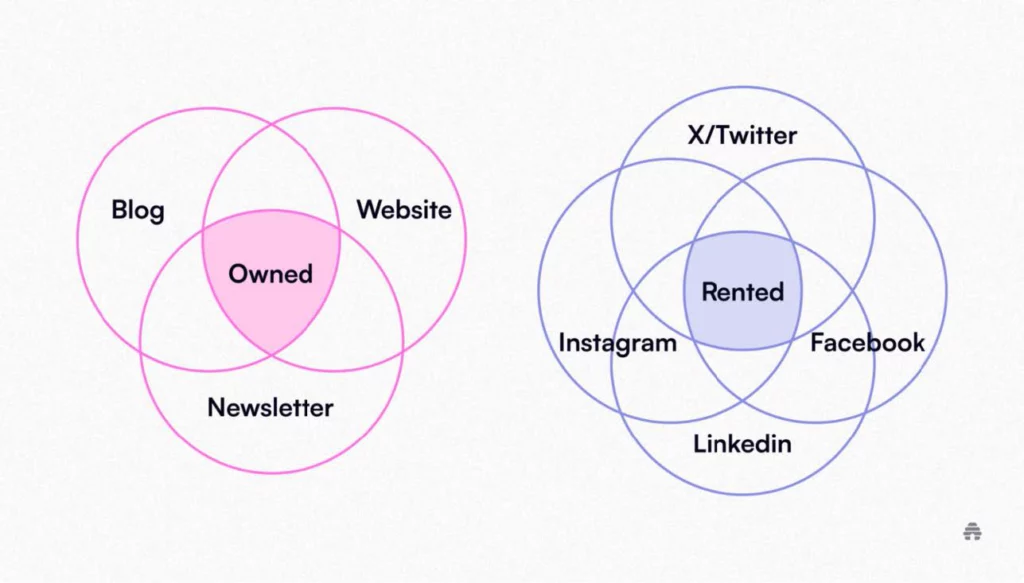
You don’t own your LinkedIn subscriber list. LinkedIn controls the platform, and if they change how newsletters work or remove this feature entirely, you could lose access to all your subscribers in an instant. This platform dependency makes traditional email newsletters more secure for long-term business building.
Email newsletters give you complete control over your audience, with no algorithm standing between you and your readers. There’s no risk of platform changes affecting your ability to reach subscribers, making email a more reliable foundation for your marketing efforts.
Benefits of LinkedIn’s built-in audience provide immediate reach advantages
Why LinkedIn Newsletters Still Work for Solopreneurs
Smart solopreneurs use both strategically—LinkedIn newsletters for reach and visibility, and email newsletters for owned audience development and deeper subscriber relationships. Here’s why you may want to follow suit.
Source: Orbit Media Studios
Direct access to your audience’s inbox creates consistent touchpoints
LinkedIn newsletters land directly in subscribers’ LinkedIn inboxes and trigger notifications, ensuring your content gets attention.
This direct access means you’re not competing with the LinkedIn algorithm that buries your regular posts in a feed among hundreds of other updates. You’re a trusted voice they choose to hear from regularly.
The notification system keeps you visible to your audience between their regular LinkedIn sessions, extending your reach beyond when people are actively browsing the platform. Newsletters are public for everyone to see.
Higher engagement rates compared to regular posts drive better business results
Subscribers who receive your newsletter are already interested in your content, leading to higher engagement rates than typical LinkedIn posts. This engaged audience is more likely to comment, share, and inquire about your services.
A consistent delivery schedule also trains your audience to expect and look for your content, building anticipation that regular posts can’t match.
Cost-effective marketing requires no additional tools or subscriptions
Unlike email marketing platforms that charge monthly fees, LinkedIn newsletters are completely free to use. You don’t need to learn new software, set up integrations, or manage technical aspects, because everything works within the LinkedIn interface you already know.
This zero-cost approach makes newsletters attractive for solopreneurs with tight marketing budgets while building their businesses.
Consultants and freelancers benefit most from regular client touchpoints
If you’re a consultant or freelancer, newsletters help you stay visible to past, current, and potential clients. Delivering content regularly keeps your expertise front-of-mind when clients need services or referrals.
Service-based entrepreneurs can showcase expertise effectively
Coaches, trainers, and other service providers can use newsletters to demonstrate their knowledge and build trust with prospects. Sharing success stories, tips, and insights through newsletters positions you as an expert while nurturing potential client relationships.
B2B solo entrepreneurs find their ideal audience on LinkedIn
Source: Social Media Examiner (via David Moceri)
LinkedIn’s professional user base is perfect for business-to-business (B2B) solopreneurs who target other businesses. Whether you’re selling software, marketing services, or business consulting, your ideal clients are already active on the platform and receptive to business-focused content.
Can You Build Your Email List with LinkedIn Newsletters?
Of course you can, and it’s a great content strategy. You can balance LinkedIn engagement with list-building goals by providing value on LinkedIn, while encouraging deeper engagement through your owned channels. Here’s how.
Create lead magnets that work across both platforms for maximum impact
Source: Impulse Digital
Use your LinkedIn newsletter to promote valuable lead magnets that encourage email subscriptions. Embed links to relevant resources, guides, or tools that require email signup. This strategy lets you leverage LinkedIn’s reach while building your own email list simultaneously.
Be sure to also add your lead magnet to the Featured section of your LinkedIn profile (select the three dots on the top right, and click Feature on top of profile).
Drive newsletter readers to owned audiences
For long-term security, include calls-to-action (CTAs) in your LinkedIn newsletters that direct readers to your email list or website. This creates a funnel from LinkedIn’s platform to your owned channels, reducing platform dependency over time.
How to Set Up Your LinkedIn Newsletter for Business Growth
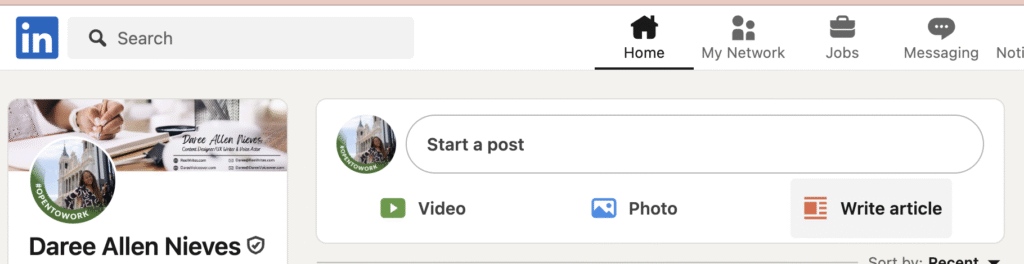
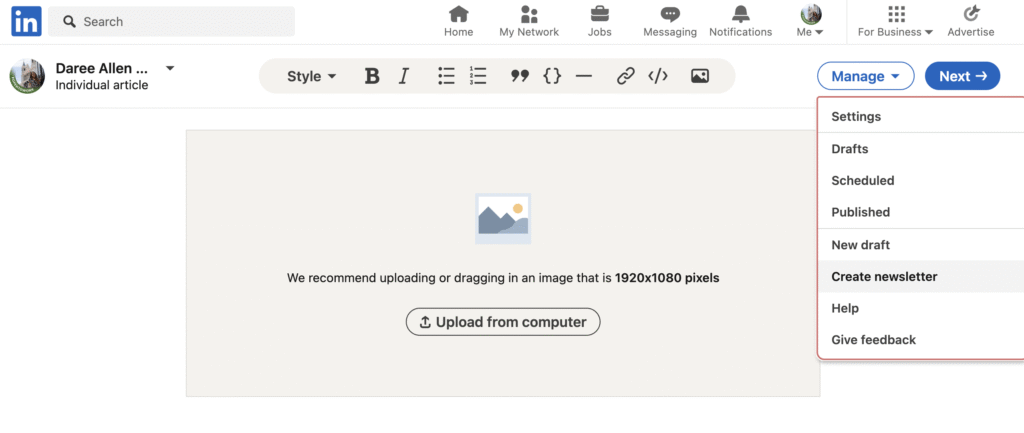
To create a LinkedIn newsletter, go to your feed and select Write article.
Then click Manage > Create newsletter.
Choose a business-focused name that clearly communicates value
Give your newsletter a descriptive name that immediately tells people what they’ll get. Avoid clever or branded names in favor of clear, specific titles that communicate obvious value. You only get 30 characters, so make them count.
Examples of effective newsletter names include “Digital Marketing Tips” rather than something clever but vague. Clear beats clever every time when it comes to subscriber conversion, because when you confuse them, you lose them.
Write a compelling description that attracts your ideal clients
Use your 120-character description to tell readers exactly why they should subscribe to your content. List the specific topics you’ll cover and the value they’ll receive. Be direct about who your content serves and what problems you’ll help solve.
Focus on benefits rather than features. Instead of using a generic phrase like “weekly newsletter,” explain “weekly strategies to grow your consulting business” or “actionable marketing tips for solopreneurs.”
LinkedIn doesn’t make it easy to find newsletters on the platform. So be sure to pin it to the Featured section of your profile.
Set a realistic publishing schedule you can maintain
Choose a daily, weekly, bi-weekly, or monthly publishing schedule. As a solopreneur, weekly or bi-weekly often works best, because it’s frequent enough to stay visible without overwhelming your content creation capacity.
Balance personal stories with business insights to build connection
Share your entrepreneurship journey along with business tips and behind-the-scenes (BTS) content to create authentic connections with your audience. People want to work with solopreneurs they know, like and trust, and personal stories help build that relationship:
Challenges you’ve overcome
Lessons learned from client work
Insights and frameworks from building your business
Provide actionable tips that show your expertise
Each newsletter should include practical advice readers can implement immediately. This demonstrates your knowledge while providing real value that keeps subscribers engaged and looking forward to your next edition.
Focus on specific, tactical advice rather than high-level concepts. Readers should finish your newsletter with clear next steps they can take to improve their business or solve a problem.
Use industry trends to share your unique perspective
Comment on industry developments through your unique lens as a solopreneur. This positions you as a thought leader while helping subscribers understand how broader trends affect their specific situations.
Your individual perspective as a solo business owner provides value that large companies can’t match. So leverage this authenticity in your content strategy.
Growing Your Newsletter Audience as a Solopreneur
Leverage existing client relationships for initial subscriber growth
Your current and past clients make ideal initial subscribers since they already know and trust your expertise. Personally invite them to subscribe, and ask for their feedback on early editions.
Use your existing network strategically. Reach out to colleagues, partners, and professional contacts who might find your content valuable and be willing to share it with their networks.
Cross-promote through your other marketing channels consistently
Every touchpoint should mention your newsletter as a way for people to stay connected with your expertise. Promote your LinkedIn newsletter:
in your email signature
on your website
on your other social media profiles
during networking conversations
Include newsletter subscription CTAs in your LinkedIn posts, comments, and direct messages when appropriate and valuable to the recipient.
Content Ideas That Convert Prospects to Clients
Here are a few content ideas for your newsletters.
Weekly business tips establish your expertise and provide ongoing value
Share practical advice that helps your ideal clients solve common problems. This positions you as a valuable resource while demonstrating the depth of your knowledge and experience.
Focus on tips that relate directly to services you offer, creating natural opportunities for readers to see how you might help them with bigger challenges. For more ideas, check out my guide to creating evergreen content.
Client success stories build credibility and showcase results
Share case studies that highlight challenges you’ve helped clients overcome. This social proof demonstrates your capabilities while giving prospects insight into how you work.
Include specific results when possible, showing the tangible value you provide to clients.
Tool reviews position you as a knowledgeable industry resource
Review software, books, or resources relevant to your audience. This type of content provides value, showing that you stay current with industry developments and can guide others to make smart choices in that space.
Measuring ROI and Business Impact
Track newsletter metrics that connect to actual business growth
It’s important to monitor metrics like subscriber growth, open rates, and engagement levels, but you should also track how newsletter content leads to client inquiries and business opportunities. Look for patterns in which content types generate the most business interest.
Connect newsletter engagement to client acquisition for clearer ROI
Take note when newsletter subscribers reach out about services, mention your content in sales conversations, or refer others to your business. This connection between content and revenue helps justify the time investment in newsletter creation.
Wrap-up
LinkedIn newsletters offer solo entrepreneurs a unique opportunity to build relationships, showcase expertise, and grow their business organically. However, they shouldn’t be your only marketing strategy. The biggest limitation is that you don’t own your subscriber list, which creates platform dependency risks.
The smart approach? Use LinkedIn newsletters to build authority and attract your ideal clients, while simultaneously driving readers to your owned email list. This gives you the best of both worlds: LinkedIn’s built-in audience and discovery power, plus the security of an owned audience you can reach anytime.
Start with one LinkedIn newsletter focused on your ideal client’s biggest challenges. Share your knowledge generously, tell your story authentically, and always include gentle CTAs that move people to your owned platforms. Your expertise deserves to be heard. LinkedIn newsletters give you the platform to make that happen, while email marketing ensures you keep that audience long-term.
Are you tired of the website traffic rollercoaster? One month you’re up, the next you’re down. This feast-or-famine cycle can really slow down your business growth, especially as a solopreneur doing everything by yourself.
But what if there was a way to get a steady stream of visitors to your site, month after month?
There is! It’s called evergreen blog content. Unlike trending topics that quickly lose appeal, evergreen content keeps working for you months and YEARS after you hit publish.
Imagine a pine tree – it stays green all year round, right? Evergreen content is similar. It’s information that remains useful and relevant to your audience for a long time. This is different from timely content, like news about a current event, or a seasonal trend, which loses its importance quickly.
How to determine whether your content is evergreen
Your content will stay fresh over time if it:
Covers foundational topics in your field.
Answers common questions and/or solves your audience’s persistent problems.
Doesn’t become outdated quickly.
So if you’re a business coach, an evergreen topic could be “How to Set Realistic Business Goals.” This is something new and experienced entrepreneurs will always search for.
A time-sensitive topic, on the other hand, might be “Reacting to the Latest Social Media Algorithm Change.” While it’s a hot topic for a moment, it won’t be as relevant next year (or whenever the algorithm changes again).
Myths about evergreen content
Common misconceptions about evergreen content are:
You write it once and never touch it again. While it’s low-maintenance, occasional updates can keep it performing at its best.
Any long-form article or “ultimate guide” is automatically evergreen. But if the core topic isn’t timeless, even a detailed guide will lose relevance. The key is lasting value. You’ll have to maintain this type of content as well.
Why Solopreneurs Need an Evergreen Content Strategy
Running a business on your own comes with unique challenges. You’re often juggling everything–marketing, sales, and service–not to mention personal obligations and demands on your time. Unlike larger companies with big marketing teams, you probably don’t have the resources to constantly churn out new content just to stay visible on social media.
This is where using an evergreen content strategy becomes a game-changer.
Imagine publishing a helpful blog post today that continues to attract visitors and potential clients for months, or even years, with little extra effort from you. That’s how evergreen content creates passive marketing for your business. It’s like having a marketing assistant working 24/7, even while you sleep!
This consistent traffic generation can smooth out feast-or-famine cycles. But there are more benefits of evergreen content.
Evergreen content is great for SEO
Source: Ahrefs
The SEO benefits of evergreen content grow over time.
Search engines like Google love high-quality content that thoroughly answers searchers’ questions. As your evergreen post gathers more views, shares, and backlinks from other sites, its authority (and yours) grows.
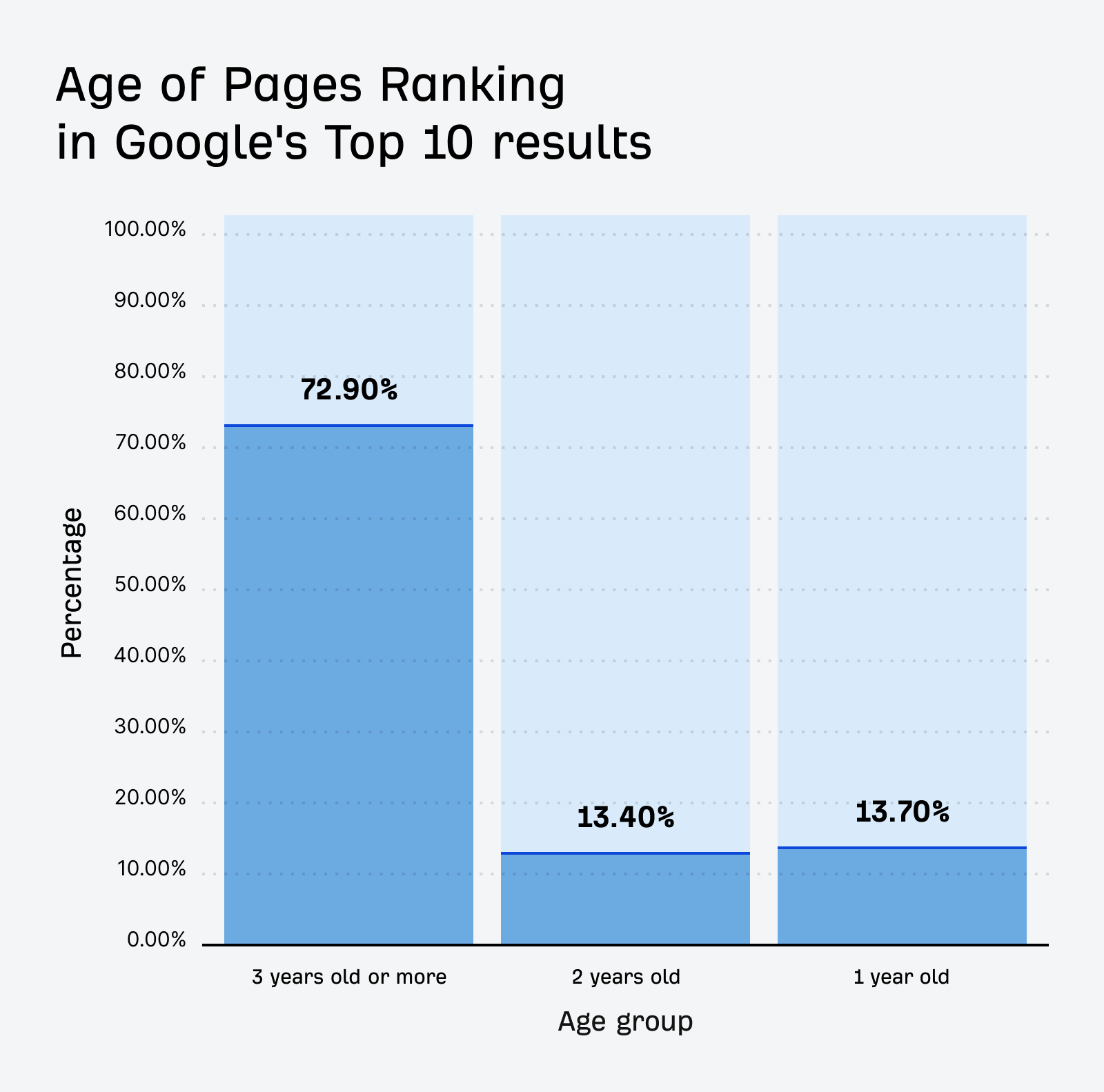
Older webpages tend to rank higher in SEO, and evergreen content is perfectly suited to become that aged, authoritative content. This means your posts are more likely to show up on the first page of search results, driving organic traffic to your website.
Evergreen content is cost-effective
Source: Search Engine Land
Creating content with long-term value is also very cost-effective.
Think about the time and energy you spend creating a blog post. With timely content, that effort yields results for a short period. With evergreen content, your initial investment continues to pay off for a much longer time.
This makes it a smart approach to content marketing for a small business, especially when you’re managing a tight budget. It’s about working smarter, not harder, to achieve sustainable business growth.
But what types of content offer this lasting power? Let’s look at some proven formats.
5 Types of Evergreen Blog Posts That Drive Consistent Traffic
Certain types of blog posts are naturally more suited to being evergreen. They address ongoing needs and questions. Here are five powerful formats you can use.
How-to guides and tutorials that solve common, persistent problems
These are classic evergreen pieces. People are always searching for instructions on how to do something. As a solopreneur, you have specific skills and knowledge, so share it!
For example, if you’re a web designer, “How to Choose the Right Colors for Your Brand Website” would be a great idea for an evergreen how-to guide.
Backlinko analyzed almost 1 billion blog posts, and found that “how-to” posts, listicles and infographics tend to receive a high number of backlinks, which is great for SEO and long-term traffic.
Resource lists and toolkits that remain useful year after year
Curated lists of valuable resources save your audience time and effort. These can become go-to references in your niche.
So for a virtual assistant, “The Top 10 Productivity Tools for Busy Solopreneurs” could be a highly valuable resource list.
Specific tools can change, but the categories of tools (project management, communication) often remain constant. You can update the specific tools every year or so to keep the list fresh.
“Ultimate” guides that cover foundational topics in your industry
These are comprehensive, in-depth pieces that aim to be the definitive resource on a particular subject, and build extensive authority.
Say you’re a financial planner for solopreneurs. You could write “The Ultimate Guide to Retirement Planning for the Self-Employed” and continue adding to it as one of your content pillars on your site.
Case studies of timeless principles applied to real situations
A piece showcasing how fundamental principles work in practice can be very insightful. If the principles are timeless, the case study will remain relevant.
So a marketing consultant might share something like: “Case Study: How a Local Bakery Tripled Its Online Orders Using Core Email Marketing Principles.” Even if the bakery is an older example, the core email principles likely still apply.
Focus on the “why” and “how” behind the success, linking it to enduring strategies instead of fleeting tactics.
FAQ posts that address universal questions in your niche
Every industry has questions that prospects and customers ask over and over again. Compiling these questions into a comprehensive FAQ post can be incredibly helpful and drive targeted traffic to your site continuously.
A business lawyer could create an FAQ post called, “Your Top 15 Questions Answered: Legal Basics for Starting Your Solo Business.”
Answering common questions directly can help your content appear in Google’s featured snippets and “People Also Ask” boxes and at the top and bottom (respectively) of search results, significantly boosting visibility for these FAQ posts.
These formats provide a great starting point for your evergreen blog content for solopreneurs. Next, let’s talk about making sure people can find these amazing posts.
Creating Evergreen Content That Ranks
Creating great evergreen content is one thing; making sure it gets found by search engines is another. You want your hard work to pay off with consistent organic traffic. Here’s how to create content that ranks.
Keyword research techniques for finding evergreen search terms
Source: Ahrefs
Keywords are the search terms people type into Google. For evergreen content, you need to find keywords that have steady search interest over time, not just seasonal spikes.
Focus: Look for “long-tail keywords,” which are long, specific phrases like “how to create a content plan for solo business” instead of just “content plan”. They often have less competition and attract a more targeted audience.
Tools: Use tools like Google Keyword Planner, AnswerThePublic, or Ahrefs’ Keywords Explorer to find terms people are searching for. Look for questions people ask related to your core topics. For instance, searching for “content ideas for solopreneurs” may reveal many related long-tail keywords.
The majority of searches are for long-tail keywords. Targeting these can be a smart SEO strategy for solopreneurs.
Tips for crafting headlines that attract clicks month after month
Your headline is the first thing people see. Here’s how to create a compelling headline they just have to click, now and in the future:
Be clear and specific: Tell the reader exactly what they will get. “5 Simple Steps to Writing Your First Evergreen Blog Post” is more specific than “Writing Blog Posts.”
Use numbers or questions: Headlines with numbers (like listicles) or that pose a question often perform well.
Include your target keyword: Your target keyword (also known as a primary keyword or focus keyword) helps search engines understand what your content is about.
How to structure content for both readability and SEO
Source: HardSplash Media
People online tend to scan content. Make your posts easy to read and digest. Search engines favor well-structured content with this formatting:
Properly-tagged headings and subheadings (H2, H3, H4): Break up your text and guide the reader.
Short paragraphs and sentences: Aim for clarity and conciseness.
Bullet points and numbered lists: Make information easy to skim.
Strategies to make your content comprehensive yet accessible
Evergreen content should be thorough, but not overwhelming. You want to be seen as an authority, but your audience (especially if you’re aiming for an 8th-grade reading level) needs to understand you. So be sure to:
Define jargon: If you must use industry-specific terms, explain them simply.
Provide examples: Illustrate your points with relatable scenarios. If you’re referencing a success story, focus on the enduring principles, not short-lived tactics.
Logical flow: Organize your content in a way that makes sense from start to finish.
Enhance content with timeless visuals
Visuals can make your content more engaging and easier to understand. Choose images and examples that won’t quickly look dated.
Use diagrams or simple charts: To explain complex ideas.
High-quality stock photos: Avoid overly trendy or cliché images.
Screenshots: Ensure they illustrate a process that isn’t likely to change drastically anytime soon.
By focusing on these elements, you can create evergreen blog posts that not only provide lasting value but also have a strong chance of ranking well in search results, becoming a cornerstone of your traffic-driving blog posts strategy.
But if your competitors are also creating evergreen content, how do you make yours stand out?
Making Your Evergreen Content Stand Out from Competitors
It’s likely your competitors are also trying to create lasting blog content. So, how do you ensure your evergreen pieces get noticed and become the go-to resource? You need to add that extra something special.
Research methods to find content gaps in your market
Source: SERPninja
A content gap is a topic your target audience is searching for, but there isn’t enough high-quality content available, or existing content is missing key information.
Analyze competitor content: Look at top-ranking posts for your target keywords. What questions are they not answering fully? What perspectives are missing? You can often find these content gaps by reading comments on their blogs or social media.
Use SEO tools: Tools like Semrush and Ahrefs have features to identify keywords your competitors rank for that you don’t, or where their content might be thin. This helps identify content creation opportunities.
Listen to your audience: What questions do your clients or social media followers ask you repeatedly? These are prime candidates for evergreen content that fills a real need.
Techniques to add unique insights and personal expertise
This is where being a solopreneur can be a real advantage. Your unique experiences, voice, and perspective are things no one else can replicate. This is key for personal branding through content.
Some ways to weave in your unique insights and perspectives:
Share personal anecdotes: Illustrate points with your own stories.
Offer a contrarian view: If everyone says “X,” but your experience shows “Y” can also work, explain that. This can create thought leadership content.
Develop your own frameworks or models: Simplify complex topics by breaking them down in a unique way.
A survey by Demand Gen Report cites that customers are increasingly looking for content that offers new perspectives, not just rehashed information.
How to incorporate original data or research when possible
Even small-scale original research can make your content stand out. A few ways to conduct research:
Survey your audience or network: Collect data on a topic relevant to your niche via a poll or survey, and share the findings.
Conduct mini-experiments: If applicable to your field, document a process and its results.
Analyze publicly available data uniquely: Find a new way to interpret existing industry reports or statistics.
Say you’re a productivity coach, you could survey 50 fellow solopreneurs about their biggest time-wasting activities and publish the results. This becomes unique, citable data.
Refresh your approach to common topics
Many evergreen topics have been covered extensively. Your goal is to bring a fresh angle:
Target a more specific niche within the topic: Instead of “Content Marketing Basics,” try “Content Marketing Basics for Handmade Business Owners.”
Focus on a different outcome or benefit: If most articles on “time management” focus on productivity, perhaps yours could focus on how it reduces stress for solopreneurs.
Use a unique format: Could you present the information as an interactive quiz, a detailed checklist, or a series of short videos embedded in the post?
By finding those content gaps and injecting your unique value, your evergreen content will not only rank but also resonate deeply with your audience, building your authority. Now, let’s explore a powerful platform to amplify that authority: LinkedIn.
Why LinkedIn Should Be Part of Your Evergreen Strategy
Source: Sprout Social
You’ve crafted some fantastic evergreen blog content for your website. But did you know that LinkedIn can be a powerful ally in your content strategy, especially for solopreneurs? It’s more than just a professional networking site.
LinkedIn’s SEO advantages for solopreneurs with new websites
LinkedIn is a massive website with very high domain authority (DA). This means content published there often gets indexed by Google quickly and can rank well in search results, sometimes even outranking content on newer, less authoritative personal blogs.
Benefit: If your own website is new and still building its SEO strength, publishing evergreen articles on LinkedIn can give your ideas visibility in search results much faster. This is a great way to drive organic traffic indirectly.
Case study: Many solopreneurs report that their LinkedIn articles appear in Google searches for their name or key topics they write about, often within days of publishing.
LinkedIn articles often rank faster than new blog content
Source: Oryn
As mentioned, LinkedIn’s authority helps its content get noticed by search engines quickly. Your brand-new blog might take weeks or months to get similar traction for a competitive keyword.
Think of LinkedIn articles as a way to “test” the ranking potential of certain evergreen topics or to gain initial visibility while your website’s SEO builds.
The unique algorithm benefits LinkedIn provides for individual creators
LinkedIn encourages creators to publish content directly on its platform. Its algorithm tends to favor native content, including articles.
Engagement signals: When your connections and followers engage with your LinkedIn article (by likes, comments, and shares), it signals to the algorithm that your content is valuable, potentially increasing its reach within the LinkedIn ecosystem.
LinkedIn’s “Creator Mode“: LinkedIn’s push for more original content means that individuals who consistently publish quality material, like evergreen thought leadership content, can see increased visibility on the platform.
Statistics showing LinkedIn’s content reach compared to personal blogs
Built-in network: When you publish an article, your connections are often notified, providing an immediate potential readership that a brand-new blog post might struggle to achieve without promotion.
Reach potential: According to data from Sprout Social (2023), LinkedIn is a top platform for B2B marketers, and well-crafted content can achieve significant organic reach among professionals, your likely target audience as a solopreneur. While your blog aims for global search reach, LinkedIn offers targeted professional reach.
Using LinkedIn as part of your evergreen content strategy doesn’t mean abandoning your blog. It’s about smart repurposing and leveraging LinkedIn’s strengths.
Anything can happen to a social media platform, but the content on your website is yours. So, how do you take your amazing blog posts and make them shine on LinkedIn?
Repurposing Evergreen Blog Content for LinkedIn Success
When you’ve got valuable evergreen blog posts on your website, don’t let them just sit there! Repurposing that content as LinkedIn articles can expand your reach and reinforce your expertise. Here’s how to adapt your content effectively.
Step-by-step process for adapting blog posts to LinkedIn articles
It’s not just a copy-paste job from your blog to LinkedIn—you need to tailor it.
Choose the right posts: Select evergreen blog posts that are highly relevant to a professional audience, and align them with your LinkedIn personal branding.
Condense and refocus: LinkedIn articles are often best when a bit shorter and more direct than a comprehensive blog post. Focus on the key takeaways or one core idea from your original post.
Rewrite the introduction: Hook the LinkedIn reader immediately by addressing a pain point or a professional aspiration relevant to them.
Adjust the body of the article: Keep paragraphs short. Use bullet points or numbered lists for readability.
Craft a LinkedIn-specific call to action(CTA): What do you want LinkedIn readers to do? Comment with their experiences? Connect with you? Visit your website for a related resource?
How to modify content structure for LinkedIn’s specific format
LinkedIn’s article editor has its own nuances:
Shorter paragraphs: Use for 2 to 4 sentences per paragraph on LinkedIn. This improves scannability on both desktop and mobile.
Use LinkedIn’s formatting: Add bolding, italics, blockquotes, and bullet points to break up text and highlight key information.
Consider “native” feel: Even though this isn’t an original article only for LinkedIn, make it feel like it was written for LinkedIn. This might mean a slightly more direct or professionally conversational tone.
Link back to your site: Create your own backlink for SEO by including a hyperlink to the article back to the original blog post on your website
For example, a 3,000-word “ultimate guide” blog post could be broken down into two or three focused LinkedIn articles, each tackling a specific sub-topic from the original guide. Or you could just use a portion of the blog to make an abridged version for LinkedIn.
Tips for creating LinkedIn-specific headlines that gain traction
Headlines are crucial on LinkedIn. They need to stop the scroll.
Lead with a benefit: “How Solopreneurs Can Triple Their Leads with Evergreen Content” is stronger than just “Evergreen Content Guide.”
Use numbers and keywords: Similar to blog headlines, but ensure the keywords resonate with a professional searcher on LinkedIn.
Intrigue or urgency: “The One Evergreen Content Mistake Most Solopreneurs Make.”
LinkedIn’s own publishing guidelines often emphasize the importance of clear, compelling headlines that promise value to the reader.
Ways to enhance engagement through LinkedIn-specific features
LinkedIn isn’t just a publishing platform, it’s a social one. So don’t just post and run:
Ask questions: End your article with a question (as a CTA) to encourage comments and discussions.
Tag relevant people/companies as appropriate: If you mention a tool or an influencer respectfully, tagging them might increase visibility.
Share your article as a post: After publishing the article, create a separate LinkedIn post linking to it, adding some personal commentary or a key takeaway to encourage clicks and engagement.
Engage with comments: Respond to comments on your article to keep the conversation going and show you’re active.
Repurposing your evergreen content for your LinkedIn content strategy extends its life and impact, helping you build authority and drive traffic from multiple sources.
Of course, even “evergreen” content needs a little care over time.
Maintaining and Refreshing Your Evergreen Content
The beauty of evergreen content is its longevity. But “long-lasting” doesn’t mean “set it and forget it forever.” To keep your best pieces performing well and staying truly relevant, occasional maintenance is key.
There’s no single magic number, but a good rule of thumb is to review your top-performing evergreen content at least once a year. For other pieces, every 18 to 24 months may be sufficient.
Also, set up Google alerts or regularly check if there’s been a significant industry change, a new major tool released, or if you notice a dip in traffic to a previously popular post.
According to Orbit Media Studios, bloggers who update older content are significantly more likely to report “strong results” from their content marketing.
Signs that your content needs refreshing
Source: Zeal Digital
Keep an eye out for these tell-tale signs:
Declining organic traffic: If a post that used to bring in steady visitors is slipping, it might be losing relevance or getting outranked.
Outdated information or statistics: Facts, figures, or examples that are clearly from years ago.
Broken links: Links to external resources or even internal pages that no longer work.
New, better competitor content: If others have published more comprehensive or up-to-date articles on the same topic.
Changes in your own offerings: If your services or products have evolved, your content should reflect that.
Simple updates that can boost existing content performance
Refreshing doesn’t always mean a complete rewrite. Often, small changes can make a big difference.
Update statistics and dates: Swap out old data for the latest available numbers.
Add new examples or case studies: Keep your illustrations fresh.
Improve readability: Break up long paragraphs, add more subheadings, or create bullet points.
Enhance visuals: Add new images, update screenshots, or create a simple infographic.
Expand a section: If a particular subtopic has gained more importance, add more detail.
Internal linking: Add links to newer relevant content on your site, and ensure older posts link to this refreshed piece. This helps with content with long-term value.
Tools to track content performance over time
You need data to know what’s working and what needs attention.
Google Analytics: Track page views, bounce rate, time on page, and traffic sources for each blog post.
Google Search Console: See which keywords your posts are ranking for, their click-through rates, and any crawl errors.
SEO software (Semrush, Ahrefs, Moz): Monitor your positions for target keywords using their rank tracking features.
When you review and refresh your evergreen content regularly, you ensure it continues to be a valuable asset for your solopreneur business, driving organic traffic and reinforcing your authority for years to come. This commitment to content refresh strategies is vital. (And of course, I’m available to help with that!)
Now, how do you fit this all into your busy schedule?
Creating a Content Calendar That Balances Evergreen and Timely Content
As a solopreneur, your time is precious. A content calendar is essential to manage your content creation effectively, and ensure you consistently publish valuable pieces without feeling overwhelmed. It also helps you balance foundational evergreen articles with more timely posts.
Ideal ratio of evergreen to timely content for solopreneurs
Source: Breeze
While it varies by industry and audience, a good starting point for many solopreneurs is an 80/20 rule of 80% evergreen content and 20% timely content.
Evergreen content provides a stable foundation for traffic and authority. Timely content (like industry news commentary, responses to current trends, or seasonal promotions) can create buzz and show you’re current, but its value fades faster.
This ratio isn’t set in stone. If a major industry event happens, you might temporarily shift to more timely content. The key is having a strategic content planning approach.
Planning techniques for consistent content creation
Consistency is more important than frequency when creating content, especially when you’re just starting. A few ideas to help keep you stay consistent:
Theme months or quarters: Focus your content around a specific theme for one time period such as a month or a quarter.
This can make brainstorming evergreen blog ideas easier and create a cohesive experience for your audience. For example, one quarter could focus on “Productivity for Solopreneurs,” with various how-to guides, resource lists, and FAQ posts on that theme.
Pillar content and topic clusters: Create a large, comprehensive evergreen “pillar post” on a broad topic, then create several smaller “cluster” posts that do a deep dive into specific subtopics, all linking back to the pillar post. This is great for SEO and provides a wealth of content ideas.
Brainstorming and outlining: Dedicate a few hours to brainstorm a list of evergreen topics and create rough outlines for several posts at once.
Research and writing: Set aside dedicated days for writing multiple first drafts.
Editing and visuals: Another block of time for editing those drafts, creating or sourcing images, and optimizing for SEO.
You could spend one Monday morning per month outlining four evergreen posts, then write one post each following Monday. This DIY content marketing approach makes the task less daunting.
Tips for managing content creation alongside other business tasks
Content creation is just one hat you wear as a solopreneur.
Time blocking: Schedule specific, non-negotiable time slots in your week for content creation, just like you would for client work.
Use a simple content calendar tool: Google Calendar, Trello, Asana, or even a spreadsheet can work. The goal is to have a visual plan.
Don’t aim for perfection immediately: Get the core ideas down. You can always refine and update later.
Repurpose aggressively: One evergreen blog post can become several social media updates, key points for a YouTube video, a LinkedIn article, and even part of an email newsletter. This maximizes your effort.
By strategically planning and batching your work, you can build a rich library of evergreen blog content without burning out. This content marketing approach is sustainable, supports long-term website traffic growth, and establishes you as a go-to expert.
Your Path to Lasting Online Presence
As a solopreneur, you need marketing strategies that work smarter, not harder. Evergreen blog content offers exactly that. It consistently attracts your ideal audience, builds your credibility, and generates leads long after you’ve hit the publish button. Think of it as building a valuable library of resources that works for your business around the clock.
Investing time in writing in high-quality, well-researched evergreen pieces has significant long-term traffic and authority benefits. These posts become foundational assets for your online presence, driving organic traffic and positioning you as a knowledgeable leader in your field. The effort you put in today continues to pay dividends for months—even years—creating a more stable and predictable flow of visitors to your website.
If you feel overwhelmed about where to start, begin with just one high-quality evergreen blog post that addresses a core need or question for your audience. Once it’s live on your blog, take the next step and repurpose its key insights into a LinkedIn article to expand its reach.
Your challenge this week? Start planning your evergreen content strategy. Identify some evergreen blog topics you can develop. You’ve got the knowledge; it’s time to share it in a way that brings enduring value to both your audience and your solo business.
Dean, B. (2019). We Analyzed 912 Million Blog Posts. Here’s What We Learned About Content Marketing. Backlinko. Retrieved from https://backlinko.com/content-study
Morkes, J & Nielsen, J. (1997). Concise, SCANNABLE, and Objective: How to Write for the Web. Nielsen Norman Group. Retrieved from https://www.nngroup.com/articles/concise-scannable-and-objective-how-to-write-for-the-web/
Finding the right information when writing blog posts is a major challenge for many solopreneurs. According to the 11th Annual Blogger Survey by Orbit Media, blog posts with quotes and statistics have better traffic and engagement than those with just images.
And that requires thorough online research.
Good research helps you create content that stands out in a crowded online space. So let’s go through the practical ways to research for a blog post or other content, including how to:
Find reliable information quickly,
Organize your findings, and
Turn your research into engaging content your audience will value.
Why? Because unlike academic publications, blogs typically don’t go through rigorous peer review or fact-checking processes. This is why thorough research matters so much.
Quality research helps bridge this credibility gap. When readers see that you’ve backed up your claims with data, expert opinions, and reliable sources, they’re more likely to trust what you have to say.
Think about it–would you trust health advice from someone just sharing personal opinions, or from someone who quotes medical studies and expert physicians?
The connection between well-researched content and better search rankings
These factors show search engines your content is valuable.
Well-researched content also tends to earn more backlinks from other reputable websites, which remains one of the strongest SEO ranking factors. When other site owners see you’ve done your homework, they’re more likely to link to your content as a reliable resource.
Fact-checking prevents mistakes that hurt your reputation
Making factual errors in your content can quickly damage the reputation you’ve worked so hard to build, and you may lose credibility. This is easy to do if you rely on AI tools like ChatGPT and others to write your content without verifying its accuracy.
This is particularly critical in industries where incorrect information could have serious consequences. For health, finance, or legal topics, mistakes aren’t just embarrassing–they could potentially harm your readers. Even in less sensitive niches, factual errors signal carelessness and make readers question everything else you publish.
Fact-checking is a great way to avoid mistakes and build a foundation of trust with your audience that keeps them coming back for more of your content.
How research helps you find unique angles others miss
With over 7.5 million blog posts published every day, standing out requires more than just good writing-it requires fresh perspectives. Thorough research helps you discover angles and insights other content creators miss.
When you dig deeper into a topic than your competitors, you’ll uncover statistics, case studies, and expert opinions that aren’t featured in every other article on the same subject. This gives your readers a reason to choose your content over the countless other options available to them.
Research also helps you identify content gaps–questions your audience is asking that existing content doesn’t answer. By addressing them, you position yourself as a go-to resource in your niche.
Essential Online Research Tools for Solopreneurs
Free and paid search tools beyond basic Google searches
Google is just the tip of the iceberg when it comes to online research. As a savvy solopreneur, you’ll want to expand your toolkit to include specialized search engines that can uncover insights you’d miss otherwise:
Google Scholar gives you access to academic papers and citations without university credentials.
Google Trends shows you how search interest in topics changes over time, helping you identify trending subjects within your niche.
For market research:
Ahrefs, Keysearch, and SEMrush are excellent tools for keyword research.
BuzzSumo has a content analyzer that can help you evaluate which types of content perform best in your industry.
These tools let you see which topics get the most engagement, what questions your audience is asking, and how your competitors are approaching similar content.
Free alternatives:
DuckDuckGo for privacy-focused searches that aren’t influenced by your previous search history, or use
Million Short to discover sources that typically don’t rank on the first few pages of Google.
JSTOR offers free read-only access to a limited number of articles each month.
PubMed provides free access to medical research abstracts and some articles.
ScienceDirect and ResearchGate often include free full-text versions of health-related research and scientific papers.
Mendeley, which I rely on most, is a database of scholarly journals. Pop in your topic and sort the results by year and access level (some are Open Access, so they’re free for everyone).
Google Scholar, mentioned earlier, indexes scholarly literature across disciplines and often links to free PDF versions of papers when they’re available through university repositories.
For industry reports, check if your local public library offers access to premium databases like EBSCO or LexisNexis. Many public libraries provide these resources to cardholders at no additional cost.
Browser extensions that make research faster and more organized
Source: Robots.net
The right browser extensions can change how efficiently you conduct research. However, choose carefully. In 2024, Georgia Tech found that thousands of browser extensions pose significant privacy risks by extracting sensitive user data from web pages.
Safe, helpful research extensions (with free and paid tiers) include:
Zotero Connector: Saves articles, web pages, and PDFs to your Zotero library with a single click
Grammarly and Quillbot: Checks your writing for clarity and accuracy as you work
Evernote Web Clipper: Saves articles and web pages to your Evernote account
Hypothesis: Allows you to annotate web pages and save your notes
These tools help you collect and organize information as you find it, streamlining your research process and ensuring you don’t lose valuable sources.
Digital note-taking systems
The best research system is one you’ll actually use consistently. For busy content creators, simplicity and accessibility are key.
Consider using one of these notes tools:
Notion: Combines notes, databases, and project management in one flexible workspace. (I’ve used this tool for free since inception and I love it!)
Roam Research: Uses a networked note-taking approach that connects related concepts
Obsidian: Creates a personal knowledge base with linked notes stored locally on your computer
Evernote or OneNote: Offers straightforward note organization with robust search capabilities
Whatever system you choose, es
Establish a consistent method for tagging sources, organizing notes by topic, and connecting related ideas. This makes it much easier to repurpose your research into cohesive content later.
Government websites (.gov), educational institutions (.edu), and established organizations (.org) tend to provide more trustworthy information, though this isn’t a guarantee. Commercial websites (.com) vary widely in credibility depending on their reputation and transparency.
Beyond the URL, look for:
Author credentials and expertise in the subject matter
Publication date (especially important for time-sensitive topics)
Citations and references to back up claims
Professional design and absence of excessive ads
Editorial standards and review processes
Blogs written by recognized experts in their field and backed by solid references can also provide valuable information, but you must still do your due diligence.
Techniques to verify facts across multiple sources
Information from multiple independent sources is generally more reliable than claims from a single source. This principle, known as corroboration, is fundamental to quality research.
Source: UC San Diego
When you find an interesting fact or statistic, take these steps to verify it:
Trace it to the primary source whenever possible.
Check if multiple reputable sources report the same information.
Be wary of claims that only appear on one website.
Consider whether the information aligns with established knowledge in the field.
For example, if you find a surprising statistic about blogging engagement, check whether it comes from a reputable marketing research firm and whether other industry reports mention similar findings.
Industry-specific resources worth bookmarking
Different industries have their own gold-standard sources. Building a collection of reliable, industry-specific resources saves time and improves the quality of your research.
For digital marketing:
Google‘s official blogs and research publications
Hubspot‘s research reports
Content Marketing Institute‘s annual benchmarks and trends
For health and wellness:
PubMed for peer-reviewed medical research
Mayo Clinic and Cleveland Clinic websites
National Institutes of Health (NIH) resources
For technology:
IEEE publications
Tech company research papers (Google, Microsoft, etc.)
MITTechnology Review
Create your own curated list of trustworthy sources in your niche, and you’ll always have a solid starting point for research.
How to reach out to experts for quotes
Sometimes the best research comes directly from subject matter experts. Don’t be afraid to reach out to them via LinkedIn, their website (or wherever you find them online), to get quotes that can elevate your content.
When approaching experts:
Do your homework first-research their background and previous statements.
Craft specific, thoughtful questions that respect their time.
Explain clearly how their input will be used.
Give them a reasonable deadline.
Offer to share the published piece with them.
Expert quotes add credibility and bring fresh perspectives to your content. They can provide insights that aren’t available through published sources alone.
Research Organization Strategies
Simple systems to track your sources and notes
The average blog post takes about 4 hours to write, but disorganized research can double that time. A little organization upfront saves significant time when crafting your content.
Key quotes (with page numbers for longer documents)
Your own notes and insights
Tags or categories to group related information
For visual thinkers, mind-mapping tools like MindMeister or XMind can help organize information spatially, showing connections between different concepts and sources.
Organizing your research from the beginning of your content planning will prevent confusion and frustration later when you’re writing.
How to create research templates you can reuse
Why reinvent the wheel for each new article? Create templates to streamline your research process:
Source evaluation template: Fields for URL, author credentials, publication date, and your assessment of credibility.
Content research brief: List of questions your article needs to answer, competitor articles to review, and target keywords.
Fact-checking checklist: Standard verification steps for different types of claims.
These templates ensure consistency in your research approach and help you avoid missing critical steps when you’re in a rush.
Tools to save and organize your findings
Besides note-taking systems, here are more specialized tools to manage your research workflow:
Pocket: Save articles to read later (even offline).
Feedly: Track new content from your favorite sources.
Diigo: Highlight and annotate web pages, then organize with tags.
ReadCube Papers: Manage a list of scholarly articles and references.
Choose tools that integrate well with your existing workflow, instead of forcing yourself to adapt to complicated new systems.
Tips to avoid information overload
With so much information available, it’s easy to get overwhelmed. Set clear boundaries for your research:
Define specific questions you need to answer.
Set a time limit for initial research.
Stop collecting new sources once you have 3 to 5 solid references for each major point.
Schedule breaks to process what you’ve learned.
Perfectionism in research can lead to analysis paralysis. At some point, you need to start writing with the information you have.
Turning Research into Engaging Content
Techniques to weave facts and data into compelling stories
Data without context is just numbers. To make research engaging, you need to tell a story with data that will resonate with your audience.
Use real examples that illustrate the data in action.
Connect numbers to real-life implications for your audience.
Compare statistics to familiar concepts for better understanding.
For example, when using data in a story, instead of giving a stat like “71% of B2B buyers consume blog content during their buyer journey,” you could say: “Nearly three out of four B2B buyers will read blog content before deciding to purchase from you. That’s why your blog isn’t just nice to have–it’s an essential part of your sales funnel.”
Changing the perspective from 71% to “3 out of 4” paints a clearer picture for your readers and makes the story more engaging.
How to use research to create helpful visuals and graphics
Visual contenthelps readers digest complex information quickly. Use your research to create:
Charts and graphs showing key statistics.
Comparison tables highlighting differences between options.
Keep visuals simple and focused on one main insight. The average reader spends just 52 seconds reading a blog post, so your visuals need to communicate clearly at a glance. It’s easy to do this in tools like Canva with templates where you can just plug in the info, or AI tools like Canva AI or Google’s ImageFX where you can enter a prompt to generate the image.
When creating data visualizations, always cite your sources directly on the graphic to maintain credibility when the image is shared separately from your article.
Ways to present complex information in simple terms
Source: Hemingway App
The best research-based content makes complex topics accessible without dumbing them down. With the average blog post now about 1,400 words, you need strategies to keep readers engaged throughout. You can:
Break down complex concepts into step-by-step explanations.
Use analogies that connect new ideas to familiar concepts.
Define technical terms using plain language.
Provide real-world examples that illustrate abstract concepts.
Try writing or editing to a 7th- or 8th-grade reading level by using shorter sentences, familiar words, and clear explanations. This doesn’t mean talking down to your audience-it means making your content accessible to more readers. Tools like Hemingway (pictured above) and Readable can help you gauge the reading level of your content.
Tips for citing sources properly without breaking your writing flow
Source: Examples.com
Citations build credibility but can interrupt your narrative if you don’t integrate them smoothly. Here’s how:
Mention the source naturally within your sentence: “According to a 2025 report from OptinMonster, blog posts with odd-numbered headlines perform better than even-numbered ones”
Use hyperlinks for online sources without cluttering text with URLs. (You can also shorten a sentence like the example above and simply hyperlink to the source.)
Save detailed citations for a resources section at the end of longer content (like all my blogs do).
When directly quoting, integrate brief quotes into your own sentences.
Check publication dates – information from before 2020 may be outdated in fast-changing fields.
Be skeptical of claims that seem too good to be true, and verify them with primary sources (the original source of the information).
Look for signs of bias, such as one-sided presentations of issues.
Verify statistical claims by checking the research methods and sample sizes used.
Cross-reference information across multiple reliable sources.
Periodically audit your website for outdated and stale content. And when researching online, approach the info with healthy skepticism.
Relying on a single source
Multiple independent sources saying the same thing greatly increases reliability, but you still need to verify the info with a primary source.
Source: Inspired Pencil
If you notice a blog or article references other research, check it—it may be the primary (original) source.
Relying on just one source weakens your content, and can create several problems:
You risk perpetuating any errors or biases in that source
You miss important perspectives that could enrich your content
Your article appears less thoroughly researched, and less credible.
You become vulnerable if that source is later discredited
Think of corroboration as insurance for your content’s credibility. When multiple experts or studies point to the same conclusion, you can cite it with greater confidence.
Spending too much time researching
Research is important, but it shouldn’t become a form of procrastination. Here are signs you’ve fallen into a research rabbit hole:
You keep finding “just one more” source before you start writing
You’re collecting information on tangential topics not central to your article
Your notes are becoming disorganized or overwhelming
You’ve spent more than twice your planned research time
Ask others to review your research for potential blind spots.
Key Takeaways
Thorough, effective online research gives you the edge needed to create truly valuable content for your readers. It’s a skill that gets better with practice.
By using the right tools, finding trustworthy sources, and organizing your findings well, you’ll create content that truly helps your audience and earns their trust. And in today’s information-saturated world, that trust is the most valuable currency you can earn.
Good research requires a focused effort that leads to better content. Start applying these research methods to your next blog post, and you’ll notice the difference in both quality and the time you save. Which research method will you try first?
You pour your heart and soul into writing. You research, you draft, you edit. But does your content actually connect with people online? Do they stick around to read what you have to say?
Just writing well isn’t enough. You need a strategy that understands how people read online and what makes them stay. You want to hold their attention, build trust, and guide your reader toward a goal like learning something new, signing up for your list, or buying a product.
This article is your guide to doing just that. We’ll explore the science of online reading, break down proven structures, show you how to plan efficiently, and reveal simple formatting tricks that make a huge difference.
Get ready to make your long-form content impossible to ignore. Let’s dive in to how you can structure blog posts that keep readers glued to your page (“sticky”), and make your content work harder for you.
Why do some articles feel effortless to read, while others make your eyes glaze over after two sentences? It’s because of human psychology. Before you can write content they’ll actually read, you have to understand how people interact with text online.
How human attention spans work online (and why traditional writing methods fail)
We’re bombarded with information from every direction–notifications ping, new tabs open, and there’s always another headline with every click and scroll. This fast-paced knowledge dump has changed how we consume content.
Traditional writing with long paragraphs and slow build-up often fails online because it doesn’t cater to the need for quick scanning and immediate value. People aren’t settling in to read content with a cup of tea; they’re often scanning on a phone while juggling other tasks.
Think of your own habits. When you land on a page, do you read every single word from the start? You probably just scan headings, bold text, bullet points, and the first sentences of paragraphs to get the gist. And if it looks like too much work, or you don’t quickly find something interesting, you move on.
Your readers do the same thing.
The impact of visual hierarchy on reading patterns
Visual hierarchy is about arranging elements on your page so the most important information stands out. It guides the reader’s eye naturally.
People connect with content that makes them feel something.
Structure and formatting help readers navigate your content, but emotional triggers are what keep them mentally invested. Which emotions, and how? Try these:
Curiosity: Hint at what’s coming next keeps readers scrolling. Use questions, create suspense, or promise a solution to a problem where they have to open a loop.
Empathy: Share a relatable story or acknowledge your audience’s pain point to show you understand their struggles.
Hope: Offer solutions, tips, or a path to a better outcome to tap into their desire for improvement.
Surprise: Present unexpected facts or perspectives to grab their attention.
Validation: Confirm their feelings or experiences to make them feel understood and build trust.
When you tap into these emotions, you create a stronger connection. You move beyond just presenting facts and make your content resonate on a personal level. Emotional content is more likely to be shared and remembered than purely factual information.
Structure matters more than raw writing talent
You don’t need to be a literary genius to write engaging online content, but you do need good structure.
Think of it like building a house. You can use the most beautiful bricks, but if the foundation and framework are weak, the house won’t stand.
Content structure provides that framework. It organizes your ideas logically, guides the reader smoothly from one point to the next, and makes your content easy to follow.
On the other hand, even brilliant writing can be lost in a wall of text without clear headings, short paragraphs, and a logical flow. Online readers value clarity and accessibility over elaborate prose.
Analytics data shows content structure (use of headings, lists, etc.) directly impacts metrics like average time on page and bounce rate.
Good content structure keeps people reading. Different structures serve different purposes and appeal to readers in unique ways, so let’s go over 7 proven structures that can keep their attention.
7 Types of Blog Posts That Keep Readers Hooked
Choosing the right structure for your blog post can make a huge difference in how well it performs. Instead of just writing whatever comes to mind, select a framework that best suits your topic and your goal:
The problem-solution framework for practical topics
How-to guides with clear step-by-step instructions
List-based articles that deliver scannable value
The storytelling method for emotional connection
Comparison posts that help readers make decisions
FAQ structure for addressing common pain points
Case study format for demonstrating proof and results
1. The problem-solution framework for practical topics
This highly effective content structure addresses a specific issue your audience faces and offers a way to fix it. It works because it immediately connects with the reader’s pain point.
Here’s how it flows:
Introduce the Problem: Start by describing the challenge, frustration, or pain point your reader is experiencing. Make sure they feel understood.
Agitate the Problem: Briefly explain the negative consequences of this problem if it’s not addressed. This reinforces the need for a solution.
Present the Solution: Introduce your solution – your product, service, method, or advice. Explain what it is.
Explain How it Works: Detail the steps involved or the benefits of your solution.
Show Proof (optional): Include a case study, testimonial, or data showing the solution’s effectiveness.
Call to Action (CTA): Tell the reader what to do next.
Let’s see how you could apply this framework with a blog post about saving money:
You could start by describing the stress of living paycheck to paycheck (Problem).
Next, describe the inability to save for emergencies or fun things (Agitation).
Then introduce budgeting as the Solution.
Explain how to create a budget (How it works).
Tell a story of a client who saved $5,000 in a year using this method (Proof).
End by encouraging readers to download your budgeting template (Call to Action).
2. How-to guides with clear step-by-step instructions
People love learning how to do things. How-to guides are incredibly popular because they offer practical, actionable value.
Structure your how-to guide like this:
Introduce the Goal: What will the reader be able to do after reading your post? State it clearly upfront.
List Necessary Tools or Materials: If applicable, tell them what they’ll need.
Present Step-by-Step Instructions: Break down the process into simple, numbered steps. Use clear, concise language and avoid jargon.
Use Visuals: Include images or screenshots for each step whenever possible.
Offer Tips or Troubleshooting: Add extra advice or address common issues they might encounter.
Conclude: Briefly summarize and encourage them to try it. (You don’t need to use the word “Conclusion.”)
Say you wanted to create a guide on “How to Bake Perfect Chocolate Chip Cookies”:
State that your audience will learn how to bake amazing cookies (Goal).
List ingredients and tools (Materials).
Provide numbered steps for mixing, baking, and so on (Steps).
Include photos of each stage (Visuals).
Offer tips like not overmixing (Tips).
End by saying “Enjoy your cookies!” (Conclusion). It wouldn’t hurt engagement to also invite readers to share comments when they try the recipe (CTA).
“How-to” content receives high engagement, with users spending more time on pages compared to other formats, especially when steps are clearly numbered and include visuals.
3. List-based articles that deliver scannable value
Ah, the listicle. Love them or hate them, they work incredibly well online because they are inherently scannable and promise a specific amount of information. Readers know exactly what they’re getting – a list of points that are easy to scan.
Conclusion: Briefly summarize or offer a final thought.
Here’s how this would flow for a listicle called “10 Time-Saving Apps for Solopreneurs”:
The intro could explain why solopreneurs need time-saving tools.
Then, you describe #1 App Name (explanation), #2 App Name (explanation), and so on.
List-based content is among the most shared content formats online, because they’re easy to read, share, and come back to later.
4. The storytelling method for emotional connection
Stories are powerful. They grab our attention, make information memorable, and build a deep connection with the reader. Using storytelling in your blog posts makes them relatable and engaging.
Here’s how to structure a story-driven post:
Setup: Introduce the character (often you or a client) and the initial situation or challenge.
Conflict/Rising Action: Describe the problem, the struggle, or the obstacles faced. This is where you build tension and reader investment.
Climax: The turning point or the moment of realization/discovery.
Resolution: How the problem was solved or the lesson learned.
Takeaway or Moral: What can the reader learn from this story? How does it apply to them?
Let’s say you wrote a blog post about overcoming failure. Here’s how you could structure it:
Start with your initial excitement about a project (Setup).
Describe all the things that went wrong and how frustrating it was (Conflict).
Share the moment you realized what needed to change (Climax).
Explain how you implemented the change and succeeded (Resolution).
End with lessons about perseverance and your advice for the reader (Takeaway).
People remember stories far better than bullet points.
5. Comparison posts that help readers make decisions
When your audience is trying to choose between two or more options (products, services, methods), a comparison post is incredibly helpful. You position yourself as a trusted guide helping them make an informed decision.
Structure a comparison post in this order:
Introduction: Introduce the items being compared and state the goal–helping the reader decide which is best for them.
Criteria for Comparison: What factors are you using to compare them (price, features, ease of use, pros, cons)? Present these factors clearly.
Compare Each Item Based on Criteria: Dedicate a section to comparing the items based on each criterion. You can do this side-by-side or discuss each item’s performance on each criterion.
Summary Table (optional): Summarize the comparison points in a table makes them easy for readers to scan visually.
Recommendation: Offer your expert opinion on which option is best for different types of readers or situations.
Conclusion: Briefly summarize and reiterate the goal.
So if you wanted to compare two products in a post called “Product A vs. Product B: Which is Right for Your Business?,” you’d:
Introduce both products (Intro).
List factors like cost, features, and support (Criteria).
Compare Product A and Product B for each factor (Comparison).
Show a table (Summary).
Recommend Product A for small businesses and Product B for larger enterprises (Recommendation) for example.
Summarize the product offerings and your advice on choosing them (Conclusion)
Data from e-commerce blogs shows comparison posts often lead to higher click-through rates (CTRs) on affiliate links and product pages, indicating they effectively guide purchase decisions.
6. FAQ structure for addressing common pain points
If you find yourself answering the same questions from your audience over and over again, a Frequently Asked Questions (FAQ)-style blog post is a great way to provide value and address common pain points upfront. This structure is highly user-focused.
Here’s how to structure an FAQ post:
Introduction: State that this post will answer common questions about a specific topic.
Group Questions (optional ): If you have several questions, group similar questions under broader subheadings (“Pricing Questions,” “Usage Questions”).
List Questions as Subheadings: Make each question a subheading (H3 or H4).
Provide Clear, Concise Answers: Directly answer the question below the subheading. Keep answers focused, concise, and easy to understand.
Link to More Resources: If an answer requires more detail, link to other blog posts or pages on your site where readers can get more info.
Conclusion: Briefly wrap up and encourage readers to ask any further questions in the comments.
Say you’re writing a blog about “Your Top Questions About Starting a Podcast, Answered.” You could:
Introduce the topic (Intro)
Group questions into “Getting Started” and “Equipment” (Group Questions).
List questions like “What microphone do I need?” or “How do I choose a topic?” as subheadings, providing clear answers therein.
7. Case study format for demonstrating proof and results
When you need to show your audience detailed proof that your methods, products, or services actually work, a case study post is the answer. Case studies are customer success stories, and they provide concrete proof using real-world examples.
Structure a case study like this:
Headline Highlighting the Result: Start with the main outcome (“How [Client Name] Increased Traffic by X% Using Our Strategy”).
Introduction: Introduce the client and their initial situation or challenge (the “before”).
Problem: Detail the specific problems or goals the client had before working with you.
Solution: Explain the specific steps, strategies, or services you implemented to help them.
Results: Present the quantifiable outcomes and benefits achieved (the “after”). Use numbers, percentages, and data whenever possible.
Visual Proof (optional): Include charts, graphs, or screenshots demonstrating the results.
Conclusion or Takeaway: Summarize the success and explain what others can learn from this case.
Call to Action: Encourage readers facing similar problems to contact you.
Have you seen results with your clients? You could write a case study like, “How Sarah Doubled Her Email List in 3 Months with My Lead Magnet Workshop:”
Introduce Sarah and her scenario of having a small email list (Intro).
Explain her goal was rapid list growth (Problem).
Detail your workshop contents and her implementation steps (Solution).
Show the jump in her subscriber count with a graph or other visual element (Results).
Summarize that targeted training works (Takeaway).
Invite readers to join the next workshop (Call to Action).
Choosing one of these content structures gives your writing a clear direction and makes it easier for your reader to follow along and get the information they need. Regarding how long your blog post should be, try to write posts that are at least 2,000 words for a better SEO ranking (or long enough to address your topic without fluff).
Now let’s talk about the elements that enhance all of these structures.
Attention-grabbing headlines that promise specific value
Your headline is the first thing people see, often in search results or on social media. It’s your single chance to make a strong first impression and convince someone to click, so a generic headline won’t cut it.
Your headline must promise something specific and valuable to the reader.
For example, instead of using the headline “Tips for Better Writing,” which sounds generic and average, try something like “7 Quick Ways to Write Blog Posts People Actually Finish.”
The second headline is specific (7 ways, quick) and promises a clear benefit (posts people finish).
Great headlines include elements in many of the blog post structures we previously covered:
Your hook is the first sentence or two of your introduction, and it needs to be compelling enough to draw the reader in. Get straight to the point or pique their curiosity immediately.
Effective hooks often:
Ask a relatable question: “Struggling to get people to read your blog posts?”
Share a surprising statistic: “Did you know the average online attention span is just 8 seconds?”
Tell a brief, intriguing story: “I used to spend hours writing, only to see people bounce after a paragraph…”
State a bold or contrarian claim: “Everything you think you know about online reading is wrong.”
Promise a direct benefit: “Imagine writing posts that keep readers scrolling non-stop.”
Look at successful bloggers and writers in your niche. How do they start their articles? What makes you want to keep reading? Practice writing several different hooks for the same article and see which feels strongest.
Strategic use of subheadings to guide readers through your content
Source: SEOwind
Subheadings are mini-headlines throughout your article that break up walls of text and allow readers to scan the main points quickly.
Make them descriptive: Tell the reader what the section is about.
Use keywords: This helps with SEO and lets scanners know the relevance of the section.
Break up your content logically: Each subheading should cover a distinct idea or step.
Use H2, H3, H4 tags appropriately: This creates a clear hierarchy for both readers and search engines.
Remember the “F” and “Z” scanning patterns we discussed earlier? Subheadings are where your reader’s eyes will land as they scan down the page. If your subheadings are clear and interesting, the reader is more likely to stop and read the paragraphs below them.
Forget what you learned about paragraph length in English class. Short paragraphs are where it’s at. Walls of text look daunting on a screen, especially on mobile devices.
Short paragraphs encourage scanning. A reader can quickly glance at a short paragraph and decide if they want to read it fully. But if they see long paragraphs, they might skip the whole thing.
Content readability tools like Hemingway App, Grammarly and Readable flag long paragraphs that can hinder one’s reading experience, because shorter paragraphs improve comprehension and engagement.
Using bucket brigades to maintain momentum
Bucket brigades are short phrases that act as transition sentences, pulling the reader from one paragraph to the next. They’re like mini-hooks between paragraphs that create flow and curiosity, and encourage the reader to keep going. (I’m using them in this article!) They often use punctuation that creates a slight pause or question, like colons or ellipses.
Examples of bucket brigades:
Here’s the deal:
But why does this matter?
And guess what happened next?
What does this mean for you?
The best part?
So, how do you do it?
Do you see how they make you want to keep reading to find the answer? Using simple phrases like these keeps the momentum going and reduces the chances of a reader dropping off between points.
Once you master these essential elements–headlines, hooks, subheadings, short paragraphs, and bucket brigades–you build a strong foundation for content that holds attention.
More Writing Tips to Keep Readers Scrolling to the End
Keeping a reader engaged isn’t just about the essentials. Your body copy should also hold their attention, and you can do that with the flow and energy of your writing at the sentence and paragraph level. These techniques make your content feel conversational, interesting, and easy to follow.
Smooth transitions are like bridges between different ideas or sections in your content. They prevent the reader from feeling lost or abrupt as they move from one point to the next.
Good transitions:
Summarize the previous point and introduce the next.
Use transition words or phrases.
Ask a question related to the next section.
Create anticipation for what’s coming.
For example, at the end of a section about headline writing, you might transition to a new section about introductions by writing: “Once you’ve hooked them with a great headline, how do you make sure they keep reading? That’s where your opening hook comes in.” This sentence connects the two topics logically.
Blog posts with clear transitions have better flow and keep readers engaged for longer periods, according to content readability analysis.
Varying your sentence structure and length keeps the reader’s brain engaged and makes your writing more dynamic.
Mix short sentences with slightly longer ones.
Start sentences with different words.
Use active voice.
Insert a single sentence here and there as a powerful paragraph break.
Consider this example:
A) “Readers have short attention spans. You need to grab them fast. Headlines are important. Hooks are also important.”
B) “Readers online have incredibly short attention spans. So, how do you possibly grab them fast enough? It starts, of course, with a powerful headline. But once they click? That’s where your opening hook takes over.”
Which version is more interesting to read? If you chose B, you see my point.
Your readers want to connect with a human, not a robot. Injecting your personality into your writing makes it unique, relatable, and enjoyable to read. But clarity is still king – don’t let personality make your points unclear.
How to add personality:
Use contractions (like “you’re” instead of “you are”).
Use personal pronouns (“I,” “we,” “you”).
Tell relevant personal anecdotes or stories.
Use conversational language (as if you’re talking to a friend, but keep it professional).
Share your opinions or perspectives (where appropriate).
Use humor (if it fits your brand and topic).
Compare these two examples:
A) “This technique is recommended for optimal results.”
B) “I’ve used this technique myself, and honestly? The results were incredible—I saved hours of time.”
Example B seems more personal and trustworthy, wouldn’t you agree?
When you open a loop, the reader’s brain wants to close it.
Copywriting experts often use open loops in sales pages and articles to keep readers engaged and guide them towards a desired action.
An open loop is a psychological technique where you start discussing something or ask a question, but you delay providing the answer or resolution until later in the content. (Episodic TV does this all the time via “cliffhangers.”) This creates curiosity and encourages the reader to keep going to find out what happens or get the answer.
Some ways to use open loops in your content:
In the introduction, mention you’ll reveal a “secret tactic” later in the post.
Ask a compelling question early on and promise to answer it in a specific section.
Start a short story but pause it and say you’ll finish it after the next few points.
Hint at a surprising result or outcome that you’ll detail later.
For instance, early in a post about writing, you might say, “And one of the most powerful techniques I discovered completely changed how I write introductions. I’ll share exactly what it is in Section 3.”
The last sentence builds anticipation—now the reader has a reason to read on (or skip) to Section 3.
By implementing these writing tips, you make your content flow better, sound more human, and actively encourage readers to stay engaged from the first sentence to the last.
Next up: Making your content visually appealing.
Visual Elements That Enhance Readability
We’ve talked about structure and writing style, but how your content looks on the page is just as important for online readers. Visual elements break up text, highlight key information, and make your post more inviting.
Featured image: Choose a compelling image that represents your post and grabs attention in social feeds and search results.
Within the Post: Use images to illustrate points, break up walls of text, or add personality.
Charts and graphs: If you have data, present it visually. A chart is much easier to understand than a paragraph of numbers.
Infographics: Summarize complex processes or data-heavy topics into a shareable infographic.
Break up text: Place images between sections or after long paragraphs.
In a post about social media statistics, instead of listing numbers, you could create and insert a simple bar chart showing which platforms are most popular. For a how-to guide, include a screenshot of each step to make it easy for your readers to learn and follow along.
Few things will make an online reader bounce from your site faster than a giant wall of text. Content with formatting like lists and bold text is easier to read and understand, and improves reader satisfaction.
Use simple formatting techniques to create visual breaks and make your content scannable with:
Bold or italic text to highlight crucial words or phrases (use sparingly).
Instead of writing a long paragraph listing the benefits of your service, use a bulleted list. Instead of just stating a key term, bold it when you first introduce it.
Callout boxes to highlight key points
Callout boxes (sometimes called block quotes or pull quotes) are a great way to make important information pop off the page. They are visually distinct from the main body of text and draw the reader’s eye.
Use callout boxes for:
Key statistics or data points
Memorable quotes
Definitions of important terms
Key takeaways from a section
Actionable tips
If you mention a compelling statistic about email marketing conversion rates, put it in a callout box. If you have a powerful quote from a case study participant, highlight it this way. This ensures that even scanners will catch the most critical information.
White space is the empty space on your page–the margins, the space between lines of text, the space between paragraphs, and the space around images. It’s essential for readability because it makes your content easier on the eyes.
Too little white space makes your content look cramped, overwhelming, and difficult to read. Enough white space makes the content feel light, airy, and inviting.
Pay attention to:
Line spacing: Ensure enough space between lines of text.
Paragraph spacing: Add extra space between paragraphs (short paragraphs help with this too).
Margins: Don’t let your text stretch all the way across the screen; use margins.
Space around images and other elements: Give visuals room to breathe.
Look at two versions of the same blog post–one with tiny margins and no space between single-sentence paragraphs, and one with healthy margins and extra space between paragraphs. The second one gives you a more pleasant reading experience.
User experience (UX) research consistently shows that adequate white space improves readability and reduces eye strain, encouraging users to stay on the page longer. By intentionally using visuals and formatting, you make your content visually appealing and easy for busy online readers to consume.
In the final section of this pillar post, let’s strategize how to produce this content without spending all your time on it as a busy solopreneur.
Content Planning Tips for Time-Strapped Solopreneurs
As a solopreneur, you wear many hats. Content creation is vital, but it can feel overwhelming when you’re also handling sales, marketing, client work, and everything else. The key is smart planning and efficient execution.
How to create a sustainable content calendar you’ll actually follow
A content calendar isn’t just a nice-to-have; it’s a necessity for staying consistent and organized. But it needs to be realistic for your schedule.
Here’s how to build one you can stick to:
Assess Your Capacity: How much time can you realistically dedicate to content each week or month?
Choose Your Publishing Frequency: How often can you publish based on your capacity? Once a week? Twice a month?
Note: Consistent quality is more important than frequency. It’s better to post high-quality content once a month than post mediocre content every week.)
Brainstorm Topics: Generate a list of topics based on your audience’s needs, your expertise, and your business goals. Refer back to the structures we discussed.
Map Topics to Dates: Assign topics to specific dates on a calendar. Don’t just write “Blog Post”; write “Blog Post: [Specific Topic/Headline Idea].”
Break Down Tasks: For each post, list the steps: Research, Outline, Draft, Edit, Format, Publish, Promote.
Schedule Time Blocks: Put specific time blocks in your calendar for each of those tasks. Treat them like appointments.
Example: Instead of a vague note like “I need to write blog posts,” your calendar could have:
Monday, 9 to 10 AM: Research for “5 Lead Magnet Ideas” post.
Tuesday, 1 to 3 PM: Draft “5 Lead Magnet Ideas” post.
Wednesday, 10 to 11 AM: Edit and Format “5 Lead Magnet Ideas” post.
Thursday, 2 PM: Publish “5 Lead Magnet Ideas” post.
Having a visual plan reduces mental clutter, and makes the process feel less daunting and stressful. Those who use a content calendar are significantly more likely to report success with their content strategy. CoSchedule has a free content calendar (not sponsored).
Productivity research often highlights batching similar tasks as a key strategy for improving focus and output.
Batch writing means dedicating a block of time to complete a specific writing task for multiple pieces of content. This is a productivity superpower for solopreneurs.
Instead of working on one blog post from start to finish, you might do your content batching like so:
Batch Outline: Outline three blog posts in one sitting.
Batch Draft: Draft the intros for five blog posts, then draft the main body for all five, then draft the conclusions for all five.
Batch Edit: Edit several drafted posts back-to-back.
Why does this work? It reduces context switching. Your brain stays in “outlining mode” or “drafting mode,” which is more efficient than switching between tasks for a single post.
Here’s how this could look:
On Monday, you outline 3 posts. On Tuesday, you draft the first half of all 3. On Wednesday, you draft the second half. By the end of the week, you have 3 drafts ready for editing, instead of maybe just one finished post.
Incorporate batching strategy into your content calendar, and watch your productivity soar!
Repurposing strategies to get more mileage from single pieces
You spent time creating that awesome blog post. Don’t let it live and die on your blog! You can reuse your content in so many ways to reach more potential clients and customers.
Repurposing means taking the core ideas from one piece of content and turning them into different formats for other platforms. This is crucial for solopreneurs because it maximizes the return on your content creation effort.
Turn key points into social media posts (threads, carousel posts, individual updates).
Create graphics or infographics from data points or lists.
Record a short video summarizing the main ideas.
Turn the article into a script for a podcast episode or YouTube video.
Expand a section into a longer guide or email series.
Create quote images from impactful sentences.
Say you write a pillar blog post on “10 Marketing Mistakes Solopreneurs Make.” You can reuse parts of that post to:
Turn each mistake into a separate social media post for the next 10 days.
Create an infographic summarizing all 10 points.
Record a 5-minute video discussing the top 3 mistakes.
Turn the post into a solo podcast episode.
Business owners who effectively repurpose content can see a significant increase in their reach and engagement across channels. Repurposing allows you to reach different audiences on different platforms without creating everything from scratch.
Simple research methods that don’t eat up your whole day
Effective blog posts often require research – understanding your audience, finding data, or gathering information on a topic. But research can feel like a black hole that swallows your time. Keep it simple and focused.
Quick research methods:
Listen to Your Audience: What questions do they ask in emails, comments, or on social media? What problems do they mention?
Check Competitors: See what topics successful blogs in your niche are covering. What are they not covering?
Browse Forums and Groups: Look at discussions on platforms like Reddit, Facebook Groups, or Quora in your niche to see what pain points people have with your topic.
Use Google Search: Look at the “People Also Ask” section and related searches for your topic ideas.
Set Time Limits: Decide in advance how long you will spend on research for a specific post (30 to 60 minutes) and stick to it. (This should be part of your content calendar.)
Let’s suppose you want to write about email marketing for beginners. You check a keyword tool and see lots of searches for the long-tail keywords “best email subject lines” and “how to grow email list fast.” Later, you browse a Facebook group and see beginners asking about choosing email software. This quick research tells you exactly what problems to address and what keywords to use, saving you hours of aimless searching and guessing.
Efficient research methods are key to consistent content creation, allowing solopreneurs to spend more time writing and promoting.
By implementing these planning and productivity tips, you can create a consistent stream of engaging content without burning out.
Phew, we’ve covered a lot of ground! From understanding how people consume online content to specific structures, planning tricks, visual boosts, and writing techniques—you now have a powerful toolkit for creating blog posts that don’t just hook your readers, but keep them engaged.
When you focus on clear structure, scannable formats, emotional connection, and maintaining momentum with your writing, you respect your reader’s time and deliver information in a way that resonates with them.
Adding visuals and paying attention to white space makes your posts inviting, while using transitions, varying sentences, injecting personality, and creating open loops keeps your readers scrolling all the way to the end.
And as a solopreneur, strategizing your content strategy with calendars, batching, and repurposing ensures you can consistently create great content without sacrificing all your time.
Whether you use the problem-solution framework, a listicle, or weave in storytelling, choose the right content structure to give your content purpose and direction. Start with one of them for your next post, and watch how it impacts your reader engagement metrics. You might be surprised at how much longer they stick around.
Hamby, A. & Edson Escalas, J. (2023). Connecting the Plot Points: How Consumers Use and Respond to Narratives. Association for Consumer Research. Retrieved from https://doi.org/10.1086/727829
Do you ever feel like you’re caught in a tug-of-war with your content? 55% of B2B marketers and content creators struggle to create content. Part of that struggle is finding a balance SEO requirements with creative expression. It’s normal to feel torn between pleasing search engines and connecting with real people by writing something fresh, engaging, and authentically you (or your business).
Well, you don’t have to choose. Creating SEO-friendly creative content isn’t about sacrificing your voice for rankings. It’s about finding a smart way to satisfy both.
There’s a myth floating around that SEO forces writers into creating dull, robotic content stuffed with keywords. Maybe you’ve heard that SEO kills creativity, turning vibrant writing into formulaic text designed only for machines.
But actually, search engines have gotten much smarter. They’re no longer just looking for keywords; they’re looking for content that genuinely helps people by focusing on user intent (the info a person is looking for online).
Think about it: what makes content great for readers? Often, it’s creativity! A unique perspective, an engaging story, a clear explanation with helpful visuals – these creative elements keep people on your page longer, encourage them to explore more, and even prompt them to share your content. These are known as engagement metrics, and they matter for SEO.
Google’s “Helpful Content Update” specifically targets content written primarily for search engines instead of humans. This system rewards content that provides a satisfying user experience (UX) and demonstrates first-hand experience or deep knowledge.
When you use creative techniques like storytelling, compelling visuals, or interactive elements, you make your content more engaging. This isn’t just good for the reader; it sends positive signals to search engines.
Metrics like average engagement time (how long people stay on your page), engagement rate (the percentage of visits with meaningful interaction), and lower bounce rates (people leaving after viewing only one page) indicate that users find your content valuable. Search engines interpret these signals as signs of quality content that satisfies user intent.
According to Contentsquare’s 2024 Digital Experience Benchmarking Report, poor page interaction (measured by Interaction to Next Paint or INP) reduces engagement by -11.7%. Creative, engaging content naturally improves interaction and keeps users on the page longer. Longer average engagement time suggests users find your content valuable.
Brands who successfully balance SEO and creativity
Many successful brands prove that SEO and creativity can coexist and thrive. They create content that’s not only optimized for search but also genuinely interesting, helpful, and reflective of their unique brand voice. Some examples include:
Flyhomes: Achieved massive organic growth (over 1.1M monthly visits) by creating comprehensive, data-rich cost of living guides. This balanced a creative approach to a common user need (housing information) with strong SEO content strategy.
Brainly: Leveraged user-generated content (questions and answers) to create millions of unique pages targeting long-tail keywords, tripling their keyword rankings by fostering a creative, peer-to-peer learning environment.
Liquid Death, CeraVe, E.L.F. Cosmetics: These brands demonstrate the power of a “social-first” brand building approach, often involving creative, engaging content that resonates with communities, which can indirectly boost SEO through increased visibility and brand mentions.
These examples show that focusing on user needs with creative execution, supported by smart SEO, is a winning formula.
Next, let’s look at the first crucial step before you even start writing: understanding why someone is searching in the first place.
Understand User Search Intent Before You Write
Before you pour your creative energy into a piece of content, you need to know why someone would search for your topic. What are they really trying to achieve? The “why” behind a search query is called search intent or user intent.
Product pages, service pages, e-commerce category pages, pricing pages, sign-up forms
Knowing which intent you’re targeting helps direct your creative approach.
Informational intent (I want to know)
Users with informational intent are looking for knowledge. They may be asking “how to fix a leaky faucet,” “what are the benefits of meditation,” or “history of the Eiffel Tower.”
Your creative challenge here is to present information clearly, engagingly, and comprehensively. Think step-by-step guides, insightful explainers, helpful tutorials, or visually appealing infographics (linkable assets).
Here, the user already knows the destination – a specific website or brand. They may search for “YouTube,” “Amazon login,” or “Backlinko blog.”
This isn’t the place to get creative, because the goal is to ensure your official pages (homepage, login page, key product pages) are easy to find. Your creativity can focus on clear branding and UX on those specific pages.
Commercial intent (I want to compare before doing)
These users are in the research phase before making a purchase or commitment. They’re comparing options, looking for reviews, and trying to find the best fit.
Searches may include “best running shoes for beginners,” “Surfer SEO vs Clearscope,” or “Mailchimp alternatives.” Your creative opportunity lies in providing persuasive, helpful comparisons, in-depth reviews, detailed case studies, or compelling testimonials.
Commercial intent searches represent the crucial middle-of-the-funnel stage, at 14.51% of Google searches.
Transactional intent (I want to do/buy)
Users with transactional intent are ready to act. They’re looking to “buy noise-canceling headphones,” find “pizza delivery near me,” or get a “free trial for project management software.”
Creativity here focuses on clear calls-to-action (CTAs), persuasive product descriptions, easy checkout processes, and highlighting value propositions like discounts or free shipping.
While purely transactional searches may seem low (0.69% according to SparkToro/Datos), many commercial searches lead directly to a transaction. Optimizing product and service pages for this intent is vital for conversions.
Understanding these types is the first step. But how do you figure out the intent behind your specific keywords?
Use keyword modifiers as clues
Often, the words used in the search query itself hint at the intent.
While titles with question-based keywords may have a slightly lower click-through rate (CTR) overall (15.5% vs 16.3% for non-question titles), they are strong indicators of informational intent.
Moz observed that searching “blender” brings up mixed results (the software and the kitchen appliance), indicating Google isn’t sure of the primary intent. However, searching “coffee maker” predominantly shows e-commerce category pages, clearly signaling commercial or transactional intent.
Check “People Also Ask” (PAA) and related searches
The PAA boxes directly show questions users are asking related to your keyword. These questions are a goldmine for understanding specific informational needs or comparison points. Similarly, the “Related searches” section at the bottom of the SERP shows how users refine or continue their search, offering clues about their ultimate goal.
If you search “best email marketing tools,” the PAA section may include questions like “What is the #1 email marketing tool?” or “Which email platform is best for small business?” This clearly signals users are in a commercial investigation phase, comparing options.
Leverage keyword research tools with intent labels
Many SEO tools can save you time, as they automatically categorize keywords by search intent, such as Moz Pro, Semrush, Ahrefs, seoClarity, and various AI platforms. However, always double-check the SERPs yourself, especially for keywords that could have mixed intent.
For instance, using Moz Pro’s Keyword Suggestions, you can see that the tool identifies “coffee maker” as having high commercial intent, confirming the manual SERP analysis.
By understanding the why behind the search, you can tailor your creative approach to meet that specific need, making your content far more effective for both users and search engines.
With a clear understanding of user intent, how do you find the actual words and phrases your audience uses? The answer is keyword research.
Keyword Research for Creative Minds
Often, keyword research gets a bad rap among creative types. It can feel like a purely technical, data-driven chore that stifles creativity. But what if we reframed it? Think of keyword research not as a restriction, but as a powerful tool for audience insight.
Keywords are the actual words and phrases your potential readers use when they’re looking for information, solutions, or inspiration online. Understanding these terms helps you:
Know the language your audience speaks.
Identify their specific questions and pain points.
Discover content topics they’re actively interested in.
Find angles that resonate with their needs.
Approached this way, keyword research becomes a source of creative inspiration, not a barrier to it.
Use question-based keywords for content inspiration
Keywords phrased as questions (starting with “who,” “what,” “where,” “when,” “why,” or “how”) are direct lines into your audience’s minds. They explicitly state the problem or information gap the user is trying to fill.
Each question is a potential blog post, video topic, or section within a larger guide. Tools like AnswerThePublic or simply analyzing the PAA boxes in Google search results are great ways to find these.
Explore long-tail keywords for specific creative angles
Long-tail keywords are longer, more specific phrases, typically three or more words. Think “easy vegan weeknight dinner recipes” instead of just “vegan recipes.” Because they’re specific, they usually have lower search volume but also less competition and much clearer intent.
Look at related keywords and “People Also Search For” (PASF) for thematic depth
When you research a primary keyword (also called a focus keyword), tools and Google itself will show you related terms and topics. Google’s “Related Searches” (or “People Also Search For”) section shows what users search for next.
Exploring these related areas helps you understand the broader context around your topic and identify adjacent themes your audience cares about. This allows you to create a richer, more comprehensive (and creative!) exploration of a subject, rather than just a single, narrow piece.
Researching “how to start a podcast” may reveal related searches like “podcast equipment for beginners,” “podcast hosting platforms,” “how to monetize a podcast,” and “podcast interview techniques.” Each of these could become a separate creative content piece supporting the main topic.
Search semantic and LSI keywords
Modern search engines like Google don’t just match keywords; they understand meaning and context, which is called semantic search. They recognize synonyms, related concepts, and the relationships between words. Latent Semantic Indexing (LSI) keywords are terms conceptually linked to your main topic.
Using these related terms helps Google grasp the full meaning of your content and allows you to write more naturally and creatively without awkwardly repeating your main keyword.
Because Google understands semantics, using varied language and explaining concepts in different ways actually helps your SEO by providing richer contextual clues. This directly rewards creative expression in writing.
Identify related terms and entities
Go beyond simple keywords and identify the main entities (people, places, organizations, concepts) associated with your topic.
Also, actively look for synonyms and related phrases by using SEO tools, analyzing top-ranking content, or simply brainstorming related ideas. Weaving these terms and entities naturally into your writing adds semantic depth and demonstrates comprehensive understanding.
For example, if your content is about “sustainable travel,” related terms may include “eco-tourism,” “carbon offsetting,” “responsible travel,” “low-impact accommodation.” Related entities could be “Greta Thunberg,” “Costa Rica” (as a destination known for eco-tourism), “WWF,” or specific eco-lodges.
All these pages are linked together internally. Grouping your researched keywords into these clusters helps you plan content systematically.
Topic clusters provide a framework that supports creativity. The pillar page establishes the foundation, while the cluster pages allow you to explore specific angles using diverse creative formats (videos, infographics, deep-dive articles, case studies). This structure also signals topical authority to Google, boosting your credibility and rankings.
Use clusters to guide creative content planning
Once you’ve grouped your keywords into clusters, use this structure as a roadmap. Plan out your pillar content and the supporting cluster content.
Decide which creative formats best suit each subtopic based on its specific keywords and user intent. This ensures you cover the subject comprehensively while keeping your content organized and interconnected. Use keyword clustering tools (which group keywords based on semantic meaning or shared SERP results) to help automate this grouping process.
Building content around topics where your website demonstrates expertise and trustworthiness (Topic Authority) can significantly improve your search rankings. Topic clusters are key to building and showing your authority.
Okay, you’ve got your intent figured out and a list of keywords that actually spark some creative ideas. How do you weave those keywords into your writing and still sound human?
Smart, Natural Keyword Placement
The goal here is simple: integrate keywords seamlessly so they support the reader’s journey, not interrupt it. Forget about “keyword density” percentages and focus on natural language. Keyword stuffing (jamming keywords in unnaturally) creates a terrible reading experience and can get your site penalized by search engines.
Instead, focus on placing your keywords strategically in key areas where they have the most impact for both readers and search engines, always prioritizing clarity and flow.
Include keywords in your title tag
Your page’s title tag (the clickable headline shown in search results) is prime real estate. It’s a strong signal to search engines about your page’s topic and heavily influences whether users click.
Google often rewrites title tags if they’re too long, stuffed with keywords, or don’t seem to match the content’s intent well. A clear, relevant title tag that includes the keyword naturally has a better chance of being displayed as you intended.
Weave keywords into headings and subheadings
Headings (H1, H2, H3, etc.) break up your text and create a clear structure, making it easier for readers to scan and understand the content. They also help search engines understand the hierarchy and main points of your page.
Use your primary keyword in your main title (H1) using a conversational tone. Incorporate variations or related keywords into your subheadings (H2s, H3s) where they fit logically and describe the section’s content accurately.
Good heading structure directly improves UX by making content readable and scannable. When users can quickly find the information they need, they’re more likely to stay engaged – a positive signal for SEO.
Place keywords early in your introduction
Include your primary keyword somewhere in the first paragraph, or at least within the first 100 to 150 words of your content. This immediately confirms the topic for your audience and search engines, which shows its relevance right from the start.
For example, if your article targets “mindfulness techniques for stress,” your introduction could start with: “Feeling overwhelmed? Discover simple mindfulness techniques for stress reduction that you can practice anywhere…”
Integrate keywords naturally within the body content
Sprinkle your primary keyword, along with synonyms and related terms (semantic keywords), throughout the main body of your text. Don’t obsess over frequency or density; focus on whether the language sounds natural and makes sense in context. If a sentence sounds awkward with the keyword, rephrase it or use a variation.
Use keywords in URLs
Your page’s web address (URL) is another place to include your primary keyword, if possible. Keep URLs short, descriptive, and use hyphens (-) to separate words (yourwebsite.com/seo-friendly-creative-content).
A clear URL helps users and search engines understand the page topic at a glance. Pages with the primary keyword in the URL tend to have a 45% higher click-through rate from search results.
Optimize meta descriptions with keywords
Source: Semrush
The meta description is the short snippet of text that appears under your title tag in search results.
For this article, a meta description could be: “Learn proven techniques to create SEO-friendly content while maintaining your creative voice. Boost rankings without boring readers.”
While it’s not a direct ranking factor, it heavily influences whether someone clicks on your link. Write a compelling description (around 155 characters or less) that accurately summarizes the page and includes your primary keyword naturally. Think of it as ad copy for your content.
The digital health platform ZOE saw significant organic growth (754% in 6 months) partly by optimizing their images with descriptive alt text and filenames, earning them over 72,000 image snippets in search results.
Search engines can’t “see” images like humans do, so you need to provide context:
Use descriptive file names that include keywords like “creative-seo-writing-tips.png” instead of generic names like “IMG_001.jpg.”
“Looking for the best vacuum cleaner? Our best vacuum cleaner is the best vacuum cleaner for pet hair. Buy the best vacuum cleaner today!”
“Choosing the best vacuum cleaner depends on your home. Do you need powerful suction for pet hair, or a lightweight model for stairs? Let’s explore top-rated options.”
“We offer cloud computing solutions. Our cloud computing solutions provide scalable cloud computing solutions for your business.”
“Explore our enterprise cloud features for scalable performance. These cloud-based services adapt as your business grows, offering flexible computing solutions.”
SEO writing tips
“Get SEO writing tips here. These SEO writing tips improve SEO writing. Use our SEO writing tips for better SEO writing.”
“Need effective SEO writing tips? This guide covers keyword integration, readability, and how to craft content that ranks well and engages readers.”
See the difference? Natural integration flows better and focuses on providing value, while forced usage sounds repetitive and spammy.
If using the exact keyword phrase sounds unnatural, you can also use synonyms and related terms. Using variations like “content optimization techniques,” “writing for search engines,” or “creative SEO strategies” instead of just “SEO-friendly creative content” keeps your language fresh and provides broader semantic signals to Google.
Keyword placement is important, but it’s only part of the puzzle. How you structure and format the entire piece plays a huge role in keeping both readers and search engine bots happy.
Good Structure and Formatting for Bots and People
Think about the last time you landed on a webpage that was just a giant wall of text. Did you read it, or did you go elsewhere for the info?
How your content looks and flows—content design—is just as important as what it says. Good structure and formatting make your content easy to read and digest for humans, which improves UX.
Luckily, the formatting elements that make content user-friendly also help search engine crawlers understand your content’s structure, hierarchy, and key points. It’s a win-win!
Use clear headings and subheadings
Source: SEOwind
We already talked about headings in the context of keyword placement, but their primary role is structure. Use a clear heading hierarchy:
H1: Your main title (only one per page).
H2s: Major sections of your article.
H3s (up to H6 if needed): Sub-points within those sections, which
breaks up your content into digestible chunks,
allows readers to scan for relevant information quickly, and
tells search engines how your content is organized.
Keep your paragraphs focused and brief, withno more than 4 sentences or lines each.
Shorter paragraphs are less intimidating and much easier to read, especially on mobile screens. Similarly, vary your sentence length but lean towards shorter, clearer sentences (averaging under 20 to 25 words is a good target).
Many readability formulas, like the Flesch-Kincaid Grade Level, penalize long sentences and paragraphs. Aim for a 7th-grade reading level or below to make your content accessible to a wider audience.
Whenever you’re listing items, steps, or key takeaways, use bullet points or numbered lists. Lists break up the visual monotony of paragraphs, make information highly scannable, and help readers digest complex information quickly.
Google frequently uses content formatted as lists (both bulleted and numbered) to generate Featured Snippets at the top of search results. Structuring key information in lists is a creative way to potentially capture this valuable SERP real estate.
Employ bold and italic text strategically
Use bold text or italics sparingly to emphasize key terms, definitions, or important phrases within your paragraphs. This helps guide the reader’s eye and makes the content easier to scan for crucial information. Don’t overdo it though, or the formatting loses its impact and makes the content harder to read.
It helps to create your own internal style guide for governance. For instance, you may want to bold takeaway sentences or put important terms in italics the first time you define them.
Beyond these specific elements, ensure your content flows logically from one section to the next. Start with an introduction that sets the stage, develop your main points with clear transitions, and end with a conclusion that summarizes the key message.
Visuals also play a critical role in structure and engagement.
Ensure your visuals are high-quality, directly relevant to the surrounding text, and properly optimized with descriptive file names and alt text. Compressing images is also vital for page speed.
Websites with visual content get 94% more views and traffic than text-only pages.
Embed videos where appropriate
Videos are incredibly engaging and can significantly increase the amount of time visitors spend on your page.
If it’s better to explain a concept visually so that your audience will understand it more easily, embed a relevant video. Make sure to optimize the video’s title and description as well.
With over half of web traffic coming from smartphones and tablets, your content must look good and be easy to navigate on smaller screens. This means using a mobile-responsive design, ensuring text is readable without zooming in, and checking that buttons and links are easy to access on different devices.
Google uses mobile-first indexing, meaning it primarily looks at the mobile version of your site for ranking purposes. A poor mobile experience leads to high bounce rates and hurts your SEO.
Structure and formatting lay the groundwork for a positive UX, but to get the most impact, the words you choose need to resonate with your audience. So let’s talk about how to keep your unique writing voice alive (and creative) while still hitting those important SEO marks.
Writing Techniques That Boost SEO Without Killing Your Voice
This is where the magic happens—blending the art of writing with the science of SEO.
Think of SEO principles not as rigid rules that suffocate creativity, but as guidelines that help your brilliant writing get discovered. The key is to prioritize your reader and write naturally, then layer in optimization techniques thoughtfully.
Clearly introduce the topic or problem your content addresses and briefly state what the reader will gain by sticking around. Instead of a dry opening like, “This post will discuss creative SEO,” try something more engaging: “Tired of choosing between writing content you love and content that ranks? What if you could do both? This guide explores practical ways to inject your creative spark into SEO writing.”
Above all, write for the humans who will be reading your content. Use language that feels natural to you and resonates with your target audience.
Readers (and increasingly, algorithms) can often detect content that feels forced, overly optimized, or purely AI-generated without a human touch. So don’t try to force keywords or sentence structures that feel awkward or unlike you.
Let your unique perspective and personality shine through. Your unique, genuine voice and experience are the differentiators in a crowded market, and that authenticity builds trust and connection, which aligns perfectly with Google’s emphasis on E-E-A-T.
Write in a conversational tone
Imagine you’re explaining your topic to a friend. Writing in a conversational tone – using “you,” asking questions, incorporating contractions (like “you’re” or “it’s”), and keeping the language approachable makes your content feel more personal and easier to read. This style naturally aligns with how people search using voice assistants, and helps search engines understand the context through natural language processing (NLP).
Conversational writing often naturally includes the long-tail keywords and question-based phrases that are vital for modern SEO, especially voice search. Plus, it enhances UX, a known ranking factor.
Use active voice for clarity and impact
Whenever possible, use active voice (“The writer crafted the sentence”) rather than passive voice (“The sentence was crafted by the writer”). Active voice is more direct, concise, energetic, and easier to understand. It makes your writing feel more confident and engaging.
Readability tools flag passive voice.Using passive voice is fine on occasion, but aim to keep passive voice under 10% as suggested by Yoast) to improve clarity, readability and flow.
Incorporate storytelling to engage and rank
Humans are wired for stories. Weaving narratives, personal anecdotes, relatable examples, or compelling case studies into your content makes it far more engaging and memorable.
Stories capture attention, evoke emotion, and can dramatically increase the time readers spend on your page (dwell time), and reduce how often they bounce away immediately. These improved engagement metrics send positive signals to search engines, indirectly boosting your SEO.
Tell stories that illustrate your points in a fresh way
Doing so provides E-E-A-T, makes your content more valuable to readers, and increases the likelihood it will be shared and linked to. Original research and content showcasing deep expertise are highly effective and can generate 40% more engagement.
Maintaining your creative voice while optimizing for SEO is achievable with these techniques. And thankfully, you don’t have to manage every single detail manually. There are some fantastic tools available to help streamline the process.
Tools That Support Both SEO and Creative Writing
Leveraging the right tools can make creating SEO-friendly creative content much smoother and more efficient. These tools can handle some of the more technical aspects of SEO, freeing up your mental energy to focus on the creative side – crafting compelling narratives, developing unique angles, and polishing your prose.
Keyword research tools
Keyword research tools like Semrush, Ahrefs, Moz Keyword Explorer, Google Keyword Planner, and Keywords Everywhere are essential for the audience insight phase. They help you:
Find relevant keywords your audience is searching for.
Analyze search volume (how many people search) and keyword difficulty (how hard it is to rank).
Understand search intent (many tools now offer intent labels).
Discover related terms, questions, and topic ideas.
Some tools like Keyword Insights or Surfer SEO even help group keywords into topic clusters.
You could use Semrush’s Keyword Magic Tool to find primary keywords for your topic, or its Topic Research tool to identify content gaps by analyzing competitors.
Content optimization tools
Once you have your topic and keywords, use tools like Surfer SEO, Clearscope or MarketMuse to help optimize your content for ranking. They typically work by analyzing the current top-ranking pages for your primary keyword and providing data-driven recommendations on the:
Content structure (the number of headings, paragraphs, images)
Topics to cover to ensure comprehensiveness
Readability scores
These are powerful tools, but be careful to only rely on these tools for guidance, not instructions. Over-optimizing based solely on tool recommendations can sometimes lead to content that sounds stiff and robotic. Always use your judgment to maintain your voice and prioritize the experience of your audience.
AI writing assistants
AI tools like ChatGPT, Jasper, Claude, Perplexity, Gemini, and Copy.ai can be incredibly helpful assistants in the creative process to:
Brainstorm ideas and angles
Generate outlines based on a topic or keyword
Draft sections of content (introductions, conclusions, specific points)
Rewrite sentences or paragraphs for clarity, tone, or conciseness
AI tools designed specifically for SEO (like Writesonic or SEO.AI) can often integrate keyword research and optimization suggestions directly into the writing workflow.
Use AI tools to enhance human creativity, not replace it. Studies show that AI-assisted content (human oversight and input) performs significantly better than purely AI-generated content. Although 86% of SEOs use AI, most top-ranking content still has little AI involvement.
Readability checkers
Readability tools like Hemingway App, Grammarly and Readable analyze your writing and provide feedback on its clarity and simplicity. They typically check:
Sentence length and complexity
Paragraph length
Use of passive voice
Complex or jargon-filled words
Overall readability score (often using metrics like Flesch Reading Ease or Flesch-Kincaid Grade Level). Using these tools helps ensure your creative writing is still accessible and easy for your target audience (and search engines) to understand, helping you hit that target 7th-grade reading level. Grammarly also offers tone detection to help maintain consistency.
I love the Hemingway App. When you paste your text there, it highlights sentences that are too long or complex, prompting you to simplify them for better readability and flow.
SEO plugins
If you use a content management system like WordPress, SEO plugins are invaluable. They provide real-time feedback directly within your writing interface on:
Keyword usage and placement
Title tag and meta description optimization
Readability
Internal linking
Other on-page SEO factors. These plugins make it easier to check the essential SEO boxes as you write and edit
SEO plugins to try include Yoast SEO, Rank Math, and AIOSEO (All in One SEO). Yoast SEO includes specific checks for readability based on metrics like Flesch Reading Ease, sentence length, paragraph length, passive voice, and transition words.
When choosing tools, consider your budget, technical comfort level, and specific needs. Many offer free versions or trials, so you can experiment to find the ones that best complement your creative workflow.
Strike the Right Chord with SEO and Creativity
Finding the sweet spot between SEO requirements and your creative expression will help make your voice heard in the crowded online world. Don’t let perceived constraints of SEO dim your creative spark.
Embrace these techniques, leverage helpful tools, and start crafting content that resonates deeply with the people you want to reach, and watch your content climb search rankings. When you focus on creating high-quality, engaging, and helpful content that reflects your unique perspective, your content will naturally align with the core principles of good SEO. And your audience and the search engines will thank you for it.
Alves, L. (2025). 15 of the Best Readability Scoring and Checker Tools (2025). Search Atlas. Retrieved from https://searchatlas.com/blog/readability-tools/
Balancing SEO and Readability — An Editor’s Perspective. (2025). Blueleaf Editing. Retrieved from https://blueleafediting.com/balancing-seo-and-readability-an-editors-perspective/
Bleeding Edge. (n.d.). A Complete Guide to Search Intent & AI: Winning the Search Game in 2025. BleedingEdge.tv. Retrieved from https://bleedingedge.tv/a-complete-guide-to-search-intent-ai-winning-the-search-game-in-2025/
D., S. (2025). 18 SEO Case Studies from First-Person Accounts. Surfer SEO. Retrieved from https://surferseo.com/blog/seo-case-studies/
Dean, B. (2025). Google’s 200 Ranking Factors: The Complete List. Backlinko. Retrieved from https://backlinko.com/google-ranking-factors
Dean, B. (2025). Search Intent: The Definitive Guide. Backlinko SEO Hub. Retrieved from https://backlinko.com/hub/seo/search-intent
Dean, B. (n.d.). 74 Important SEO Statistics for 2025. Backlinko. Retrieved from https://backlinko.com/seo-stats
Drexler, O. (2024). The Ultimate Keyword Research Guide [EASY WAY]. Mayple. Retrieved from https://www.mayple.com/resources/digital-marketing/keyword-research
Emperado, M. L. G. (2025). Top 30 SEO Statistics 2025: Key Trends and Insights to Optimize Your Search Strategy. DesignRush. Retrieved from https://www.designrush.com/agency/search-engine-optimization/trends/seo-statistics
Envisionit Agency. (2025). SEO metrics that matter: Ditch the outdated and track these instead. Envisionit Agency. Retrieved from https://envisionitagency.com/blog/envisionitagency-com-blog-seo-metrics-that-matter/
Greenlane Marketing. (n.d.). User Intent in SEO: A Practical Guide for 2024. GreenlaneMarketing.com. Retrieved from https://www.greenlanemarketing.com/resources/articles/user-intent-seo
How to structure content for better readability and SEO in 2024? JEMSU. Retrieved from https://jemsu.com/how-to-structure-content-for-better-readability-and-seo-in-2024/
Ichir, L. (2022). Leverage Synonyms in your SEO Content Strategy. Topicseed. Retrieved from https://topicseed.com/blog/synonyms-seo/
Ineza, O. (n.d.). Why Keyword Research is Still Important for ASO in 2025. RPLG.io. Retrieved from https://rplg.io/why-app-keyword-research-is-important-for-aso/
Jeske, S. (2024). Enhancing Your Content Strategy with SEO Best Practices. MarketMuse. Retrieved from https://blog.marketmuse.com/enhancing-your-content-strategy-with-seo-best-practices/
Jhean, G. (2025). 19 SEO Case Studies: Strategies That Work in 2025. All in One SEO. Retrieved from https://aioseo.com/seo-case-studies/
Kaatz, J. (n.d.) Is Readability Important For SEO? Illumination Marketing. Retrieved from https://www.marketingillumination.com/blogs/readability-important-for-seo
Lunn, M. (n.d.). The Ultimate Guide to Keyword Research in 2025. LeadPoint Digital. Retrieved from https://www.leadpointdigital.com/the-ultimate-guide-to-keyword-research-in-2025/
Mahale, N. (2025). What is Search Intent? Types, Examples & How to Optimize. Writesonic. Retrieved from https://writesonic.com/blog/what-is-search-intent
McKenzie, L. (2025). The Complete SEO Checklist. Backlinko. Retrieved from https://backlinko.com/seo-checklist/
Mortensen, O. (2025). 6 Tips on How to Avoid Keyword Stuffing in 2025 [That Actually Work]. SEO.ai. Retrieved from https://seo.ai/blog/how-to-avoid-keyword-stuffing
Optimizing Content with Keyword Clustering for SEO in 2025 [Tips + Tools + Examples]. SlamMediaLab.com. Retrieved from https://www.slammedialab.com/post/keyword-clustering
Pandey, S. (2020). Semantic SEO Guide 2025: Optimizing for Topics & Entities. NiuMatrix.com. Retrieved from https://niumatrix.com/semantic-seo-guide/
Patel, N. (n.d.). Search Engine Trends for 2024. NeilPatel.com. Retrieved from https://neilpatel.com/blog/search-engine-trends/
Rose-Collins, F. (2025). Visual Storytelling in SEO: How Infographics & Slides Improve User Engagement and Rankings. Ranktracker. Retrieved from https://www.ranktracker.com/blog/visual-storytelling-in-seo-how-infographics-slides-improve-user-engagement-and-rankings/
S., M. (2025). 18 Tips to Write SEO-Friendly Content That Ranks in 2025. Hostinger. Retrieved from https://www.hostinger.com/tutorials/write-seo-friendly-content
Search Engine Land. (n.d.). Your 2025 playbook for AI-powered cross-channel brand visibility. SearchEngineLand.com. Retrieved from https://searchengineland.com/your-2025-playbook-for-ai-powered-cross-channel-brand-visibility-454026
SEO Statistics That Prove Its Effectiveness in 2023. (2023). Markitors. Retrieved from https://markitors.com/seo-statistics-that-prove-its-effectiveness-in-2023/
SEO Trends 2025: 20 Stats to Boost Your Search Rankings. (2025). Digidop. Retrieved from https://www.digidop.com/blog/seo-trends-2025-20-stats
User Intent in SEO: Understanding the “Why” Behind the Search. (n.d.). seoClarity. Retrieved from https://www.seoclarity.net/blog/user-intent-seo
Spera, M. (2022). The Only 12 SEO Best Practices You Need to Know [2025 Checklist]. GrowthMarketingPro. Retrieved from https://www.growthmarketingpro.com/seo-best-practices-checklist/
Super, S. (2024). Keyword Integration: A Comprehensive Guide For SEO Success. Linkbot Library. Retrieved from https://library.linkbot.com/keyword-integration/
Tallwave. (n.d.). SEO in 2024: Riding the Wave of Change. Tallwave.com. Retrieved from https://tallwave.com/blog/seo-in-2024/
Tanguay, A. (2024). Topic clusters and SEO: Everything you need to know in 2025. Search Engine Land. Retrieved from https://searchengineland.com/topic-clusters-and-seo-everything-you-need-to-know-in-2025-448378
The Complete Guide to Optimized Content for SEO in 2025. (2024). The AD Firm. Retrieved from https://www.theadfirm.net/the-complete-guide-to-optimized-content-for-seo-in-2025/
Although 68% of online experiences begin with a search engine, many solopreneur and small businesses without a marketing department or a big budget struggle to get their websites ranked on the first page of search results. “The best place to hide a dead body is page two of Google,” is the digital marketing joke that rings true for many solopreneurs trying to improve their website’s SEO.
On-page SEO forms the foundation of your website’s visibility in search engines. You have direct control over these elements and can optimize without specialized technical knowledge.
Keyword research techniques tailored for solopreneurs with limited time
Finding the right keywords doesn’t have to be time-consuming or complicated. For solopreneurs, focusing on keyword difficulty rather than search volume often yields better results. According to Semrush, “Keyword difficulty is more important than volume” for small businesses looking to gain traction.
Start by identifying questions your target audience is asking. What problems do they need solved? Use free tools like Google’s Keyword Planner or affordable options like Mangools to identify low-competition, long-tail keywords relevant to your business.
When selecting keywords, prioritize phrases with:
Lower difficulty scores (under 40)
Clear relevance to your products or services
Specific intent that matches what you offer
For example, if you run a handmade pottery business, targeting “handcrafted ceramic pots” will bring more qualified traffic than a broader, more general keyword like “pottery.”
Essential on-page elements to optimize
Once you’ve identified your target keywords, incorporate them strategically into these critical on-page elements:
Title tags: Include your primary keyword near the beginning of your title. Keep titles under 60 characters to ensure they display fully in search results.
Meta descriptions: While not a direct ranking factor, compelling meta descriptions improve click-through rates. Include your keyword naturally and create a clear call to action within 155 characters.
Header tags: Structure your content with H1, H2, and H3 tags that include relevant keywords. Your H1 should contain your primary keyword, while subheadings can target related terms.
Content structure best practices that both search engines and readers love
Well-structured content keeps readers engaged and helps search engines understand your page. Follow these guidelines:
Start with a clear, keyword-rich headline
Use subheadings (H2s and H3s) to organize information logically
Keep paragraphs short (2-3 sentences) for better readability
Include bulleted or numbered lists to break up text
Bold important concepts or keywords (sparingly)
“SEO isn’t about gaming the system anymore; it’s about learning how to play by the rules,” notes content strategist Jordan Teicher. This means creating genuinely helpful content that’s structured in a way that both readers and search engines can easily digest.
Image optimization to improve page load speed and accessibility
Images significantly impact both your site’s load time and accessibility. Optimize them by:
Compressing all images before uploading
Using descriptive, keyword-rich file names (e.g., “handmade-ceramic-bowl.jpg” instead of “IMG12345.jpg”)
Adding alt text that describes the image while naturally incorporating keywords
Choosing the appropriate file format (JPEG for photographs, PNG for graphics with transparency)
Schema markup helps search engines understand your content better, potentially improving how your site appears in search results. For non-technical users:
Install a schema markup plugin (like Yoast SEO or All-in-One SEO for WordPress)
Configure basic business information (name, address, phone)
Set up product, service, or review schema as appropriate for your business
HTTPS is both a ranking signal and a trust factor for visitors. Most hosting companies now offer free SSL certificates through Let’s Encrypt. Make sure:
Old HTTP URLs redirect properly to their HTTPS versions
Google Chrome marks non-HTTPS sites as “Not Secure,” which can significantly increase bounce rates and reduce conversions.
Submit sitemap to search engines
Sitemaps help search engines discover and index your content more efficiently. To implement:
Use a plugin like Yoast SEO or Google XML Sitemaps to automatically generate a sitemap
Create accounts in Google Search Console and Bing Webmaster Tools
Submit your sitemap URL to both platforms
Check periodically for any indexing errors
A well-structured sitemap ensures search engines can find and index all your important pages, including new content you publish.
Content Strategy That Drives Traffic
Content remains the cornerstone of effective SEO. Creating strategic content that serves both users and search engines is essential for sustained growth.
Create content that serves both your audience and search engines
The most effective content satisfies both human readers and search algorithms. To achieve this balance:
Start with real questions and problems your audience faces
Provide comprehensive, actionable answers
Include relevant keywords naturally throughout your content
Support claims with data, examples, or case studies
Make content scannable with clear subheadings and formatting
“Quality content about a topic” is the first criterion for ranking high in organic search, emphasizing that content quality trumps all other factors.
Establish content pillars relevant to your business
Content pillars are comprehensive resources addressing core topics in your niche. They help establish your authority and create a foundation for your content strategy:
Identify 3 to 5 main topics central to your business
Create in-depth, authoritative content (2,000+ words) for each pillar
Develop related subtopic content that links back to your pillar pages
Update pillar content regularly to maintain relevance
This approach not only strengthens your topical authority but also creates a logical site structure that search engines reward. Research shows that content between 2,000 to 2,500 words tends to rank higher in search results.
Repurposing strategies to maximize your content
As a solopreneur, maximizing every piece of content is essential. Effective repurposing includes:
Turning blog posts into video tutorials
Creating infographics from data-heavy articles
Extracting key points for social media posts
Compiling related articles into downloadable guides
Converting written content into podcast episodes
This approach can triple your content output without requiring three times the effort, making it ideal for time-strapped solopreneurs.
Updating older content to maintain relevance and rankings
Content isn’t “set it and forget it.” Regular updates help maintain and improve rankings:
Audit content performance quarterly using Google Analytics
Prioritize updating high-traffic or previously high-ranking pages
Add new information, examples, or data points
Refresh outdated statistics or references
Improve formatting and readability
Update your content every year to keep it fresh and relevant.
Publishing frequency recommendations based on your resources
Consistency matters more than volume. Based on your available time:
1 to 2 hours per week: Publish one high-quality post monthly
3 to 5 hours week: Aim for bi-weekly content
6 hours week or more: Consider weekly publishing
“Would you rather spend 5 hours on a post that could get you thousands of hits per month over 2 years?” suggests one SEO professional, highlighting that quality and strategic targeting outweigh quantity.
AI’s Impact on Modern SEO
Artificial intelligence is reshaping SEO practices. Understanding these changes helps you adapt your strategy effectively.
How Google’s AI-powered search is changing traditional SEO rules
Google’s AI systems like BERT and MUM transformed how search works:
Focus has shifted from exact keyword matching to understanding user intent
Content depth and expertise matter more than keyword density
Natural language processing better understands conversational queries
Featured snippets and knowledge panels answer questions directly in search results
These changes mean your content needs to provide genuine value rather than just targeting keywords. Studies show that comprehensive content that answers related questions often ranks better than content optimized for a single keyword.
Using AI tools to create SEO-friendly content
AI can help solopreneurs create better content more efficiently:
However, remember that “Google prioritizes quality, human-written content over AI-generated or keyword-stuffed content.” Use AI as a tool, not a replacement for your expertise and unique perspective.
Perplexity and other AI search engines: preparing your content for AI discovery
According to SEOMATOR, marketers are leveraging AI in their SEO strategy with great results:
86.07% of SEO professionals have integrated AI into their strategy.
Companies leveraging AI in their SEO strategies saw a 30% improvement in search engine rankings within six months.
As AI search engines gain popularity, optimizing for them requires:
Structuring content with clear headers that frame specific questions
Providing direct, concise answers early in each section
Including relevant data points, statistics, and citations
Using schema markup to help AI understand your content’s context
While these engines are still evolving, content that’s well-structured and information-rich tends to perform best across all platforms.
What the integration of Reddit results in Google search means for your strategy
Google’s increasing inclusion of Reddit content signals a preference for authentic discussion:
Consider participating in relevant Reddit communities to build visibility
Create content that addresses real questions found in Reddit discussions
Incorporate conversational elements and authentic perspectives in your content
Use Reddit as a research tool to identify emerging topics in your niche
This trend underscores the value of genuine expertise and community engagement over traditionally optimized content.
Adapting to search intent in AI-first search
Search intent (the “why” behind a search query) is now central to SEO success:
Identify whether queries are informational, navigational, commercial, or transactional
Match your content format to the appropriate intent (guides for informational, product pages for commercial)
Analyze what’s currently ranking to understand what Google considers relevant
Structure content to directly address the specific questions behind search queries
Citations (mentions of your business name, address, and phone number) build local authority:
Ensure NAP (Name, Address, Phone) consistency across all platforms
Start with major directories like Yelp, Yellow Pages, and Bing Places
Target industry-specific directories relevant to your business
Consider using a citation management tool to maintain consistency
Research shows that citation consistency ranks as the fourth most important factor in local search ranking, making it a high-priority task for local businesses.
Generating authentic customer reviews ethically
Reviews directly impact both rankings and customer decisions:
Create a simple process for customers to leave reviews
Send follow-up emails with direct links to your review platforms
Respond thoughtfully to all reviews, positive and negative
Local keyword optimization requires a slightly different approach:
Include city/region names in title tags, headers, and content
Target neighborhood terms for businesses in large cities
Create location-specific pages for businesses serving multiple areas
Optimize for “near me” searches by including proximity terms
Local search has grown by more than 900% in recent years, with 46% of all Google searches having local intent, making local keyword optimization essential for area-based businesses.
Leveraging local events and community for better visibility
Community involvement creates both backlink opportunities and local relevance. Some ideas include:
Sponsor local events or sports teams
Host workshops or educational sessions
Partner with complementary local businesses
Participate in community service and charity events
These activities create natural opportunities for local press coverage, mentions, and backlinks that boost your local SEO profile.
Link Building On A Solopreneur’s Schedule
Backlinks remain crucial for SEO success, but traditional link building can be time-consuming. These strategies work with limited resources.
Guest posting opportunities that provide actual value
Quality guest posts can build authority and referral traffic:
Target sites that reach your ideal audience, not just high-domain-authority sites
Pitch unique insights based on your specific expertise
Create original, valuable content that serves the host site’s audience
Include a natural contextual link back to relevant content on your site
Building relationships with complementary businesses
Network with businesses that serve your same audience but aren’t direct competitors. You can:
Cross-promote content on each other’s blogs
Develop co-branded resources or tools
Participate in joint webinars or events
Mention and link to each other when relevant
This collaborative approach creates mutual benefits, and require less time than a cold outreach campaign.
Leveraging social media for link building
While social media links are typically nofollow, they can lead to valuable linking opportunities:
Share your best content consistently across platforms
Join and participate in industry-specific groups
Connect with journalists and content creators in your field
Use social listening tools to find linking opportunities
A study by Hootsuite found that content shared on social media receives, on average, 40% more backlinks than content without social promotion.
How to monitor your backlink profile efficiently
Stay informed about your backlink status without daily monitoring:
Set up Google Search Console to receive alerts about new links
Schedule monthly backlink audits using free tools like Ahrefs’ Backlink Checker
Create Google Alerts for your brand name to catch unlinked mentions
Focus primarily on link quality metrics rather than quantity
Quality matters more than quantity. Research shows that a few links from authoritative, relevant sites outperform many low-quality links.
Measuring SEO Success
Effective measurement helps you understand what’s working and where to focus your limited time.
Essential metrics every solopreneur should track
Focus on metrics that directly impact your business goals:
Organic traffic growth: Month-over-month and year-over-year changes
Conversion rate from organic search: How many visitors take desired actions
Keyword rankings: For your top 10-15 target terms
Page performance: Which pages attract the most traffic and conversions
Bounce rate and time on page: Indicators of content quality
Setting up basic analytics without getting overwhelmed
Start with a simple analytics setup:
Install Google Analytics 4 on your website
Connect Google Search Console to your Analytics
Set up basic goal tracking for important actions
Create a custom dashboard with only your most important metrics
Schedule monthly review sessions to assess performance
This approach provides essential insights without requiring daily monitoring. Solopreneurs who review their analytics for just 1 to 2 hours a month make better strategic decisions than those who check stats daily but never deeply analyze them.
Interpreting your data to guide future decisions
Turn analytics into actionable insights:
Identify your highest-performing content and create more similar material
Find pages with high impressions but low click-through rates and improve their titles/descriptions
Spot keywords where you rank on page two and target them for improvement
Analyze user behavior to identify potential website improvements
Effective SEO for solopreneurs isn’t about implementing every possible tactic—it’s about choosing the right strategies that align with your business goals and available resources. Start with the fundamentals, gradually implement more advanced techniques, and measure your results over time to refine your approach.
SEO is a marathon, not a sprint. With consistent effort and the strategies we’ve discussed here, you’ll steadily improve your website’s visibility and connect with more potential customers online.
Did you know that 88% of online customers won’t return to a website after a poor user experience?
As a solopreneur, your website is often your primary storefront, marketing engine, and customer service hub all rolled into one, working for you 24/7. But is it working effectively?
In the crowded online space, simply having a website isn’t enough. You need a site that visitors not can only find easily, but also enjoy using. A great user experience (UX) keeps visitors engaged and convert them into loyal customers.
This article will walk you through essential website user experience tips specifically tailored for solopreneurs. We’ll talk about psychological triggers that influence visitor behavior, and cover practical strategies to improve your site’s performance, navigation, design, calls-to-action, trust signals, and checkout process. By implementing these tips, you can create a better customer experience, boost customer engagement, and drive more website conversions.
What is user experience and how does it apply to a website?
Good UX and content design means making your website easy, intuitive, and pleasant for people to interact with. For a one-person business, optimizing UX isn’t just a nice-to-have; it’s a critical factor for success. It directly impacts how visitors perceive your brand, whether they stick around to learn more, and ultimately, whether they become customers.
Smooth, intuitive UX guides visitors naturally towards your desired actions, whether that’s signing up for a newsletter, filling out a contact form, or making a purchase. Conversely, a clunky, confusing, or slow website frustrates users and sends them clicking away – often straight to a competitor. Good UX and content design removes friction from the user journey, making it easier for visitors to convert (take action).
Why should you, as a busy solopreneur, dedicate precious time and potentially resources to improving your website’s user experience? The answer lies in the direct impact UX has on your bottom line.
Cost-benefit analysis of UX improvements vs. other marketing investments
As a solopreneur, every dollar counts. You might wonder if investing in UX will give you a better return on investment (ROI) than spending more on ads or other marketing channels.
Research consistently shows that the answer is a resounding Yes:
While specific numbers vary from study to study, a better user experience equals more conversions.
Often, UX improvements involve optimizing what you already have, potentially offering a higher ROI than constantly chasing new traffic through paid channels. Various studies from Forrester, Nielsen Norman Group and others suggest every $1 invested in UX can yield a return between $2 and $100.
Driving traffic to a poorly designed website is like pouring water into a leaky bucket. You might get initial visitors, but they won’t convert, and your marketing budget is wasted. Improving your website’s UX and content design is like fixing the leaks to ensure the traffic you get has a much higher chance of converting. This makes your existing marketing efforts more effective and provides a firm foundation for your business to grow. Unlike social media platforms, your website is an owned channel that no one can take away.
Improved UX reduces bounce rates and increases average session duration
Credit: Styled Stock Society
Have you ever visited a website, felt lost, and immediately left? That’s a bounce.
Your bounce rate measures the percentage of visitors who land on your site and leave without interacting further. A high bounce rate often signals UX problems – perhaps the site loaded too slowly, the navigation was confusing, or the content wasn’t what they were looking for.
Average session duration tells you how long visitors typically stay on your site.
Good UX and content design elements like clear navigation, fast loading times, and engaging content make visitors want to stick around longer and learn more about what you offer. Improving UX elements directly addresses the reasons people leave quickly.
Let’s go deeper into these elements, starting with the speed that your website loads.
Speed Up Your Website Loading Time
Your site’s loading speed directly affects user satisfaction, engagement, and conversions.
3 to 5 seconds determines whether visitors stay or leave
If your site takes too long to load, potential customers will simply leave before they even see what you offer. 40% of website visitors, and more than half of mobile users will abandon websites that take more than 3 seconds to load.
Google research indicates that as a webpage load time goes from 1 second to 3 seconds, the probability of a visitor bouncing increases by 32%. If it goes to 5 seconds, the probability increases by 90%.
Websites loading within 2 seconds typically have an average bounce rate of 9%, while those taking 5 seconds see bounce rates jump to 38% (Pingdom, 2021).
Aim for a loading time under 3 seconds to keep site visitors engaged.
Optimize images for faster load times
One of the biggest culprits of slow websites are large, unoptimized images. To improve your website speed, first consider the size of the images you use, and then:
Resize images: Don’t upload images straight from your camera or stock photo site. Resize them to the actual dimensions needed on your webpage before uploading. A banner image may only need to be 1920 pixels wide, not 5000.
Compress images: Tools like ImageOptim and TinyJPG reduce file size without sacrificing quality.
Pick the right file format: Use for JPEGs for photos, PNGs for graphics with transparency, and SVG for graphics and icons.
Also consider using newer image formats like WebP, which often provide better compression than JPEG or PNG. Many WordPress plugins can automatically convert your images to WebP for supported browsers.
WordPress plugins to improve speed
Credit: WPExplorer
If your website runs on WordPress, you have several plugins to choose from that can significantly improve website performance (not sponsored):
Caching plugins like WP Rocket, LiteSpeed Cache (which I use), and W3 Total Cache store static versions of your pages. This means they don’t have to be generated from scratch for every visitor, speeding up your site’s load time.
Image Optimization plugins like Smush, ShortPixel, and Imagify can automatically compress and resize images upon upload and even convert them to formats like WebP.
Asset Optimization plugins like Asset CleanUp and Perfmatters let you disable unnecessary scripts (CSS and JavaScript) from loading on specific pages where they aren’t needed, reducing bloat.
Installing plugins on WordPress is pretty straightforward, but if you need help, I recommend going to WPBeginner for easy tutorials (not sponsored).
Tools to test your website speed and benchmark improvements
You can’t improve what you don’t measure. Regularly test your page speed using online tools like these (not sponsored):
Google PageSpeed Insights: Provides scores for mobile and desktop, highlighting specific issues and opportunities for improvement. Focus on metrics like Largest Contentful Paint (LCP), Interaction to Next Paint, INP, and Cumulative Layout Shift (CLS), known as Core Web Vitals.
GTmetrix: Offers detailed performance reports, waterfall charts showing load order, and allows testing from different locations.
Use these tools before making changes to get a baseline. Then afterward, make the changes described in this section to see the impact of your optimizations.
Once you’ve got your site loading quickly, visitors need to be able to find their way around easily, which brings us to navigation.
Create Clear, Intuitive Navigation
Your website’s navigation is like a map. If the map is confusing, torn, or leads to dead ends, you’ll get lost and frustrated.
Clear, intuitive navigation design is like a map that guides visitors smoothly through your site to help them find the information they need. Users shouldn’t have to guess where to find something.
The psychology behind effective website navigation structures
Our brains naturally prefer order, hierarchy, and simplicity. If site visitors struggle to find key pages (Services, Contact etc.), they’ll bounce.
Good navigation respects user psychology by reducing the mental effort required to use your site (cognitive load). A principle in psychology of design called Hick’s Law states that the time it takes to make a decision increases with the number and complexity of choices. Keeping your main navigation menu concise with 5 to 7 main items makes it easier for users to process and choose.
Group related pages logically under clear, predictable headings (“Services,” “About,” “Blog,” “Contact”). Keep your main navigation the same across all pages for consistency.
List the main tasks: What are the main things you want users to do on your site (learn about services, find pricing, contact you, read blog posts)? These should be your menu labels.
Do a user test: Put yourself in your user’s shoes. Ask a friend who is unfamiliar with your site to complete these tasks using only the navigation. Was it easy? Were there confusing labels? Did you hit a dead end because something was missing or unclear?
Check analytics: Use website analytics (like Google Analytics 4 or Navigation Summary reports) to see how visitors actually move through your site. Are they dropping off at certain points? Are they using the search bar excessively because they can’t find things via the menu?
Run a simple card sort: Write down the main pages/topics of your site on cards (physical or virtual). Ask a few people (ideally from your target audience) to group these cards in a way that makes sense to them. This can reveal intuitive groupings you may not have considered.
A mobile responsive website means that its design and layout automatically adjusts to the screen of the device in use.
Common mobile navigation patterns include:
Hamburger menu: This three-line icon is widely used to tuck the menu away, saving space. Ensure the menu, once opened, is easy to scan and tap.
Bottom navigation bar: For apps or sites with a few core actions, a persistent nav bar at the bottom of the page can provide quick access to key areas.
Thumb-friendly design: Place key navigation elements within easy reach of a user’s thumb. Test your site on mobile devices of different sizes.
Clear labels: Keep menu item labels concise and clear on smaller screens to save space.
Take a mobile-first design approach, where you design for mobile constraints on a very small device first and then adapt for larger screens. Ensure menus, dropdowns, and buttons function smoothly on smaller screens, and are still easy to read. Using a single-column layout helps too.
A mobile-first design leads to an accessible, cleaner, and more focused navigation overall, and more satisfied users.
Set breadcrumbs and secondary navigation elements
Credit: WPBeginner
Breadcrumbs are navigational aids that show users their current location within the site structure. They typically appear horizontally near the top of a page (Home > Services > Web Design). Not only do they enhance usability, but they can improve SEO rankings, as search engines value clear site structure.
Secondary navigation might include links in the footer (for privacy policies and terms of service) or sidebar navigation for related content within a specific section (like blog categories). Use secondary navigation judiciously to avoid cluttering the main navigation.
A/B testing strategies for navigation improvements
Credit: Invesp
A/B testing (also known as split testing) is a way to evaluate two versions of the same thing.
Once you have some hunches about how to improve your site navigation, use A/B testing to validate them. You could test:
Menu labels: Does “Our Work” perform better than “Portfolio”?
Item order: Does placing “Contact” last in the menu improve conversions?
Number of items: Does a slightly shorter or longer menu affect user flow?
Mobile menu style: Does a bottom bar outperform a hamburger menu for your specific goals?
If you want to do an analysis of user habits, use a heatmap to see where users click most on a website.
Start with small, focused tests, and experiment with menu styles, positioning (top vs. sidebar), and category labels. Tools like Optimizely, VWO, and HubSpot allow you to show different navigation versions to different segments of your target audience and measure which performs better against your goals, such as a lower bounce rate or higher goal completions. (This content is not sponsored by these tools.)
Now let’s move on to web design and content.
Design for Visual Hierarchy and Scannable Content
People don’t read websites; they scan them. Your website design needs to establish a clear visual hierarchy to make content easy to scan and digest.
Structure content for F-pattern and Z-pattern reading patterns
Users typically scan in an F-pattern for text-heavy pages and a Z-pattern for layouts with visuals. Research by Nielsen Norman Group identified two common web reading patterns:
F-Pattern: Users often scan in a pattern that resembles the letter “F.” They read horizontally across the top, then scan down the left side, occasionally reading horizontally again on interesting headings or lines. This means placing key information (headings, subheadings, initial sentences) at the top and left is crucial.
Z-Pattern: For less text-heavy pages or simpler layouts, users might scan in a “Z” shape, where they look across the top, diagonally down and left, then across the bottom. Use this pattern for landing pages by placing key elements like your logo (top-left), main heading, key visuals/points (along the diagonal), and a call-to-action (bottom-right).
Structure your page layout knowing users will likely scan. Place key elements like headings, subheadings, and bullet points and CTAs to catch their eye along these paths.
Direct their attention with proper contrast, size and color
Visual hierarchy uses design principles to signal importance without explicitly stating it. Key techniques include:
Size: Make headings significantly larger than body text. Make important buttons larger than secondary links.
Color: Color psychology suggests certain colors evoke specific emotions or actions (in the U.S., blue conveys trust, while red can evoke urgency), but context and contrast are often more important than the specific hue. Use contrasting colors to make key elements (like CTAs) stand out. Ensure sufficient color contrast between text and background for accessibility.
Contrast: Contrast draws attention. For example, bold headings and bright CTA buttons stand out against neutral backgrounds. High contrast (dark text on a light background) improves readability and accessibility. Use contrast strategically to draw attention to focal points.
Placement: Users perceive elements placed higher on the page or in prominent positions (like the top or center) as more important than others.
Make scannable content with subheadings, bullet points, and short paragraphs
Credit: Microsoft Style Guide
No one wants to read a wall of text. Here’s some ways to create scannable content:
Font size: Use a text font size where users don’t have to squint to read. Any font size under 14 points will compromise readability.
Short paragraphs: Aim for paragraphs of 1 to 4 sentences, left-aligned. This creates more white space and makes the text less daunting to read. I love using Hemingway Editor to simplify complex sentences and check the reading level of my writing (not sponsored).
Meaningful subheadings: Use clear, descriptive headings with the proper heading tag (H2, H3, etc.) to outline the content structure and allow users to jump to sections of interest.
Bulleted and numbered lists: Ideal for listing features, benefits, steps, or key takeaways.
Bold or italic text: Use formatting to highlight key terms or phrases within paragraphs, but don’t overdo it.
Eye-tracking studies show that concise, scannable text formats can improve usability by 47% (Nielsen Norman Group). These techniques improve readability and help users quickly grasp the main points, respecting their time and scanning habits for all forms of online reading, not just websites.
Effective use of white space to improve readability
Source: ux360.design
White space enhances focus and reduces cognitive load, making your site easier to read. Avoid cramming too much copy into any section of the page by adding white space around elements on your page.
White space helps to:
Reduce onscreen clutter: Makes the page feel calmer and less overwhelming to read through.
Improve focus: Helps draw the user’s eye to important elements by separating them from surrounding content.
Helps understanding: Studies show that good use of white space between paragraphs and in margins increases reading comprehension.
Don’t be afraid to let your content breathe.
Balance text and visuals for maximum engagement
While text conveys detailed information, visuals (images, icons, videos) capture attention, illustrate points, break up text, and evoke emotion.
Images and infographics can complement written content, but too many visuals can overwhelm visitors. To keep things balanced:
Include relevant images: Ensure images support the content and aren’t just decorative filler. High-quality, authentic photos work better than generic stock photos to establish trust with your brand.
Use icons: Icons can quickly convey concepts and add visual interest to lists or features.
Consider using video: Short explainer videos or testimonials can be highly engaging.
Maintain consistency: Visual elements should align with your brand identity and the overall design consistency of the site.
Well-structured, scannable content naturally leads the user toward the next step: taking action.
Craft Compelling Calls-to-Action
Credit: Shopify
A call-to-action (CTA) is an instruction designed to get your site visitor to do something, like signing up for your emails, buying your product, or booking a consultation.
Effective CTAs are crucial for lead generation, driving sales, and moving potential customers through your sales funnel (also called a conversion funnel). A weak or unclear CTA means missed opportunities.
CTAs: What makes a person click?
The most effective CTAs tap into basic user psychology to encourage your target audience to act on something. Wording like “Get Started” or “Claim Your Free Trial” emphasizes simplicity and value.
Create CTAs that convert with these characteristics:
Clarity: Users need to know exactly what will happen when they engage with a click or tap. Be specific and use action-oriented language. Use strong action verbs (“Get,” “Download,” “Subscribe,” “Book,” “Shop”). Instead of “Submit,” try “Send My Message” or “Get Started.”
Concise: Keep CTAs short, with no more than 3 words per button.
Benefit-Oriented: Clearly state the benefit or outcome (“Get Your Free Quote,” “Download the Ebook,” “Book a Consultation,” or “Start Saving Today” vs. “Submit”). The text should clearly communicate what the user will get when they engage.
Sense of urgency: Mention limited availability or time-sensitive discounts. Phrases like “Limited Time Offer” or “Shop Now Before It’s Gone” can encourage immediate action, but can backfire if they’re overused or seem inauthentic. Use these phrases sparingly.
Address objections: Add small text near the CTA to preempt concerns and remove hesitation, like “No credit card required,” “Cancel anytime,” “Free 15-minute call,” or “Secure checkout.” , You can also use social proof (“Join 1,000+ happy customers”). This builds trust right at the decision point.
Best practices for CTA position and color
Where and how your CTA appears matters:
Position: Place CTAs in context, where user motivation is likely high, and visible without excessive scrolling:
Above the fold on landing pages
After compelling benefit descriptions
At the end of blog posts.
Color: Use a brand color that contrasts strongly with the background and surrounding elements, make the button pop.
When to use primary vs. secondary CTAs on a single page
Not every visitor is ready to buy during their first visit to your site. Offering options caters to different stages of the customer journey:
Primary CTA: Your main desired action (“Buy Now,” “Request a Demo”). This should be the most visually prominent CTA on the page.
Secondary CTA: Sometimes, asking for a small, low-risk action first (a micro-commitment) is the right choice (“Learn More,” “Download Free Guide,” “Add to Wishlist”). These secondary CTAs hould be less prominent (an outline style button or text link) so they don’t compete visually with the primary CTA. Examples include:
Signing up for a free newsletter.
Downloading a valuable free resource (checklist, template).
Following you on social media.
Successfully completing these small interactions builds familiarity and a degree of trust, making visitors more receptive to your primary CTAs later in their user journey.
Take a look at these examples from DesignCourse (before and after):
Note that both buttons are styled the same.These buttons are styled differently, with inverse colors indicating that “Lose Fat” is the primary CTA.
Including both primary and secondary CTAs provides a path forward for more users, potentially capturing leads you might otherwise lose. However, don’t put too many CTAs on any webpage except a landing page. Emails with a single CTA increase clicks by 371% and sales by 1,617%!
Examples of high-converting CTAs for solopreneur websites
Tailor your CTAs to your specific online business model:
Service providers:
Book Your Free Consultation
Get a Custom Quote
Download My Portfolio
Request Project Details
Coaches and consultants:
Schedule Your Discovery Call
Enroll in the Course
Join the Waitlist
Access the Free Masterclass
E-commerce sellers:
Shop Now
Add to Cart
Buy It Now
Explore the Collection
Get 10% Off Your First Order
Content Creators and bloggers:
Subscribe to My Newsletter
Download the Checklist
Read More
Join the Community
HubSpot has even more CTA examples. Remember to test what resonates best with your audience.
Compelling CTAs work best when users trust you, which is where social proof comes in.
Include Social Proof Elements
Credit: CreatorDB
Trust is a key factor when a visitor decides whether to become your customer. Social proof is incredibly powerful for building website credibility and encouraging conversions.
Social proof shows visitors that others already trust and value your products or services. Social proof builds confidence in your brand, because when they see that others had a good experience with your business, they feel safer becoming customers themselves.
Types of social proof most effective for solopreneur businesses
Credit: Vecteezy
You don’t need massive follower counts to leverage social proof. Effective types include:
Testimonials: Direct quotes from happy clients, ideally with their name and photo for authenticity. Video testimonials are even more powerful.
Reviews: Ratings and reviews on your site or third-party platforms (Google Reviews, Yelp, industry-specific sites).
Case studies: Detailed stories of how you helped a client achieve specific results.
Client logos: If you’ve worked with recognizable businesses (even small local ones), displaying their logos can lend authority.
Metricsand statistics: Mentioning the number of clients served, projects completed, or positive survey results (“95% client satisfaction rate”).
Media and PR mentions: Logos of publications or websites where you’ve been featured or made appearances (“As seen in…”).
Place your testimonials, reviews, and case studies strategically
Context matters. Don’t hide your social proof on a single “Testimonials” page. Place social proof where it directly supports the claim or action you want the user to take:
Homepage: Feature a few strong testimonials or client logos above the fold or near your main value proposition.
Service/Product pages: Place relevant testimonials or case study snippets near the description or CTA for that specific offering.
Landing/Checkout/Contact pages: A short quote or trust seal near a form can reassure users at the point of conversion.
Case study section: A dedicated area for detailed success stories.
Studies show that placing testimonials near CTAs can significantly increase conversion rates. BrightLocal’s 2023 Consumer Review Survey found that 98% of consumers read online reviews for businesses.
How to gather compelling testimonials when you’re just starting out
Getting those first few testimonials can feel challenging. Focus on quality over quantity. A few detailed, authentic testimonials are better than many generic ones. Here’s how to get testimonials:
Start with beta testers or early adopters: If you’re launching something new, offer a discount to early users in exchange for feedback and testimonials.
Ask directly: Reach out personally to clients you know are happy with your work. Make it easy for them by suggesting specific questions or offering to draft something they can approve. You can also offer to help someone for free in exchange for a testimonial.
Use feedback surveys: Include an optional field asking for permission to use positive feedback as a testimonial. Use tools like Typeform, SurveyMonkey, or Google Forms to gather feedback and request testimonial permission.
Services like Testimonial.to, Endorsal, or Senja make it easy to request text or video testimonials and display them attractively (not sponsored).
You can also include popups on your landing page. Tools like ProveSource show real-time notifications (“Someone just purchased X,” “Jane Doe signed up for the newsletter”) to create urgency and demonstrate activity (not sponsored).
Social proof builds trust, which is especially critical when asking users for information or payment. Let’s look at how to optimize those interactions.
Optimize Your Forms and Checkout Process
Forms (contact forms, signup forms, checkout optimization) are critical points of interaction on your website. If they are confusing, long, or seem untrustworthy, users will abandon them, costing you leads and sales. Streamlining these processes will help you maximize website conversions.
Form field best practices: less is more
The golden rule of form design is to only ask for information that is absolutely necessary. Every additional form field increases friction and the likelihood your ideal customers will bounce.
Studies have repeatedly shown that reducing the number of form fields can increase the form completion rate. For example, replacing “First Name” and “Last Name” with “Full Name” can reduce cognitive load and reduce the friction of a person hesitant to share their full name. Imagescape found that reducing fields from 11 to 4 increased conversions by 120%, and that principle still holds.
Analyze each field: do you really need it right now? Can you gather some information later? Eliminate optional fields unless you will need them later for email segmentation.
Use progress indicators for long forms
Credit: Dribbble
Progress indicators (“Step 1 of 3,” a visual progress bar) show users where they are in the process, which can reduce uncertainty, keep them motivated as they fill out each section, and reduce overwhelm. Ensure the indicator accurately reflects the remaining effort.
Single-Step forms: All fields are visible on one page. Best for short forms (contact, newsletter signup) where the required information is minimal. They feel quick and straightforward.
Multi-Step forms: The form is broken down into several smaller sections or steps, often with progress indicators. This is the best choice for longer forms (checkout, detailed applications) as they feel less overwhelming initially. Showing users where they are in the process and how much is left can significantly improve completion rates.
Reduce friction in the checkout process
Allow users to check out as a guest, like B&H Photo and Audio
Cart abandonment is a major issue for e-commerce optimization. The Baymard Institute consistently finds high abandonment rates (70% on average across industries), often due to checkout friction. Some ways to counteract that and turn a casual visitor into a paying customer:
Offer guest checkout: Don’t force users to create an account or register before buying. This is a major conversion killer and often causes potential customers to bounce.
Be transparent about costs: Show all costs (shipping, taxes) upfront. Unexpected costs are the #1 reason for cart abandonment.
Provide multiple payment options: Accept major credit cards, Stripe or other fintech payment processor, and potentially digital wallets like Apple Pay and Google Pay.
Keep it simple: Only ask for essential shipping and billing info. Use features like address auto-complete. If the item is a digital download, a street address should not be required.
Even with optimization, some users will abandon forms or carts. To offset this, set up recovery strategies like these:
Exit-intent pop-ups: The action of a user who is about to leave the page (mouse moves towards the close button), triggers a popup offering help, a discount, or a reminder to save their progress. Use these carefully to avoid annoying users. Studies suggest exit intent popups can recover some visitors who are about to bounce. OptiMonk’s cart abandonment popups (exit-intent popups) had the highest average conversion rate at 17.12%.
Abandoned cart emails: For e-commerce, if you capture an email address early in the checkout, send automated emails reminding users about their cart and encouraging them to complete the purchase, maybe with a small incentive. These emails have high open and conversion rates compared to standard marketing emails.
Form analytics: Hotjar and Microsoft Clarity offer form analysis features showing where users drop off within a form, helping you identify problematic fields (not sponsored).
Optimizing forms is crucial, but overall trust depends on more than just smooth interactions. It’s woven into your site’s entire presentation.
Build Trust with UX and Content Design
Trust is the foundation of any successful business relationship, especially when you don’t have face-to-face interaction. As a solopreneur, building website credibility is paramount. Visitors need to feel confident that you are legitimate, professional, and reliable. This trust is built through a combination of thoughtful design and transparent, authoritative messaging content.
Design elements that convey professionalism and credibility
Your website’s visual design, also known as the user interface (UI), creates an immediate first impression. But a professional look doesn’t necessarily mean expensive or flashy, but it does mean attention to detail:
High-quality logo & branding: A well-designed logo and consistent brand colors/fonts across your site signal professionalism.
Clean layout & white space: An uncluttered design makes your site look organized and easier to navigate. Avoid overwhelming users with too much information at once.
Readability: Choose clean, legible typography. Sans-serif fonts (like Arial, Open Sans, Lato) are generally preferred for web body text due to better screen readability and accessibility. Ensure good font size and line spacing.
People connect with people. As a solopreneur, your personality is your brand advantage (aka your “personal brand”). To show the real person behind your business:
Use your real name and a recent photo: Include a friendly photo and personal story on your About page to connect emotionally with visitors. This makes you more relatable and approachable.
Share your story: Briefly explain why you started your business and what drives you. People connect with purpose.
Use “I” and “You”: Write content in a conversational tone, addressing the reader directly.
Show your personality: Inject your voice and style into your writing and design. Let visitors get a sense of who you are.
Be responsive: Respond promptly and personally to inquiries. Good customer service is a differentiator among similar businesses.
Building trust isn’t about tricks; it’s about genuinely presenting yourself and your business professionally, transparently, and authentically.
Content that establishes authority in your field
Demonstrate your expertise and build credibility through high-quality content:
About page: Share your story, experience, and qualifications.
Detailed Service/Product Descriptions: Clearly explain the features and benefits of what you offer.
Blog Posts/Ebooks: Share valuable insights, tips, and knowledge related to your industry in blogs, ebooks, and newsletters. This positions you as an expert. You can repurpose excerpts as short-form content for sharing on social media.
Case Studies/Portfolio/Demo: Show concrete examples of your work and the results you’ve achieved for others.
Clear communication about security, privacy, and policies
Users are increasingly concerned about data privacy and security. Be transparent and make this information easy to find:
SSL Certificate: Ensure your site uses HTTPS (the padlock icon in the browser bar). This encrypts data exchanged between the user and your site and is a basic requirement for trust.
Google Chrome explicitly marks non-HTTPS sites as “Not Secure.”
Privacy Policy: Display a clear, accessible privacy policy explaining how you collect and use user data. This is often legally required (GDPR, CCPA).
Terms of Service (ToS): Outline the rules and guidelines for using your site or services.
Credit: Nielsen Norman Group
Adding trust badges or seals related to security (SSL logos, payment processor logos like Visa/Mastercard) near forms or checkout areas can also reassure users. Studies have shown that recognized trust seals can positively impact conversion rates, though the effect varies.
Transparency in pricing and business operations
Credit: Entrepreneur Handbook
Ensure that all your business information is easy to find. Hidden costs or unclear pricing structures can erode trust. Some tactics include:
Explain your process: Briefly outline how you work, what clients can expect, and typical timelines. This manages expectations and builds confidence. (You can address this in FAQs as well.)
Clear pricing: Display your pricing clearly and upfront. If you offer custom quotes, explain your process and what factors influence the price. Avoid making users jump through hoops just to understand the costs of your products and services. A Hotjar survey found that site visitors expect to find your pricing within 3 clicks.
Be Honest about limitations: As a solopreneur, you may not offer 24/7 support. Be clear about your working hours and response times so customers know what to expect. Honesty builds more trust than overpromising.
Contact information: Make it easy for users to contact you (phone number, email address, and physical address if applicable). A lack of clear contact info is a red flag. Displaying this prominently can increase trust.
Put UX at the Heart of Your Solopreneur Website
Optimizing your website’s user experience isn’t just about aesthetics; it’s a fundamental strategy for achieving your business goals as a solopreneur. Ensuring lightning-fast page speed and intuitive navigation design, crafting compelling CTAs and building rock-solid website credibility all play a part in guiding your visitors to becoming loyal customers.
Good UX and content design:
Directly impacts conversion rates.
Reduces bounce rates and increases session duration.
Builds trust and customer engagement.
Makes your marketing efforts more effective.
Improving your website’s UX and content is an ongoing process, not a one-time task.
Start by conducting a basic website user experience audit. Pick one or two areas discussed in this article and make changes. Use website analytics and user testing (even informal testing with friends or peers) to measure the impact. Then tweak your design elements and content accordingly.
Wrap-Up
Effective web copy isn’t about clever wordplay or fancy jargon—it’s about clarity, relevance, and customer-centricity. Your visitors arrive with problems to solve and questions to answer. When your web copy addresses these needs directly while guiding users toward a clear next step, you create a frictionless experience that builds trust and drives conversions.
Your website is an “owned channel,” while social media platforms are not. So keep your website up to date. As your business evolves and your understanding of your customers deepens, your website should evolve too. So set up a recurring task to review your web copy every six months or so using this guide.
When you prioritize your users’ needs and create a seamless, enjoyable online experience, you’ll improve your conversion rates, and strengthen your brand reputation and customer relationships. Whether you’re launching a new site or revamping the one you have, these principles will help ensure your web copy works as hard as you do, even while you sleep.